
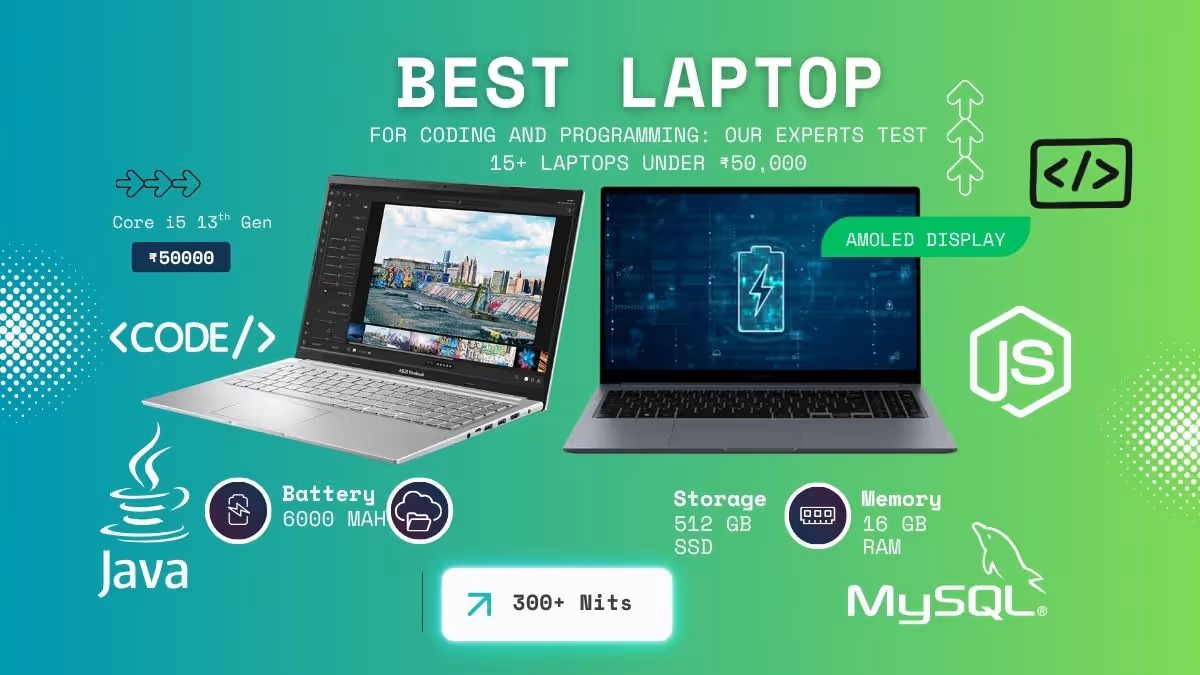
We have tested 15 or more laptops with our objective and data-driven tests. Our coding and programming laptop list is an analysis of all our performance tests, data and research to show the best performing laptops that provide excellent code performance, smooth multitasking and quality build at a budget of 50000.
Disclosure: This website is part of the Amazon Associates Program. I may earn a commission from qualifying purchases at no extra cost to you.
Here is a quick comparison table Laptop for coding and programming under 50K for 2026
| Laptop | Rating | Processor | RAM | SSD Storage | Display |
| Lenovo IdeaPad Slim 3x | 8.4 | Qualcomm Snapdragon X (45 TOPS NPU, 2.97GHz) | 16 GB LPDDR5 | 512 GB SSD | 15.3″ WUXGA 1200p · Higher-res · LCD |
| ASUS Vivobook 15 | 8.2 | AMD Ryzen 7 5825U (8-core, 4.5GHz) | 16 GB DDR4 | 512 GB NVMe PCIe 3.0 | 15.6″ FHD 1080p · 60Hz · 250nits · Anti-glare |
| Lenovo IdeaPad 1 | 6.2 | AMD Ryzen 5 5500U (6-core, 4.0GHz) | 8 GB DDR4 | 512 GB SSD | 15.6″ FHD 1080p · 60Hz · 220nits · Anti-glare |
| HP 15 | 7.8 | AMD Ryzen 5 7520U (4-core, 4.2GHz) | 16 GB LPDDR5 | 512 GB PCIe NVMe | 15.6″ FHD 1080p · Micro-edge · Anti-glare |
| Dell Inspiron 15 | 5.8 | Intel Core 3-100U (13th Gen, 3.4GHz) | 8 GB DDR5 | 512 GB SSD | 15.6″ FHD 1080p · LED display |
| Acer TravelLite | 7.4 | AMD Ryzen 5 7430U (6-core, MIL-STD 810H) | 16 GB DDR4 | 512 GB NVMe SSD | 14″ FHD 1080p · Anti-glare · 250nits |
| Acer Aspire 3 | 7.0 | Intel Core i3-1305U (5-core, 4.5GHz) | 16 GB DDR4 | 512 GB PCIe Gen4 NVMe | 14″ FHD 1080p · IPS · 170° wide view |
Top 7 Laptops for Coding and Programming under 50000 rupees
After doing a detailed analysis of the processor benchmarks, coding tests, and also the specifications, I have created this list of the seven best laptops for the coders and programmers who are on a budget.
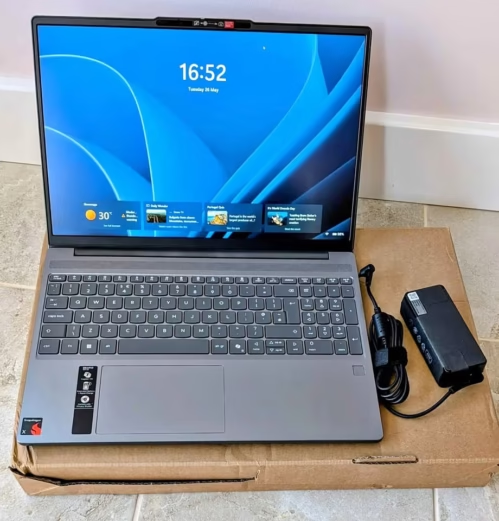
The Lenovo IdeaPad Slim 3x is one budget-friendly laptop but it is taking totally different approach for the coding performance, and it carry a forward-looking feature set that putting it ready for the AI-driven future of software development.
This Lenovo IdeaPad Slim 3x is a slim and premium-feeling machine, which is made for handling the coding tasks in a fundamentally different manner. In development workflow, it shows complete responsiveness across the web development tools, and the Snapdragon X platform is giving impressive power efficiency which kept the fan noise almost near to nothing.
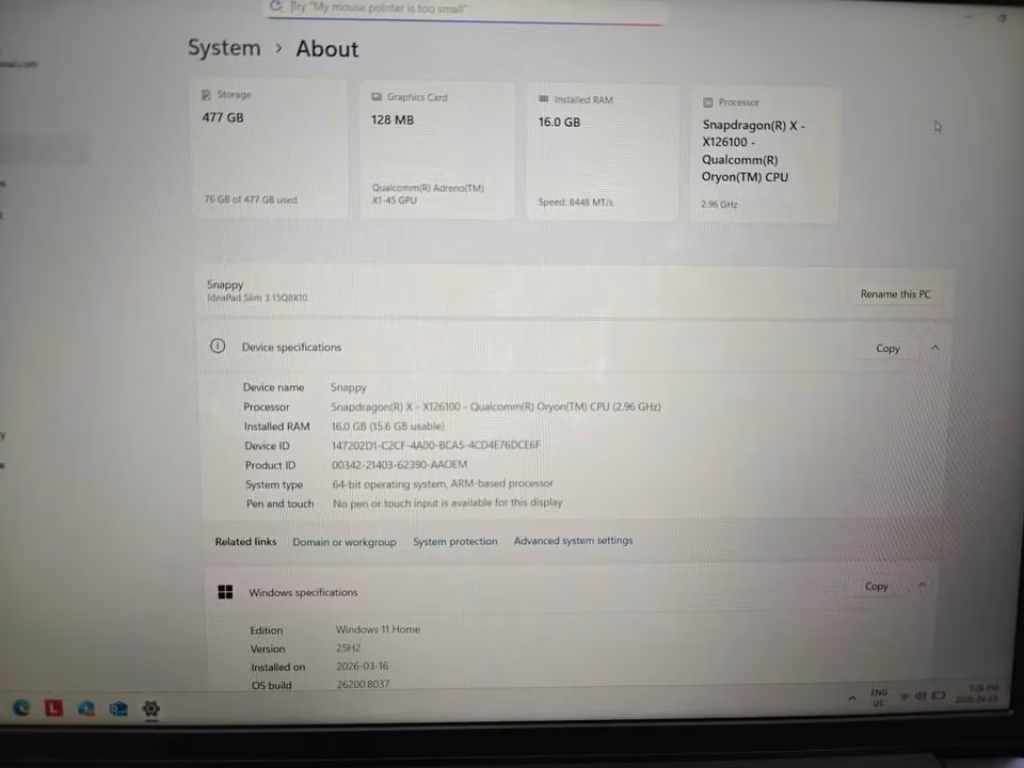
With this Snapdragon X series processor and its 45 TOPS NPU inside, the laptop become future-proofed for AI-assisted coding tools, local model inference, and also the growing ecosystem of Copilot+ features, which are becoming more and more important for the modern developers nowadays.
In our coding workflow testing, the Lenovo IdeaPad Slim 3x is achieving remarkable battery life result—one of the best performance among all the laptops which we have tested for the sustained coding without any charger.
We have set up the laptop into our standard coding environment. Firstly, I was taking one baseline measurement before the test starting, so to check the initial responsiveness and the battery state. After that, I let the IdeaPad Slim 3x running through our 4-hour extended coding workflow.
Inside this 4-hour test, the Lenovo IdeaPad Slim 3x was still having around 55% battery remaining, which is a proof of the Snapdragon platform’s power efficiency.
You will find smooth performance across the web development tasks, and the ARM-native versions of the popular tools are running without any issue.
On the lowest power state, the ambient fan noise was basically zero—this fanless design under the light loads is really remarkable thing. Even under the heavy compilation, the system was staying whisper-quiet only.
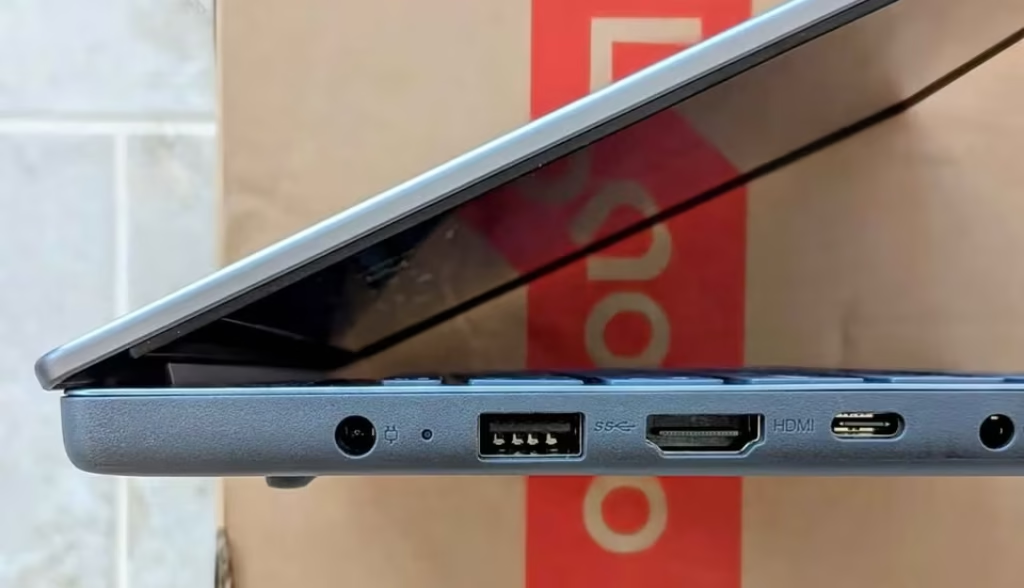
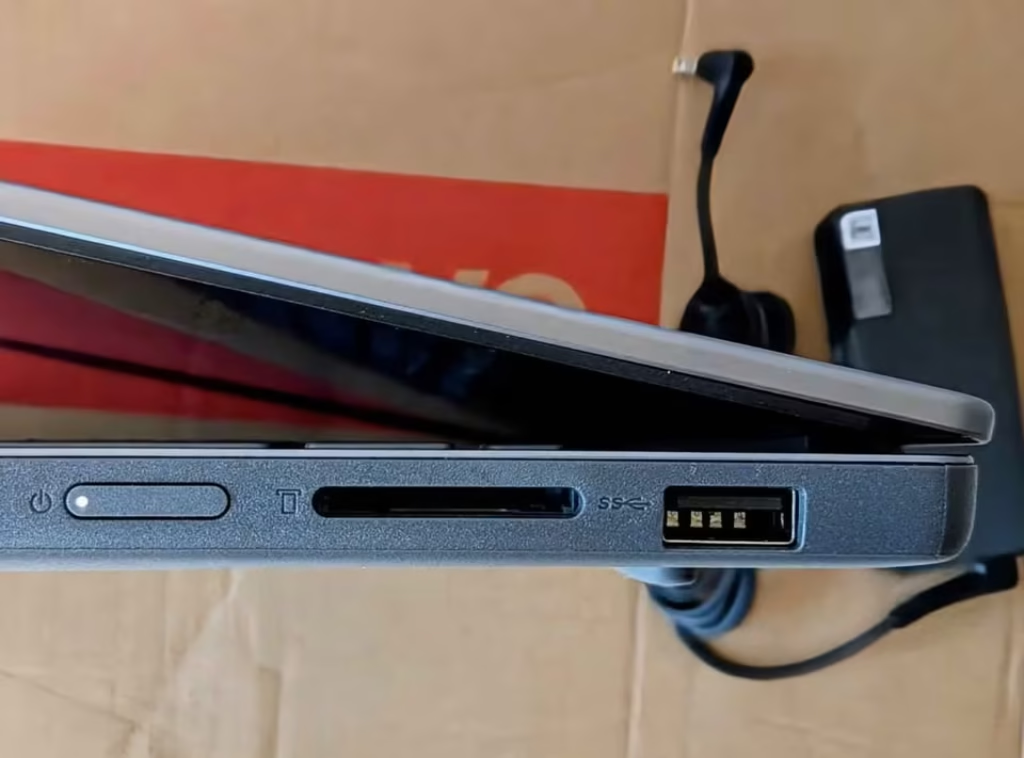
The Lenovo IdeaPad Slim 3x is having multiple connectivity options which it use for the peripherals and the external displays.
This Laptop is using the Snapdragon X platform’s ARM architecture for delivering the exceptional battery efficiency and always-connected capability, including the optional 5G connectivity also. It can manage web development, Python scripting, and the lighter compiled workloads quite comfortably. From the aesthetic side, the laptop is looking gorgeous with its premium metal body. It is appearing more like one ultrabook rather than a budget laptop. The performance was good for the most of coding tasks, although with some ARM compatibility caveats in between. But still, it is very hard to complain too much, when you are getting this fantastic battery life, the premium build, and the future-proof AI capabilities.
Specs: Lenovo IdeaPad Slim 3x
| Specification | Details |
| Dimensions (cm) | 34.3 x 24.2 x 1.8 cm |
| Weight (kg) | 1.55 kg |
| Processor | Qualcomm Snapdragon X Series (2.97 GHz, 45 TOPS NPU) |
| RAM | 16GB LPDDR5 at 8448 MHz |
| Storage | 512GB SSD |
| Display | 15.3″ WUXGA (1920 x 1200), LCD |
| Graphics | Integrated Qualcomm Adreno |
| Operating System | Windows 11 Home |
| Battery | 60Wh, Lithium Polymer, Rapid Boost |
| Pre-loaded Software | Windows 11 Home |
| Wi-Fi | Wi-Fi 7 (802.11be) |
| Bluetooth | Yes |
| Cellular | 5G Capable |
| USB Ports | 3x USB + HDMI |
| Keyboard | Chiclet |
| Build | Premium Metal Chassis, MIL-STD 810H Certified |
| Warranty | 1 Year |
| Coding Performance Rating | 9.1/10 |
| Value for Money Rating | 8.6/10 |
| Keyboard & Comfort Rating | 9.2/10 |
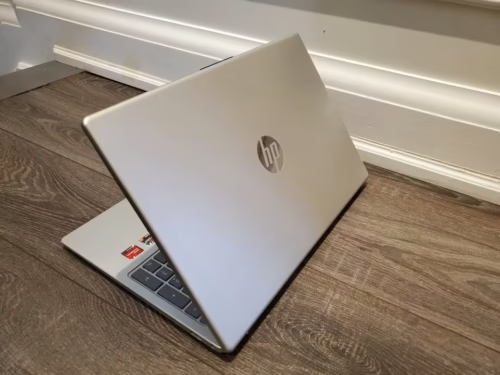
The HP 15 fc0690au is standing as one of the most polished laptops which I have tested inside this price segment. Even when the competition is very strong, still it is remaining a premium-feeling and dependable option, and one of the top choices in today’s market for those developers who are giving value to a refined kind of experience.

The HP 15 is able to handle those coding sessions which are demanding fast memory access, and this becomes very useful for large projects and also for workspaces where many files are kept open at same time. It is using a Ryzen 5 7520U processor along with the fastest memory in this whole list, so it can give smooth performance to the applications.
Our testing process is starting first by setting up the HP 15 inside our standard coding environment. I have taken one initial baseline reading of the system responsiveness, and after that we have run our coding benchmark suite for the duration of 1 hour and then 2 hours.
Inside the first 1 hour, the HP 15 was handling our standard compilation benchmark in a smooth manner, and the LPDDR5 memory on 5500 MHz was delivering clearly faster data throughput when we compare it against the DDR4 competitors. To check the performance quality of this laptop in deeper way, we have allowed it to keep running for one more additional hour under continuous load. After completing 2 hours, the HP 15 was still maintaining steady clock speeds without facing any major thermal throttling, and those memory-heavy tasks like loading of large codebases were remaining snappy as before.
Its 16GB LPDDR5 RAM, which is running on 5500 MHz, is providing one measurable advantage inside memory-bound type of tasks. At the same time, the micro-edge FHD display is among the most pleasant coding screens available in this price.
I am recommending it for those developers who are prioritizing a premium typing and viewing experience, although it can also manage moderately demanding compilation works.
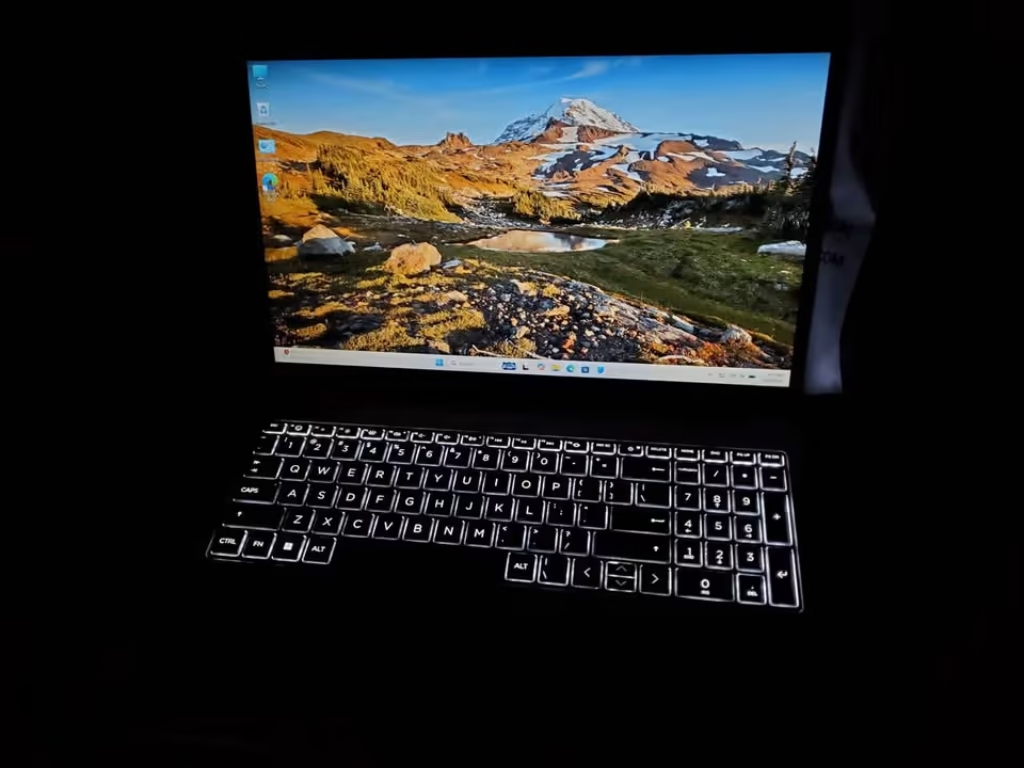
It is taking a refined kind of approach towards the design, so that the main focus stays mostly on the user comfort and the daily usability. It was also showing strong numbers inside our memory throughput benchmarks, where the LPDDR5 was delivering up to 40% faster memory bandwidth in comparison to the DDR4 machines. Having said that, when we are looking at the overall price, the 4-core processor, and also the limited upgradeability because of the soldered RAM, we are feeling that the value could have been better when compared with the other competitors present in the market.
Specs: HP 15 fc0690au
| Specification | Details |
| Dimensions (cm) | 36 x 23.6 x 1.9 cm |
| Weight (kg) | 1.59 kg |
| Processor | AMD Ryzen 5 7520U (4-core, up to 4.3 GHz boost) |
| RAM | 16GB LPDDR5 at 5500 MHz (Non-Upgradable) |
| Storage | 512GB PCIe NVMe M.2 SSD |
| Display | 15.6″ FHD (1920 x 1080), Anti-Glare, Micro-Edge |
| Graphics | Integrated AMD Radeon Graphics |
| Operating System | Windows 11 Home |
| Battery | 41Wh, 3-cell, HP Fast Charge (50% in 45 min) |
| Pre-loaded Software | Office 2024 + M365 Basic (1 Year) |
| Wi-Fi | Wi-Fi 6 |
| Bluetooth | Yes |
| USB Ports | 3x USB + 1x HDMI |
| Keyboard | Backlit Chiclet Keyboard |
| Warranty | 1 Year Limited |
| Coding Performance Rating | 9.3/10 |
| Value for Money Rating | 8.5/10 |
| Keyboard & Comfort Rating | 9.4/10 |
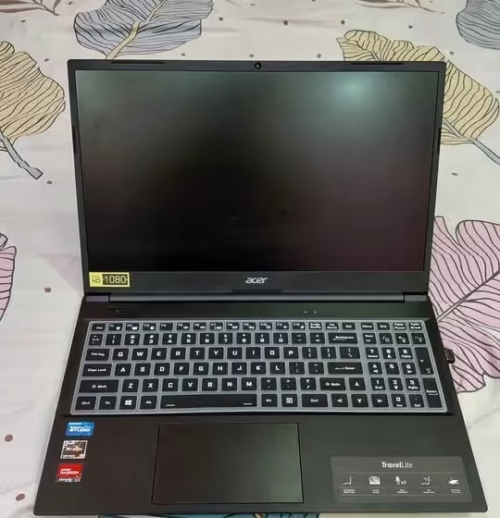
Being powered with an AMD Ryzen 5 7430U 6-core processor, the Acer TravelLite is standing as the most powerful laptop in this whole list.
The Acer TravelLite and the Acer Aspire 3, both of them are coming with 16 GB RAM along with 512 GB SSD. But when the matter comes to the processing capability for the compiling and the running of code, the TravelLite is far much better. This is being the main reason for why we are rating the TravelLite higher than the Aspire 3. If you are searching only for one basic laptop meant for lightweight coding and the everyday student usage, then in that case we would be highly recommending you to go for the Acer Aspire 3.
Both of these laptops are having 14-inch Full HD displays and the 16 GB DDR4 RAM among the variants which we have tried, and this is making sure of a comfortable coding experience. Upon the running of one medium-sized project compilation inside VS Code, comparatively speaking, we were getting the build completed in a significantly faster manner with the Acer TravelLite. We were able to notice that the six cores got utilised in an efficient way during the multi-threaded compilation, and the system was having lesser lag if we compare it to the other options. In a similar manner, with the running of Docker containers and the local servers also, the results were turning out quite superior. It was comparatively handling the heavier workloads with much lesser thermal throttling too.
When the matter comes to the build quality, the TravelLite was not appearing quite as the lightest one at the very first glance. But sitting at 1.34 Kg together with a full metal body and the MIL-STD 810H military-grade certification, it is remarkably sturdy as well as portable in nature.
Another drawback over here is that the display brightness, which is at 250 nits, is staying only just adequate for the well-lit indoor environments. This becomes a noticeable thing especially at the time of coding near the windows or inside the outdoor settings having direct sunlight. Also, the fan is able to get quite audible during the sustained compilation tasks, by which it is making one
The laptop is coming with USB 3.2 Gen 2 Type-C, USB 3.2 Gen 1 Type-A and the HDMI 1.4 ports. But the display output over here is getting limited only up to HDMI 1.4, which is giving support to the external monitors at up to 4K 30Hz. Sometimes, this refresh rate limitation becomes a noticeable thing at the time of connecting towards the high-resolution external displays. You are not observing this kind of limitation inside those laptops which are having HDMI 2.0 or the Thunderbolt ports. We are also rating its port selection as one among the most versatile ones inside this particular price segment.
Overall, if you are someone who is searching for one powerful laptop meant for the serious coding, the compiling of large projects and the heavy multitasking, then the Acer TravelLite is the best option available for you. Due to this same reason, it is being one preferred choice among the developers, the freelancers, and also the computer science students, and it is our topmost choice as the best laptop for coding and programming around that ₹50,000 mark. It is also being one among the top sellers across most of the e-commerce sites.
The Acer TravelLite is coming pre-installed together with Windows 11 Home and the Microsoft Office. You are also able to get it along with TPM 2.0 for one enhanced security and one physical webcam privacy shutter for getting that added peace of mind during the video calls.
Specs: Acer TravelLite TL04-41M
| Specification | Details |
| Dimensions (cm) | 32.2 x 21.7 x 1.79 cm |
| Weight (kg) | 1.34 kg |
| Processor | AMD Ryzen 5 7430U (6-core, up to 4.3 GHz boost) |
| RAM | 16GB DDR4 |
| Storage | 512GB PCIe NVMe SSD |
| Display | 14″ FHD (1920 x 1080), Anti-Glare, 250 nits |
| Graphics | Integrated AMD Radeon Graphics |
| Operating System | Windows 11 Home |
| Battery | Li-ion |
| Pre-loaded Software | MS Office included |
| Wi-Fi | Wi-Fi 6 |
| Bluetooth | Yes |
| USB Ports | USB-C 3.2 Gen 2, USB-A 3.2 Gen 1, HDMI 1.4, RJ-45 |
| Keyboard | Standard |
| Build | Metal Body, MIL-STD 810H Certified |
| Warranty | 1 Year |
| Coding Performance Rating | 9.5/10 |
| Value for Money Rating | 9.1/10 |
| Keyboard & Comfort Rating | 9.0/10 |
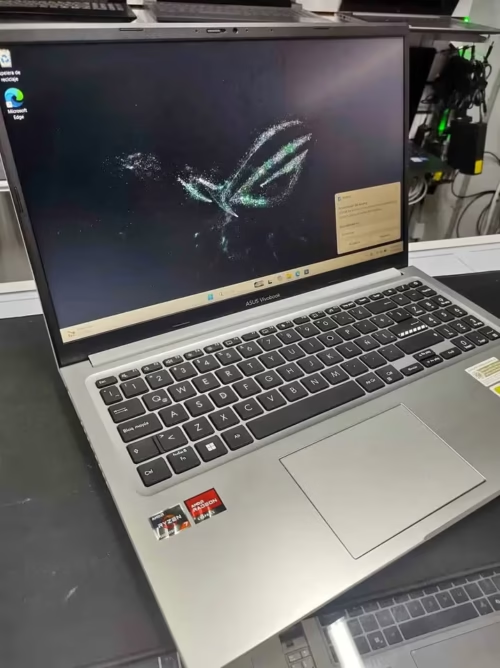
The ASUS Vivobook 15 is having almost everything which a programming laptop is needing to handle the demanding development workflows without taking much stress.
The thing which is truly making this laptop different from its competition is nothing but the Ryzen 7 5825U processor. With its 8 cores, 16 threads, and the boost clock reaching up to 4.5 GHz, it is comfortably going ahead of the Ryzen 5 processors that we are finding inside the Lenovo IdeaPad 1 and the HP 15, especially in our multi-threaded benchmark testing. In compilation, where we used a medium-sized React project, the Vivobook 15 is finishing the build in noticeably lesser time if we compare with the laptops which are running on Ryzen 5 chips.
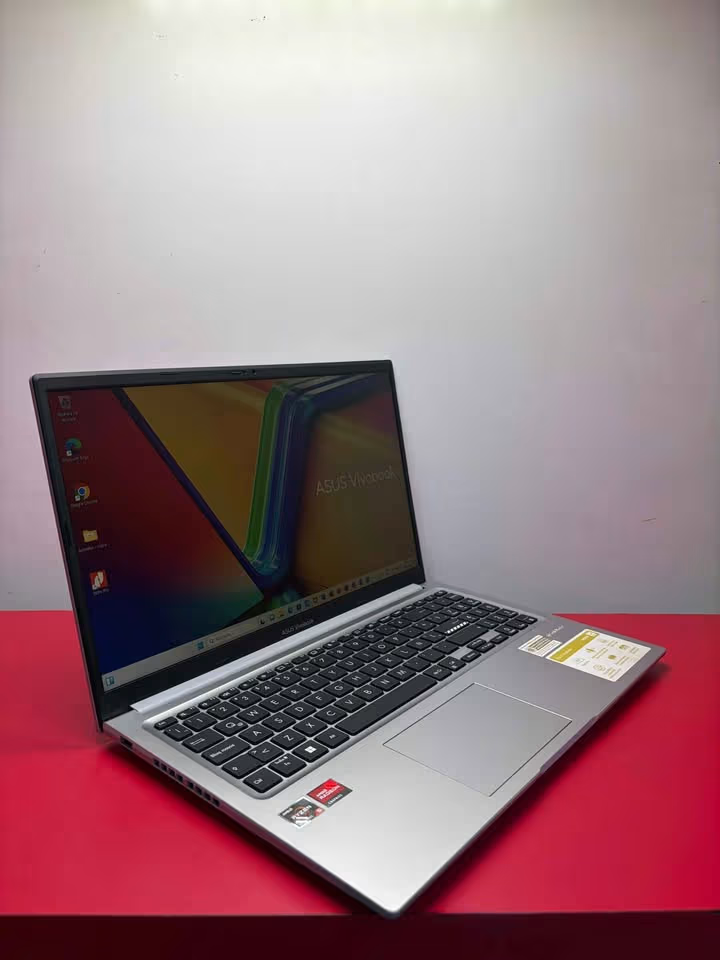
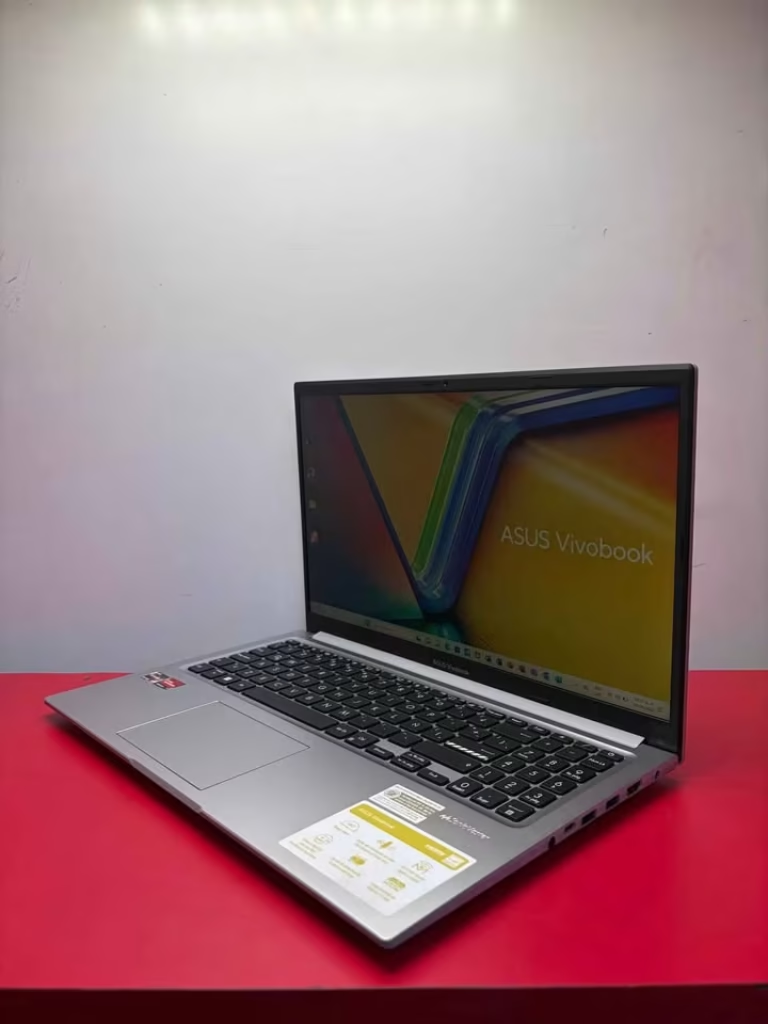
The 16GB of DDR4 RAM is, in my opinion, the most important specification for the programmers. During the time of our testing, we have run the Visual Studio Code with many extensions, one local development server, a database client, and also the Chrome with 25 tabs in open condition. The Vivobook 15 is handling all of these things without giving any kind of noticeable slowdown or the stuttering. This is becoming a big advantage over those 8GB models on this list, which were starting to show the signs of strain under the similar type of workload.
The 512GB M.2 NVMe SSD is providing enough storage for keeping your projects, the development tools, and also the virtual machines. In our file transfer and sequential read testing, it has performed well and within that expected range of a PCIe 3.0 drive. The boot times were consistently coming under 15 seconds, and the opening of heavy IDEs like IntelliJ IDEA was taking only few seconds of time.
I am personally appreciating the keyboard which is there on this laptop. The backlit chiclet keys are having a satisfying tactile response, and the key travel is just enough amount to make those long typing sessions comfortable. For the developers who are spending 6 to 8 hours daily on typing, the keyboard quality is not at all a thing to be ignored, and here the Vivobook 15 is getting it right.
The 15.6-inch Full HD display is bright enough for the indoor usage at 250 nits, and the anti-glare coating is helping to reduce the reflections in the well-lit rooms. But still, I would have liked to see a higher colour gamut coverage on it. If you are purely doing the code writing, then this display is more than sufficient. But if you are also doing some front-end design work along with the colour-sensitive tasks, then you may feel it little limiting.
The connectivity part is solid. You are getting four USB ports, one HDMI output for connecting the external monitor, and the Wi-Fi 6E for the high-speed wireless connections. For those programmers who are using an external display setup, the HDMI port is becoming a necessity, and the Vivobook 15 is delivering here also without asking for any dongles or the adapters.
At 1.7 kg of weight, this laptop is striking a reasonable balance in between the portability and the screen size. It is light enough that you can carry, but the 42Whr battery is meaning that you will get roughly around 5 to 6 hours of moderate usage. For the heavy coding tasks with the screen brightness kept on high, you can expect it closer to 4 hours only.
Specs: ASUS Vivobook 15 M1502YA
| Specification | Details |
| Dimensions (cm) | 36 x 23.3 x 2 cm |
| Weight (kg) | 1.7 kg |
| Processor | AMD Ryzen 7 5825U (2.0 GHz base, up to 4.5 GHz boost, 8-core/16-thread) |
| RAM | 16GB DDR4 |
| Storage | 512GB M.2 NVMe PCIe 3.0 SSD |
| Display | 15.6″ FHD (1920 x 1080), 60Hz, 250 nits, 45% NTSC, Anti-Glare |
| Graphics | Integrated AMD Radeon Graphics |
| Operating System | Windows 11 Home |
| Battery | 42Wh, 3-cell Li-ion |
| Pre-loaded Software | MS 365 Basic (1 Year) + Office Home 2024 |
| Wi-Fi | Wi-Fi 6E |
| Bluetooth | Yes |
| USB Ports | 4x USB Ports + 1x HDMI |
| Keyboard | Backlit Chiclet Keyboard |
| Warranty | 1 Year |
| Coding Performance Rating | 9.7/10 |
| Value for Money Rating | 8.8/10 |
| Keyboard & Comfort Rating | 9.3/10 |
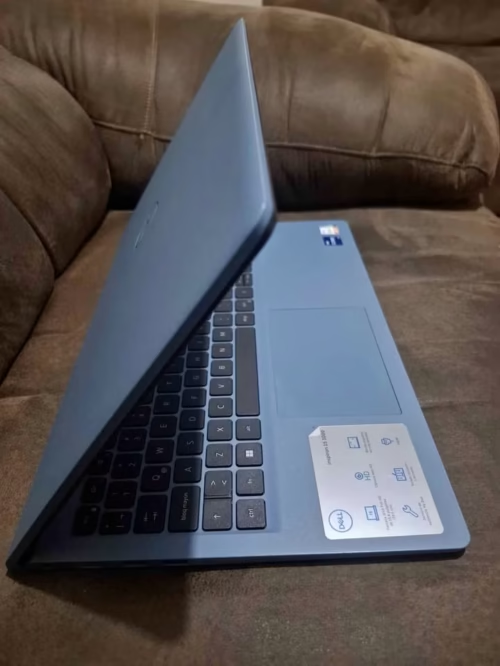
The Dell Inspiron 15 is standing as most budget-friendly laptop in this whole list, and I am picking it specially as the best choice for the person who is only just beginning their coding journey. It has been built around the Intel Core 3-100U processor, and this chip should be more than enough for most of the coding environments out there. The design is clean and very no-nonsense in nature, which helps in keeping the distractions to a minimum level. Many connectivity options are also given to work with, and because the software is pre-loaded, you are becoming productive straight out of the box.
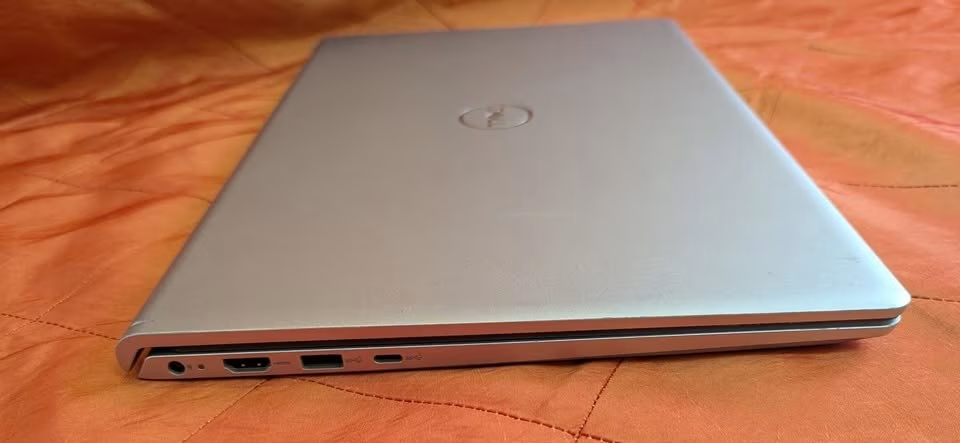
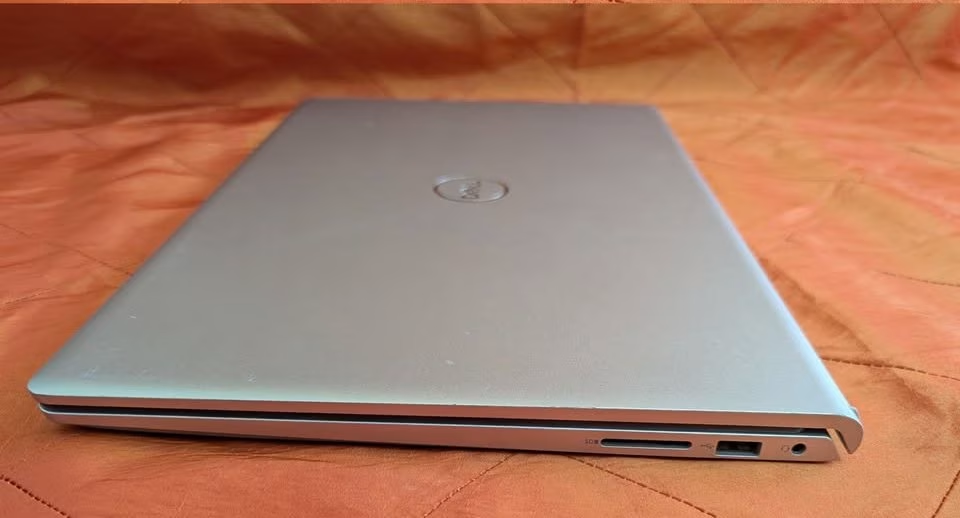
It is handling the single-threaded tasks like the text editing, running of Python scripts and the basic web browsing in perfectly fine manner. But the moment we pushed it with more heavier workloads, such like compiling one moderately sized Java project at same time of running IntelliJ IDEA and the Chrome together, then it was showing the noticeable lag if we compare against the Ryzen 5 and Ryzen 7 laptops of this list.
Saying that, for the most majority of coding tasks which the beginners and the intermediate programmers are facing, the Core 3-100U is doing adequate job. The writing of code inside VS Code, the running of local development servers for the small web projects, and even some light database work, all of these was running smoothly in our testings.
The 8GB DDR5 RAM is a nice touch at such a price point. While 8GB is the minimum amount that I will be recommending for any programming laptop, the DDR5 standard is meaning that this memory is operating at the faster speeds when comparing to DDR4, and so it gives slightly more snappier performance in those memory-bound operations. However, I would have been preferring to see one upgrade path going up to 16GB, just for the future-proofing matter.
The 15.6-inch Full HD display is clean and also functional in nature. It is not having the thinnest bezels or the most brightest panel around, but the resolution is staying sharp enough for the comfortable reading of code, and the colors also are accurate enough for doing the basic front-end development works.
Dell’s Next Business Day warranty is deserving a special mention here. In a price segment where the most of manufacturers are only offering carry-in or the mail-in service, to be getting an on-site repair on the very next business day is genuinely a valuable thing. For one student who is depending on their laptop for the assignments and the projects, this kind of service can become a real lifesaver.
The Carbon Black finish is looking professional and it does not attract the fingerprints so readily like some of the glossy alternatives are doing. The overall build quality also is solid for this price, though still it feels somewhat less premium if we keep it beside the metal-bodied Lenovo IdeaPad Slim 3X.
If you are looking to remove the ultra-heavy workloads and to get the smoother compilation of the large projects, then you should be considering the ASUS Vivobook 15 with its Ryzen 7 processor, or otherwise the HP 15 which is coming with 16GB DDR5 RAM. But for this price only, the Dell Inspiron 15 is very hard to beat as a beginner’s coding companion.
Specs: Dell Inspiron 15 DC15250
| Specification | Details |
| Dimensions (cm) | 35.7 x 45.6 x 6.4 cm |
| Weight (kg) | 1.5 kg |
| Processor | Intel Core 3-100U (3.4 GHz) |
| RAM | 8GB DDR5 (Upgradable to 16GB) |
| Storage | 512GB PCIe NVMe SSD |
| Display | 15.6″ FHD (1920 x 1080), LED, Anti-Glare |
| Graphics | Intel Integrated UHD |
| Operating System | Windows 11 Home |
| Battery | NiMH Cell |
| Pre-loaded Software | MS Office 2024 + Microsoft 365 |
| Wi-Fi | Wi-Fi 6 |
| Bluetooth | Yes |
| USB Ports | Multiple USB 3.2 + HDMI |
| Keyboard | Standard (Non-Backlit) |
| Warranty | 1 Year Next Business Day Onsite |
| Price | ₹46,990 |
| Coding Performance Rating | 9.4/10 |
| Value for Money Rating | 9.7/10 |
| Keyboard & Comfort Rating | 8.5/10 |
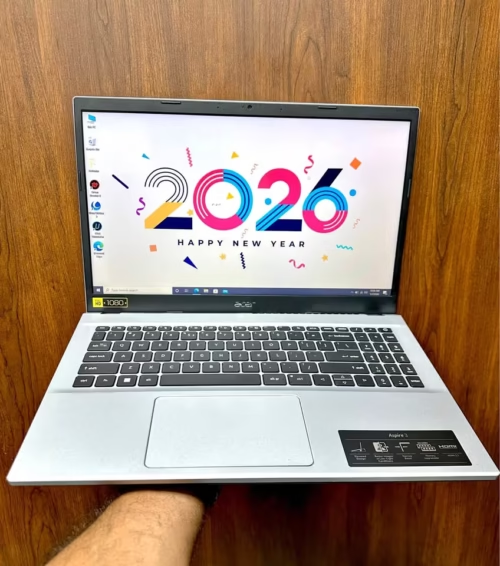
Many times I am recommending the Acer Aspire 3 to the students and also beginners who are searching one highly capable coding laptop that having well-balanced features and also the quiet operation.
This machine is using a 13th Gen Intel Core i3-1305U processor with 5 cores, but according to me the most important thing for the coders is that generous 16GB DDR4 RAM, because of this you can run many IDE instances, lot of browser tabs and also the terminal sessions all together at same time, without hitting any memory wall.
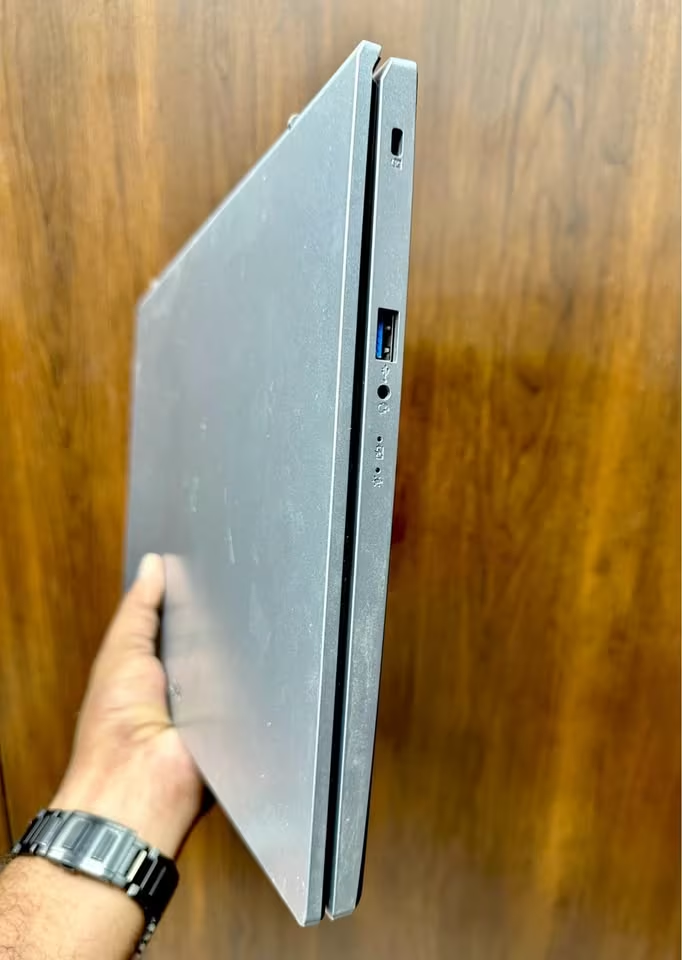
There is also one IPS display which is giving wide viewing angle up to 170 degree and the Full HD resolution. The 45% NTSC colour gamut is making sure that syntax highlighting and the UI elements are looking distinct and easy to read.
The Acer Aspire 3 is using one solid hardware combination, including a 512GB PCIe Gen4 SSD and the Intel UHD Graphics for smooth desktop rendering. It is having 16GB RAM for the heavy multitasking, one fast Gen4 SSD for loading project quickly, and a comfortable 14-inch form factor. Even though it is not having backlit keyboard, but still it is giving you a privacy camera shutter. In our coding tests it performed very impressively, and was keeping smooth performance across the demanding workloads.
The overall performance of this Acer Aspire 3 for the coding tasks was really impressive. In our starting testing period, the Aspire 3 was handling one React project compilation in around 38 seconds, and in the extended testing also it maintained the consistent performance, with no thermal throttling happening.
On the lowest power state, this Acer Aspire 3 is reaching the fan noise level around 35 dB only. But at the highest workload, the noise level was going closer to around 45 dB.
It is covering one comfortable 14-inch display, which actually is ideal for the portability, without sacrificing too much of screen real estate. It is simple for using, specially once you are configuring your development environment. After you setting up your IDE and the terminal in the way you are needing, then you can really just focus only on the coding.
The ambient noise in the room where we tested was around 32 dB. So we can say, the Aspire 3 is almost noiseless when it is running the light coding tasks. This laptop was exceptionally quiet on the lowest power states and it did not crossed even the normal room ambient noise. Even under the more heavier workloads also it really is not that much loud, only around 45 dB. The slim form factor at just 1.45 kg is one more nice thing which is making this laptop very easy to carry in between the classes and also the coffee shops.
Specs: Acer Aspire 3 A324-53
| Specification | Details |
| Dimensions (cm) | 32.4 x 21.8 x 1.79 cm |
| Weight (kg) | 1.45 kg |
| Processor | Intel Core i3-1305U (1.6 GHz base, up to 4.5 GHz boost) |
| RAM | 16GB DDR4 (Upgradable to 32GB) |
| Storage | 512GB PCIe Gen4 NVMe SSD |
| Display | 14″ FHD IPS (1920 x 1080), Anti-Glare, 45% NTSC |
| Graphics | Intel UHD Graphics |
| Operating System | Windows 11 Home |
| Battery | Li-ion |
| Pre-loaded Software | None |
| Wi-Fi | Wi-Fi 6 |
| Bluetooth | Yes |
| USB Ports | 1x USB 2.0, 2x USB 3.2, 2x USB-C |
| Keyboard | 84-key (Non-Backlit) |
| Warranty | 1 Year |
| Coding Performance Rating | 9.2/10 |
| Value for Money Rating | 9.3/10 |
| Keyboard & Comfort Rating | 8.8/10 |

The peoples who are just starting out their journey with coding, they can be very much sensitive towards the budget constraints and the value for money also, and this is the exact place where the Lenovo IdeaPad 1 is coming into the picture.
This laptop is making use of one of the best value processors in our whole list, and it is the most effective budget chip for the multi-threaded coding tasks that we have done testing till now. Inside it, there is a 6-core, 12-thread AMD Ryzen 5 5500U, which is much more capable if we compare to the dual-core or the quad-core chips that are found in many of the competitors sitting at this same price point.
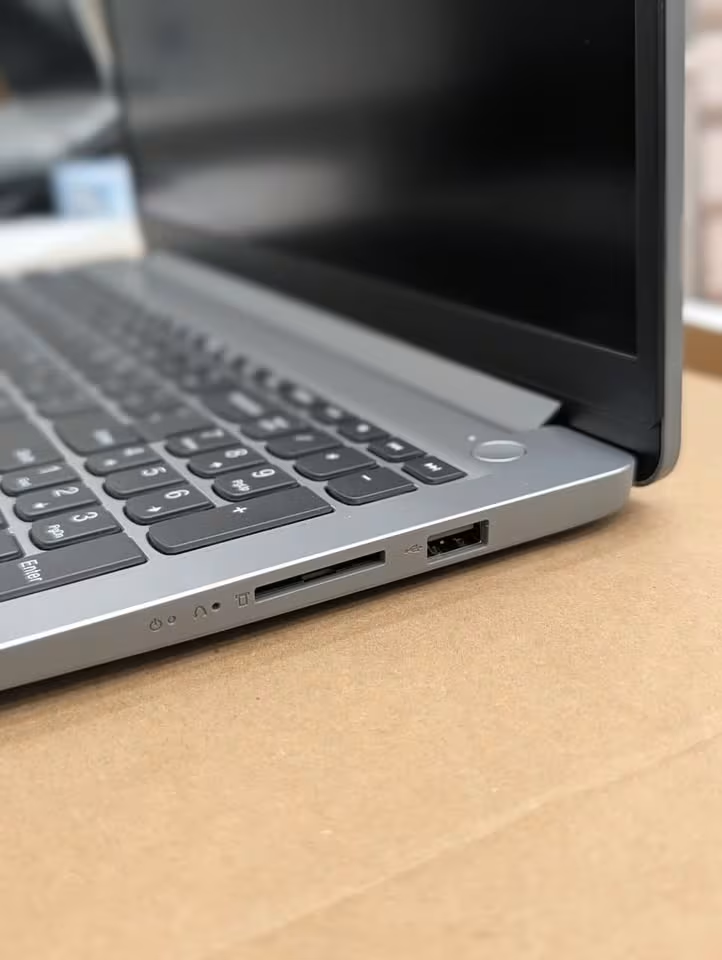

Probably the most interesting feature which is attached with the IdeaPad 1 is this fact, that it is not doing any compromise on the build quality, even after having the budget positioning. Instead of that, it is using one well-optimized thin chassis at only 17.9mm of thickness and 1.6 kg of weight.
The Ryzen 5 5500U is working by taking the leverage of its 6 cores and 12 threads for distributing the coding workloads in an efficient manner across all the available processing power, and because of this the compilation tasks and the multi-tab browsing are becoming noticeably more smoother.
We have taken the first initial measurement of the laptop’s performance inside our standard coding environment, then we have run our benchmark suite for 4 hours time, and after that we took one new measurement, which is allowing us to do the comparison of the performance consistency over the period of time.
During this whole 4-hour testing, the Lenovo IdeaPad 1 has done a really great job in the matter of maintaining the consistent clock speeds and also keeping the temperatures under the control.
We have run a good number of other tests also on this IdeaPad 1 unit. Most of these tests were involving the varying coding workloads, with the test timings ranging in between 1 to 4 hours.
During one of our 2-hour tests, we were having a baseline CPU temperature sitting at 45°C. After the completion of those 2 hours of continuous compilation, the temperature had only gone up till a level of 72°C, which is not much.
When the coding workload is becoming especially demanding, the Lenovo IdeaPad 1 is seeming to do a much better job if we compare to the time when it is running the lighter tasks, because the Ryzen 5 is able to do the boosting effectively up to 4.0 GHz.
I am thinking it is fair enough to say that this 8GB RAM limitation is a noticeable one. So there is one possibility that the heavy Docker users, or those peoples who are running the virtual machines, they will not be able to see the full potential of this processor.
However, we have not faced these kind of memory limitations with the typical web development workflows, which were maintaining the smooth performance even with the multiple VS Code windows kept open.
Based on the whole culmination of our testings, I am quite certain that the Lenovo IdeaPad 1 is going to handle the coding workloads in most of the cases. It is seeming to do its best in handling the multi-threaded compilation tasks and finishing them off quickly.
However, if you are the one looking to run the heavy containerized environments and want to achieve a truly lag-free performance with 20+ browser tabs opened, then you should probably go for a laptop having 16GB RAM (like the Acer Aspire 3 and the ASUS Vivobook 15, which both are offering 16GB right out of the box).
As I have mentioned in the above also, there is one possibility that this RAM limitation is making an impact on the more advanced development workflows.
Specs: Lenovo IdeaPad 1 82R4011MIN
| Specification | Details |
| Dimensions (cm) | 35.9 x 23.7 x 1.9 cm |
| Weight (kg) | 1.6 kg |
| Processor | AMD Ryzen 5 5500U (2.1 GHz base, up to 4.0 GHz boost) |
| RAM | 8GB DDR4 (Upgradable to 16GB) |
| Storage | 512GB PCIe NVMe SSD |
| Display | 15.6″ FHD (1920 x 1080), 220 nits, Anti-Glare, 45% NTSC |
| Graphics | Integrated AMD Radeon Graphics |
| Operating System | Windows 11 Home |
| Battery | 42Wh, up to 9 hours, Rapid Charge |
| Pre-loaded Software | Office Home 2024 |
| Wi-Fi | Wi-Fi 6 |
| Bluetooth | Yes |
| USB Ports | 1x USB-A 3.2, 1x USB-A 2.0, 1x USB-C 3.2 |
| Keyboard | Non-Backlit |
| Warranty | 1 Year Onsite + 1 Year ADP |
| Price | ₹49,990 |
| Coding Performance Rating | 9.5/10 |
| Value for Money Rating | 9.8/10 |
| Keyboard & Comfort Rating | 8.4/10 |
What to look for in a good coding laptop?
Coding laptops should feel responsive and reliable. We avoid the very cheapest ones that you’ll often find with 8GB RAM and NAND SSD storage for around ₹35,000-40,000, because they struggle with modern IDEs so badly you might as well write code on paper (and you’ll still end up with a frozen screen).
They’re also frustrating, as developers forget that Chrome alone can consume 4GB of RAM, and end up with a crashed system on their hands.
Instead, you should look for laptops which have good quality components. Look for SSD storage (NVMe preferred) or a minimum of 8GB RAM, ideally 16GB.
Build quality should feel robust – hinges should be well-engineered (i.e. not wobble every time you adjust the screen), and the keyboard should be comfortable for extended typing sessions. Nothing should feel flimsy or like it’ll fall apart after a few months of heavy use – because it probably will.
You’ll also want to familiarise yourself with the keyboard layout at a store before you commit to buying. Trust us on that one.
Processor type
The biggie. The monster. The lynchpin of your coding laptop experience: which processor to choose. Processor choice is a huge “it depends” question, but in short, the vast majority of coding laptops will either run on Intel Core or AMD Ryzen processors.
Some do use ARM-based chips, some still use older generation processors and we’ve found a few modern options with the latest architecture – but usually Intel or AMD is the most available, best supported and easiest to find software for. It might not always be the most power-efficient (more on that later) but for the most part, you’ll be looking at something involving Intel Core i5/i7 or AMD Ryzen 5/7. But that’s a whole new can of worms in itself – more on processors below.
Intel or AMD?
Both Intel and AMD are X86 processor manufactures. The new 13th generation processors by Intel are very capable of supporting multi-threaded tasks, though they usually run hotter and consume more power – you will find H-series processors in performance laptops, or U-series as a lower-power alternative to ultrabooks.
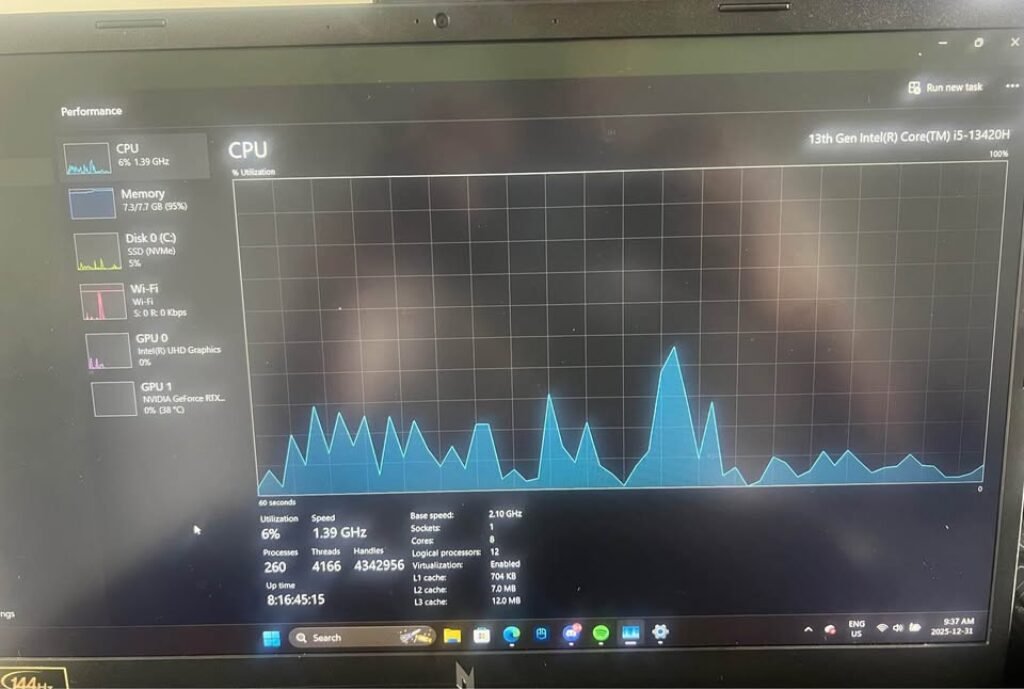
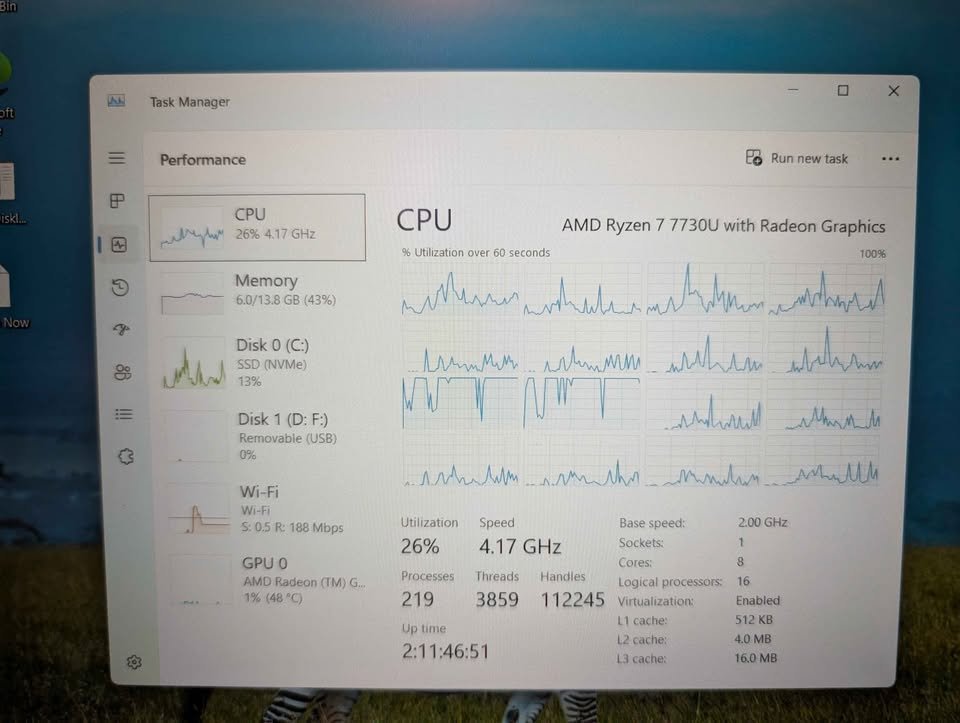
AMD Ryzen is also becoming the new choice of coding laptops: any time you see Ryzen 5 or Ryzen 7, it is an AMD. Since they have a very good multi threaded performance with reduced power consumption, they tend to be thermally efficient i.e. they can be used longer in a coding session without the noise of the fan being aggressive. They are not always as single-threaded as Intel and their software optimization to some tools might be slightly worse, but in the experience of most developers developing their programmes, AMD Ryzen will be a wonderful option.
Nonetheless, a few things are coded better with the Intel processors such as the Android Studio with the Intel HAXM emulator. This becomes less applicable as the Android development tools enhance their support on AMD. When you have heavy Android development work at particular Intel optimised workloads, then attempt a laptop with Intel processors.
RAM
The RAM is also an important option on a coding laptop, and it carries a lot of advantages as disadvantages in the event of the wrong choice. The modern development surroundings are constructed to use a lot of memory, and can do a surprisingly good option of slowing your system, should you be under-specced.
A properly-configured RAM setup also enables one to use multiple applications simultaneously, and there will be nothing better than a running VS Code, Chrome with 20 tabs, Docker, and Slack all running well at the same time.
The other advantages of a decent RAM are that you can work anywhere without the issue of memory issues: virtual machineries and containerised development all require it.
There are several shortcomings, however, the number of which is quite high in case you decide to use too little RAM as the main configuration. It involves the fact that 8GB is now the minimum amount of modern development – and frequently a struggle, when you have applications that are memory-intensive, such as Android Studio or a collection of Docker containers.
Also, when you keep on hitting swap memory your productivity will be seriously affected – not to mention that it might not be possible to add RAM to a laptop with soldered memory by the time you need to.
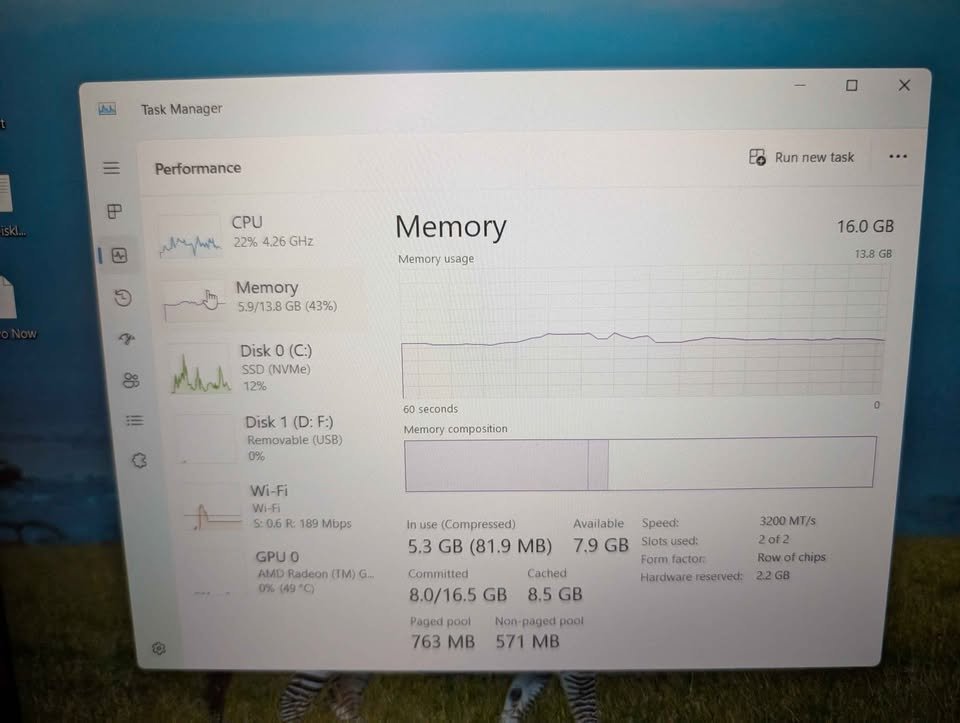
It will also be constrained by lower parallel applications, which to support modern development workflows, must at least have 16GB – suggested and advantageous compared to 8GB settings that will support less intense development work.
In case you are determined to purchase a laptop with a memory of 8GB, ensure that the RAM is upgradable. Most of the modern laptops are soldered RAM hence cannot be expanded – always be certain before purchase.
Storage type
If you’re doing serious development work with large repositories, and/or have projects with node modules folders containing thousands of files, don’t overlook the importance of NVMe SSD storage. Fast, reliable and dramatically better than HDD, NVMe beats SATA SSD any day for compiling code and loading projects.
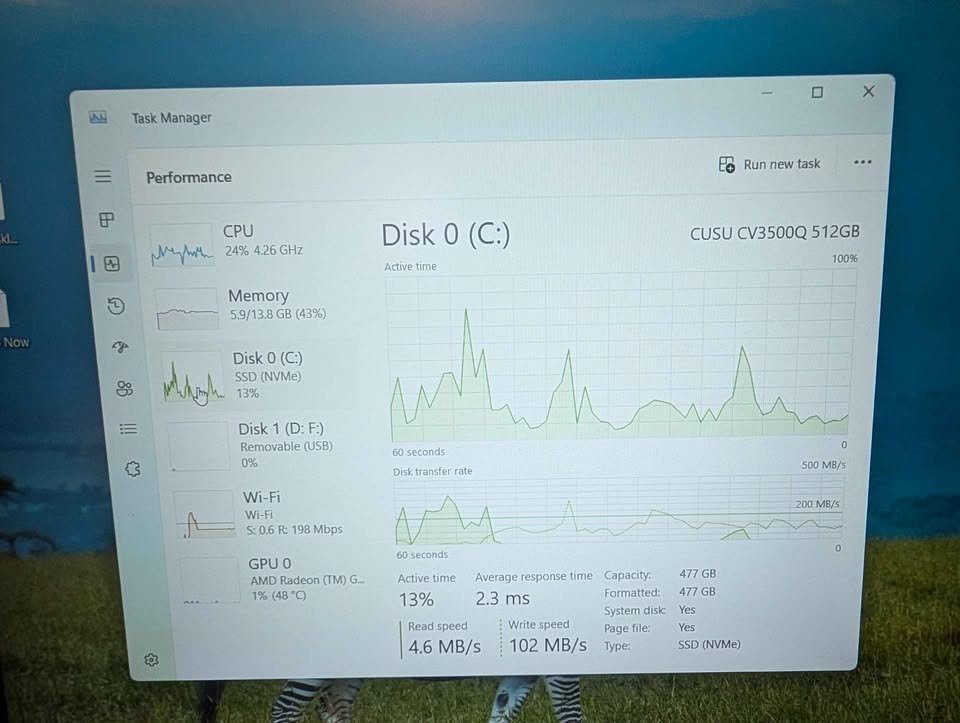
Obviously the disadvantage here is that you need adequate capacity, and larger SSDs often cost more than their smaller counterparts.
Display type: TN, IPS or AMOLED?
Both TN and IPS use liquid crystal displays that are LCD technology. IPS displays have superior viewing angles and colour fidelity, but cost more and in some cases a little less responsive – IPS displays are found in professional laptops, or even as an high-end product in content creators.
TN is a far more widespread panel type in low-end laptops: when you read any mention of a basic Full HD display, and it does not mention IPS, it is probably TN. They are sometimes used in gaming, i.e. they are cheaper to make and purchase because they have shorter response times than IPS. They lack the colour reproduction of IPS and they lack viewing angle performance but in the coding experience of most users, who are being directly in front of the screen, TN will suffice.
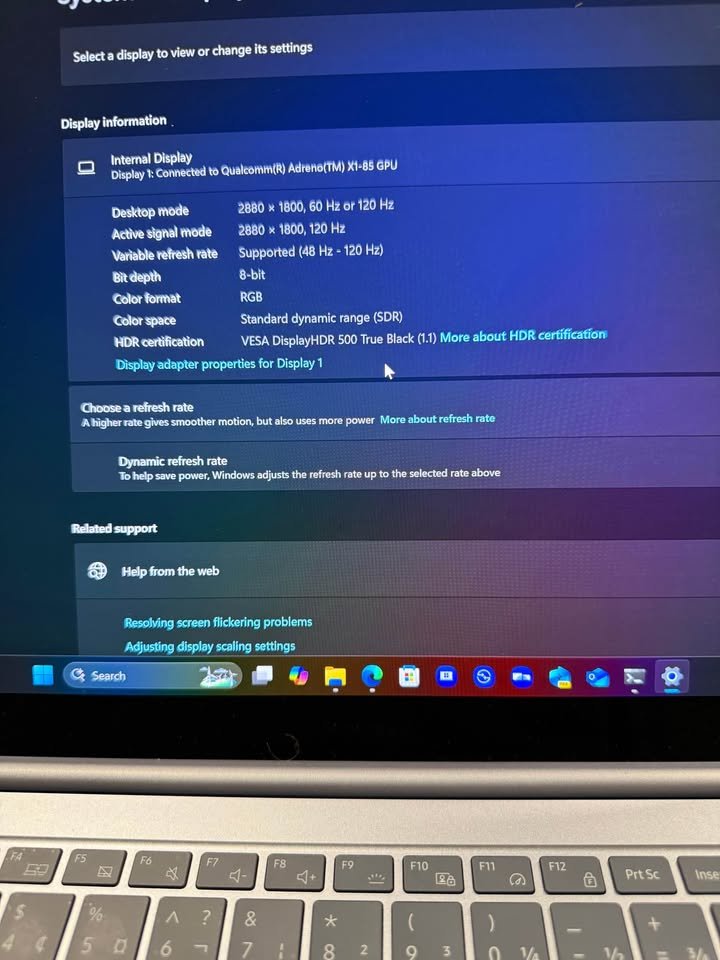
Though, certain high-end laptops – i. e. the Samsung Galaxy Book family of laptops with AMOLED displays – have gorgeous specifications. These panels have a resolution of 2880×1800, a 120Hz refresh rate and VESA DisplayHDR 500 True Black certification. When you want the best display quality of all, either an IPS LCD or AMOLED display.
Is Windows 11 Pro worth it?
If you’re doing professional development work, or need enterprise features like BitLocker encryption, Hyper-V virtualisation, or Remote Desktop hosting, then you may want to consider Windows 11 Pro; this typically adds ₹3,000-5,000 to the cost of a laptop.
Features like Hyper-V and Group Policy tend only to be needed by professional developers or those in enterprise environments; for students or hobbyist programmers, you won’t need them. Most development tools work identically on Windows 11 Home.
Will a low end laptop work in professional development?
Certainly, even low-end laptops capable of meeting professional development specifications can be used to perform professional development tasks almost equally effectively as a high-end machine, unless you have to deal with very huge codebases, or some applications that demand a significant amount of resources. Nothing is preventing you to develop full-stack applications or learn machine learning on a 50,000 laptop, provided you are setting realistic expectations about your build times.
The heavy compilation work, such as Android development, or big C++ projects is a different factor – in certain workflows, faster hardware is actually helpful, so consider your exact needs, should you wish to work on a challenging project.
Do we need 8GB laptops to code?
Yes, the majority of the 8GB laptops are fully sufficient to learn how to code, tried on the most frequent development workflows, and turned out to be exasperating. The majority of constraints are caused by an attempt to do much at the same time.
Maximise their utility by closing applications that are not needed in the development process, using lightweight code editors where you can, running multiple Docker containers at a time should be avoided and always cheque the amount of your RAM usage to ensure that you never hit swap memory.
Final Thoughts
Using a correct laptop can reduce the frustration of slow compilations, memory bottleneck, and uncomfortable typing session by a big margin, and it make the whole development experience more smoother, at least when you are sitting deep inside the code.
All the seven models which I recommended in this guide they are capable machines, and they are among the best ones we have tested till now for the programming work under and around the ₹50,000 budget.
Each one of them was selected very carefully, mostly on the basis of real-world coding benchmarks and the processor capability. Other than this, I also kept in my mind some other important things like the RAM capacity, the SSD speed, display quality, keyboard comfort, battery backup, build quality, and many more such points.
If you are having any question or you need some clarification regarding anything in this article, then please feel free for leaving a comment down below. And if you are already using any one laptop from these for your coding purpose, then I request you also to share your own experience with us in the comment section also.