
Are you the person who always wishing to own one proper gaming laptop, but without spending the amount which goes well above ₹1 lakh? For this exact reason the MSI Thin 15 is existing — it is a slim machine, only 1.8 kg in the weight, which is made for doing this job (and also it manage the college and office type of work very nicely too).
In this week, we are going to put the Thin 15 B13UDX through our full testing of gaming, the CPU, the display and also the battery, so that we can understand properly how much this laptop is able to perform in two roles together — as the gaming machine and as the daily working companion.
- Very excellent esports performance which is using the 144Hz display in full manner (120–150+ FPS in the Valorant / CS2)
- For this price point it is surprisingly loaded with good things (6GB VRAM, the Wi-Fi 6E, and also the Gigabit LAN)
- The cooler is having only single fan, so under the heavy load it is becoming hot, due to this reason a cooling pad is suggested
- The display of this MSI is covering only around ~45% NTSC, so for the creative type of work the colours are looking little muted
The MSI Thin 15 is one slim and budget-friendly gaming laptop, and it is doing the pairing of an Intel Core i5-13420H together with the 6GB RTX 3050. In our esports testing the Thin 15 managed everything without any struggle, it was pushing the numbers of 120–150+ FPS inside Valorant and CS2, and because of this it is using the full potential of its 144Hz panel. The one big negative point is only the limited thermal headroom, so honestly speaking it is not meant for the long-session AAA gaming if you are not keeping a cooling pad with you. But still, when we talk about esports titles, the mainstream AAA games and the everyday work, it is giving a value which is really excellent at the price of ₹99,750. From our side, highly recommended.
MSI Thin 15 Design
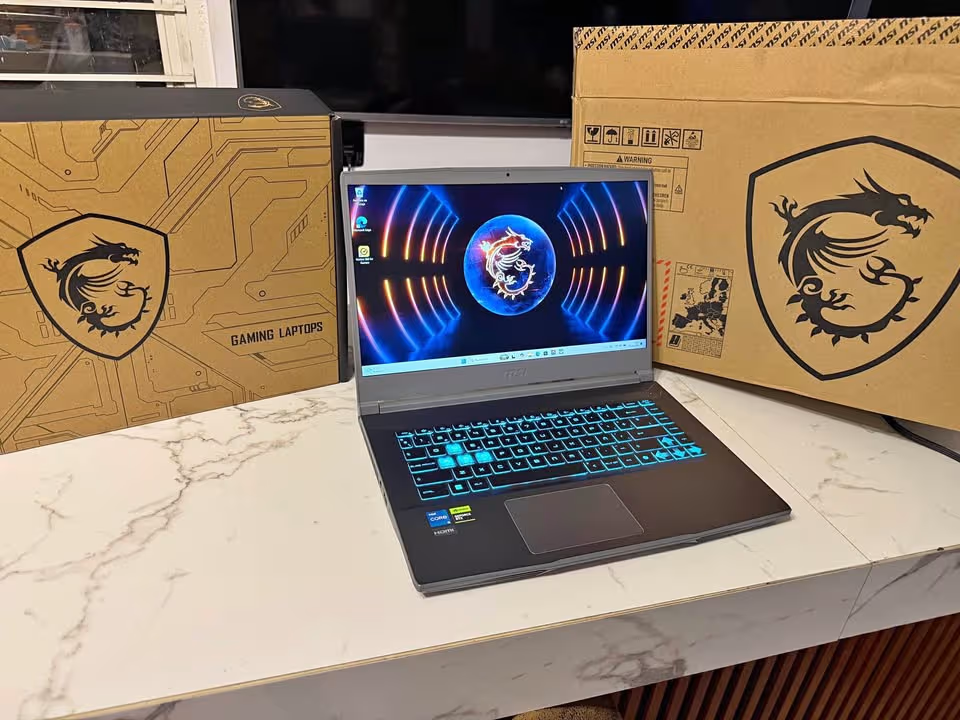
The MSI Thin 15 B13UDX has been designed in a manner which is somewhat thin-and-light in its styling, but still it is carrying few of the gaming additions also. So we can say that the Thin 15 is partly an everyday-use laptop and partly it is a gaming machine as well.
Being a gaming laptop, inside the chassis of this particular unit there is sitting a dedicated RTX 3050 graphics card together with a single-fan cooling arrangement, and on top of that it is also offering a 144Hz display and one backlit keyboard.
Chassis
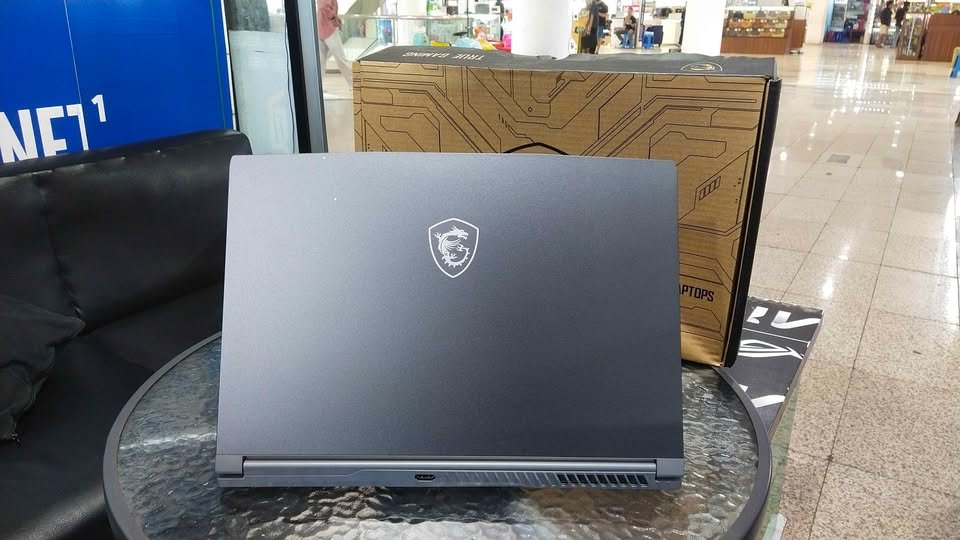
The Cosmos Gray chassis is measuring around 35.9 x 25.4 x 2.1 cm and the weight of it is coming to 1.8 kg. Because the thickness is being kept near about 2.1 cm only, the Thin 15 is becoming able to slide inside a normal laptop backpack without much trouble.
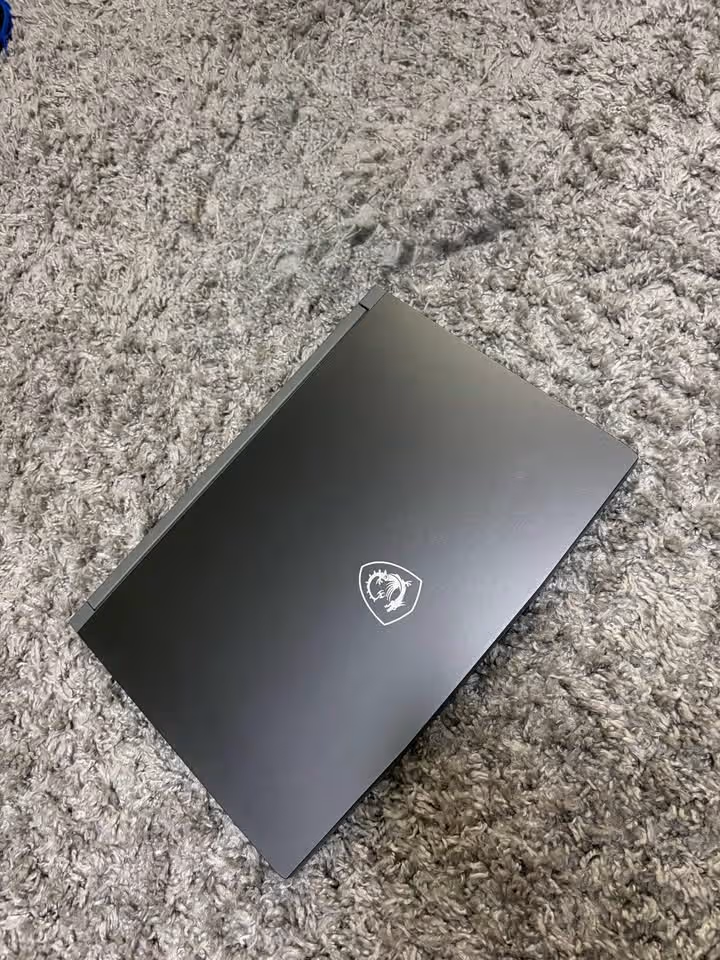
Other than this, the finish is also subtle enough that a person can carry it into a classroom or an office and it will not be looking out of place over there.
Display
In this MSI there is provided only one 15.6-inch (40 cm) Full HD panel. It is running at the resolution of 1920 x 1080 with 144Hz refresh rate and the technology which it is using is of IPS-level type.
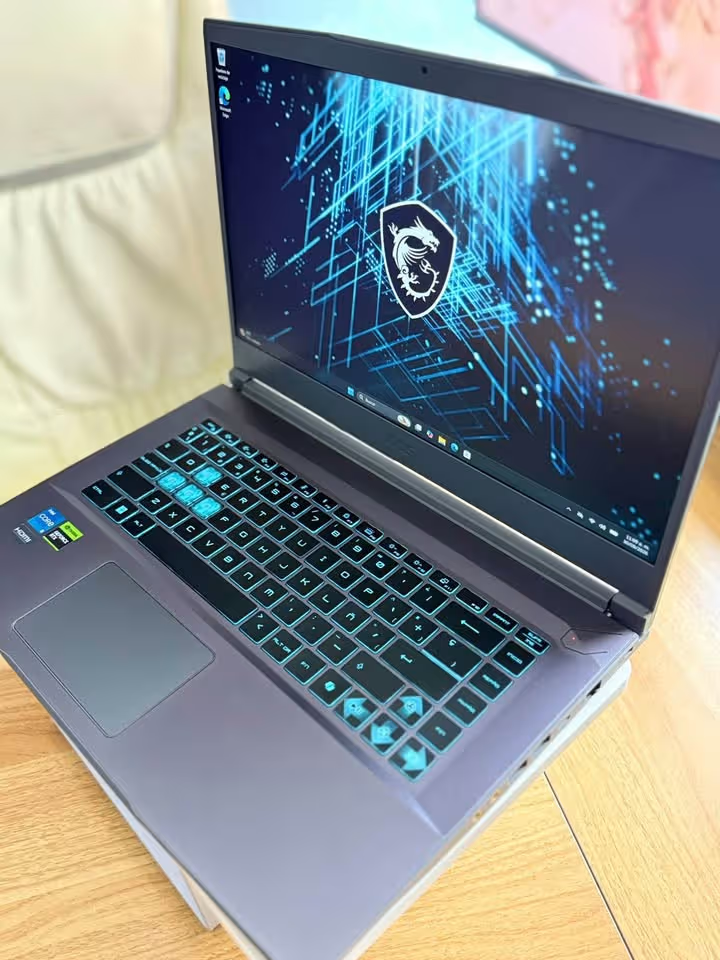
The main highlight over here is the refresh rate itself; due to this the fast-paced games are looking very smooth and the ghosting also is being kept to a minimum level. But on the other side, the panel is covering only about 45% NTSC (which is coming around 55–60% sRGB), so because of this the colours can sometimes appear little bit muted or washed-out in nature.
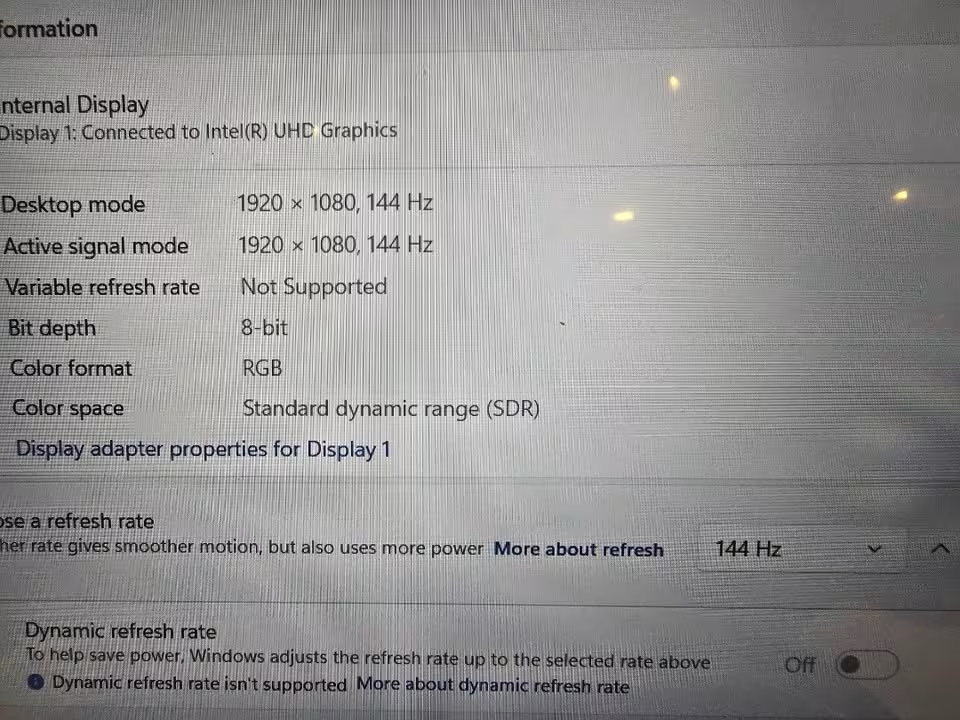
By the measurement, the panel is giving around 250 nits of brightness, so it is doing its work nicely for the indoor and the bedroom gaming setups, without creating any issue. However, under the direct sunlight it is becoming less effective. The anti-glare or matte type finish is helping here to diffuse away the reflections which are coming from the harsh overhead lights.
Keyboard
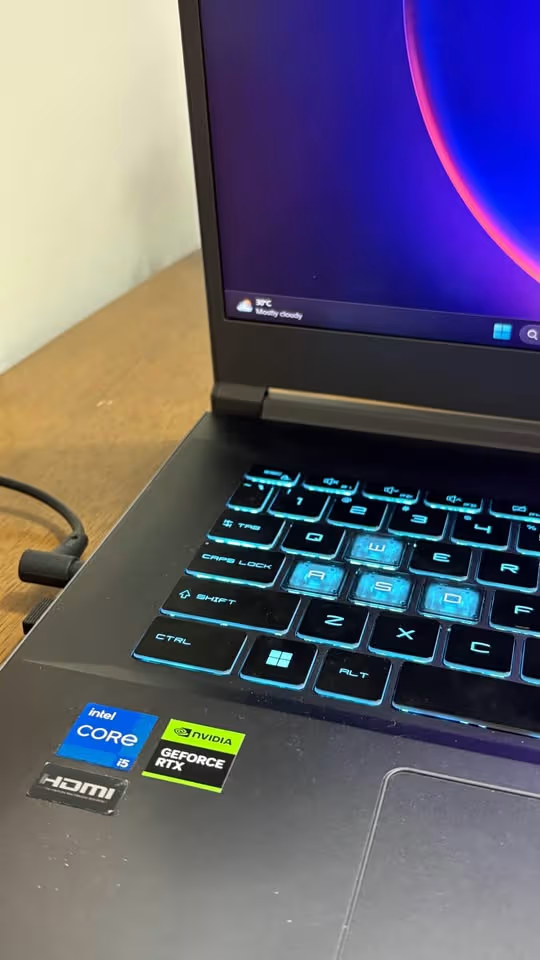
The keyboard is of backlit type and below to it one touchpad is also given. Because of the backlit layout, the late-night gaming as well as the typing work is becoming more easy, and it is allowing the user to locate the WASD keys very quickly even inside a dark room.
Ports
On the sides of this MSI the ports are being placed. There is 1x USB 3.2 Gen1 Type-C port (and it is having the DisplayPort support also), 3x USB 3.2 Gen1 Type-A ports, and 1x HDMI port which is giving the output up to 4K at 30Hz.
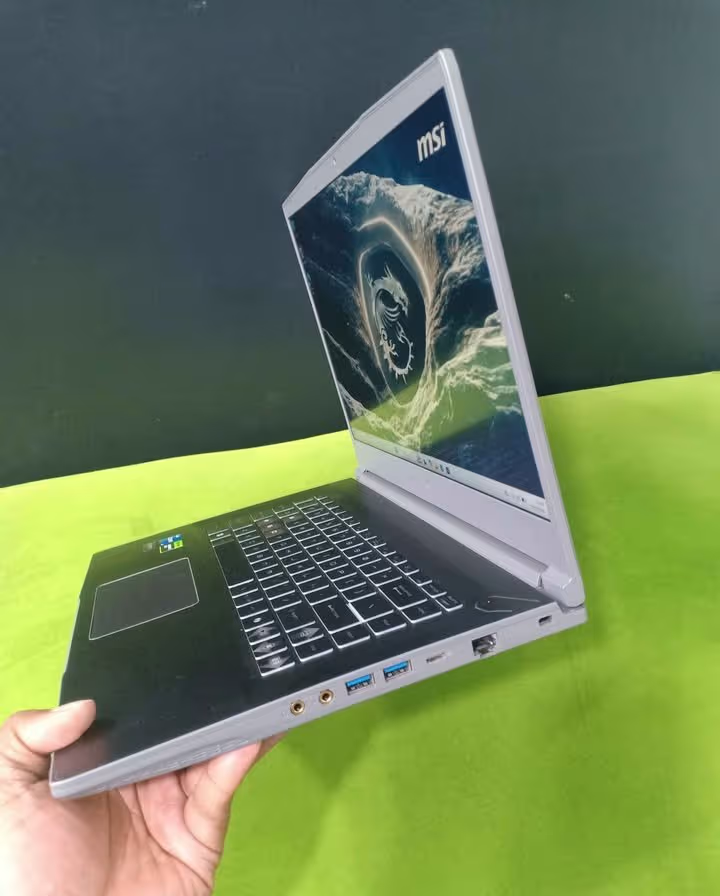
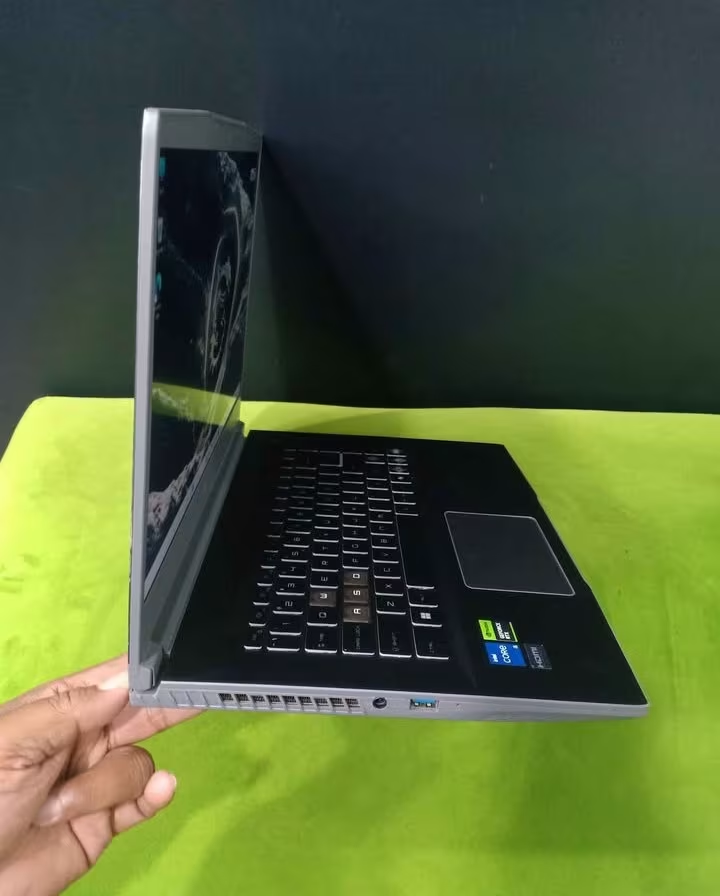
Apart from these, the Thin 15 is also carrying one Gigabit Ethernet (RJ45) port, and along with that the separate 3.5mm microphone-in and headphone-out jacks are also present in it.
Gaming Tests
These below tests are made for showing that how the MSI Thin 15 is behaving across the competitive esports titles, the mainstream AAA games, and also the heavy AAA games which put much more load.
We have tested each and every game on 1080p only, because this is the native resolution of the panel, and the laptop was kept plugged into its 120W adapter during whole testing.
After that, the heavier AAA titles we tested in two ways — one time with the NVIDIA DLSS and one time without it. For this particular test, we are comparing the frame rates of both the runs, and also we noted down that how much smooth each game is feeling in the hand.
Below you can see the average frame rates of each game.
Valorant / CS2
120–150+ FPS
Fortnite
80–110 FPS
GTA V
75–95 FPS
Cyberpunk 2077
40–55 FPS
For the starting, the gaming test is containing three game categories:
Mainstream AAA titles
Heavy AAA games
Every category from these is giving a different amount of GPU and also CPU load, so because of this we are able to test the MSI Thin 15 against one light, one medium and one heavy type of workload. All the games are being run on 1080p across three separate rounds.
In the whole gaming testing, we are always trying to give the real life examples and remain as much consistent and fair as it is possible. The gaming test procedure is going like the following:
- First fully charge the laptop and then plug in the 120W power adapter.
- Update the NVIDIA graphics driver and after that put the performance mode inside the MSI Center.
- Launch every game on 1080p and then apply that preset which is listed in our results (Medium, High, or Very High).
- Play one repeatable section from each game and record the average frame rate of it.
- Turn the NVIDIA DLSS on for the heavy AAA games and then do the comparison of frame rates with the first run.
- Unplug the adapter and finish one final run on the battery, if it is required.
Esports Tests
The MSI Thin 15 has done a really excellent job inside each of the competitive games which we tested.
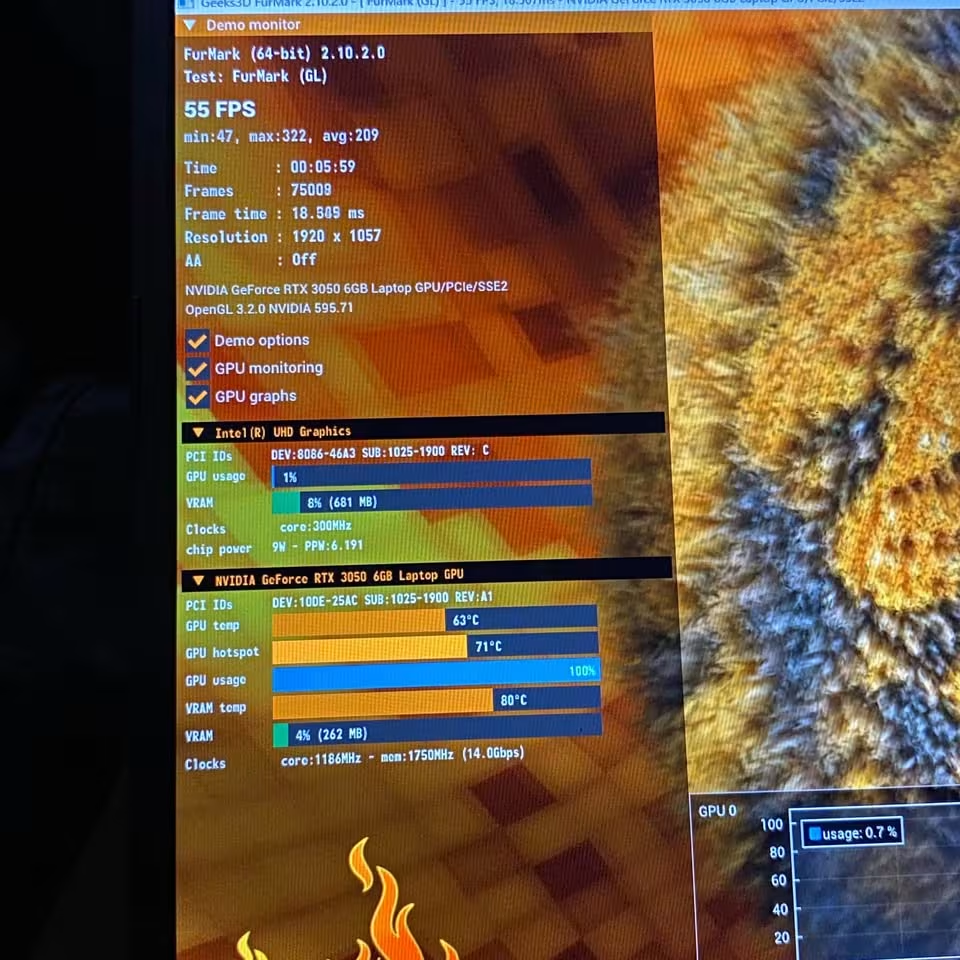
After the first round was completed, Valorant and CS2 hit 120–150+ FPS on High settings, Fortnite ran at 80–110 FPS on Medium / High, and GTA V landed at 75–95 FPS at Very High.
Because they are less demanding titles, Valorant and CS2 are not posing any issue for the Thin 15. But on the other side, Fortnite and GTA V are not holding the full 144Hz each and every time.
Mainstream AAA Games
Forza Horizon 5 is the open-world racing game which is quite much demanding, so it needs a little balancing in the settings, and also the enough VRAM so that textures stay loaded properly.
On the High settings, the Forza Horizon 5 was running between 60–85 FPS. The Red Dead Redemption 2, it ran around 45–65 FPS on Medium settings, but this depends on which DLSS configuration you are choosing.
Heavy AAA Games
Cyberpunk 2077 behaved somewhat differently than the other games. The MSI Thin 15 did not faced any trouble for loading or running the Cyberpunk, only the problem was coming when it had to hold one smooth frame rate. On the Medium settings, it was running at 40–55 FPS.
But after we turned on the NVIDIA DLSS upscaling, the frame rates went up and came more closer to a stable 60 FPS.
One more thing to say, in the open-world games which are heavily CPU-bound, the only 4 performance cores of i5-13420H can become a small ceiling here. So in such situation, lowering some of the CPU-heavy settings is giving good help.
Does the 6GB VRAM make a difference?
Yes, it is making a difference which you can notice in the modern games that are memory-hungry. This 6GB layout is giving one clear advantage if we compare with the normal 4GB RTX 3050 variants.
Because there is more VRAM for working, the Thin 15 is able to avoid those heavy micro-stutters and the texture swapping problem, which the 4GB cards are usually facing.
Does it game well on battery?
Not so much, honestly. The frame rates are staying consistent only at the time when laptop is plugged with the 120W adapter.
When it is on battery, the performance is dropping a lot, going down till 30–40 FPS, because it wants to save the power.
Thermal Test
Since this is one of the more thinner gaming laptops which we have tested in this price range, the MSI Thin 15 is depending on a single-fan cooling structure only. For this test, we played the long gaming sessions while keeping the laptop flat on the desk.
After one long gaming session, the internal temperatures were running hot under the heavy load, and this can cause some minimal thermal throttling also.
If your sessions are shorter, then the Thin 15 is not feeling so hot in the hand, but if you are the type of person who games continuously for many hours, then some users can find this heat little bit harder to live with.
But on the good side, the MSI Cooler Boost is there which can push the fan more harder when the need comes. So using a cooling pad, or giving some lift to the rear side of the laptop, is strongly recommended from our side.
CPU Tests
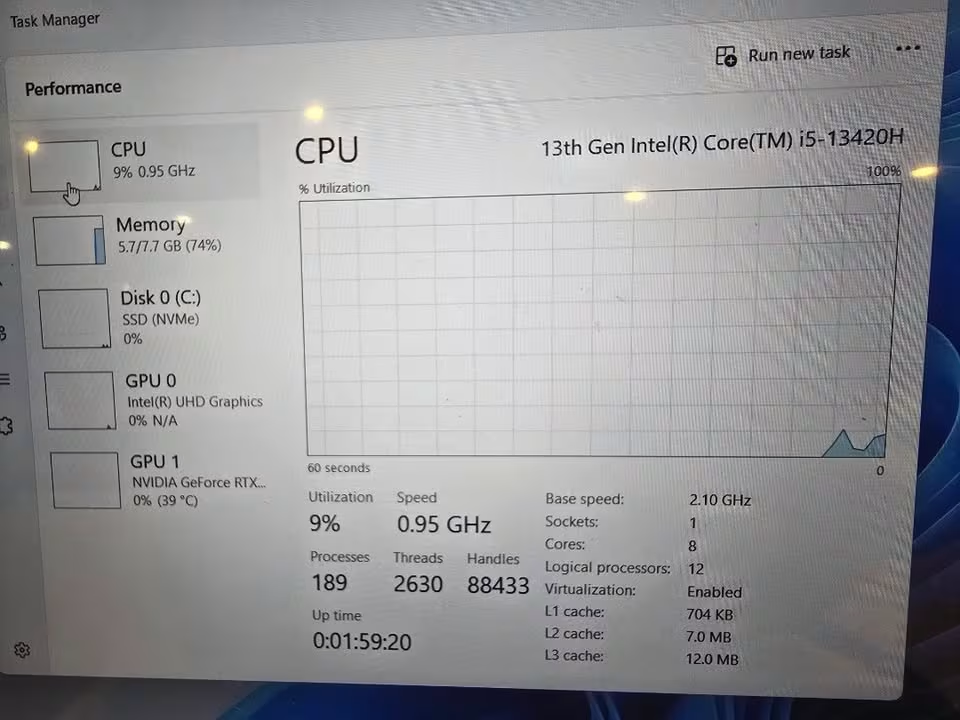
In our CPU testing, the Intel Core i5-13420H is doing its job quite reliably. The daily works, the programming, and also the entry-level creative tasks, it is handling all of them without giving any trouble.
| Benchmark Suite | Metric / Mode | Average Score | Performance Level |
| PassMark CPU Mark | Multi-Threaded Aggregate | 16,751 | Beats previous-gen i5-1335U by ~22% |
| PassMark | Single-Thread Rating | 3,346 | Strong snappiness in single-core tasks |
| Geekbench 6 | Single-Core | ~2,320 | Excellent standard application speed |
| Geekbench 6 | Multi-Core | ~9,760 | Solid handling of multi-threaded workflows |
| Cinebench 2026 | Single-Core | 542 points | Reliable rendering capabilities |
| Cinebench 2026 | Multi-Core | 2,290 points | Competent sustained workloads |
| Cinebench R20 | Multi-Core Average | 4,167 points | Stable rendering ceiling |
But one thing you must remember – the i5-13420H is only a mid-range H-series chip. So because of this, it is not the kind of processor that is made for heavy rendering work that runs full day long.
So overall, this MSI is showing a very impressive performance level for both the everyday work and the gaming side. And when you are mixing this much CPU power together with the 6GB RTX 3050, then it becomes a very complete all-rounder budget gaming laptop.
See Comparison – AMD Ryzen 7 7730U vs Intel Core i5 13420H
Battery Tests
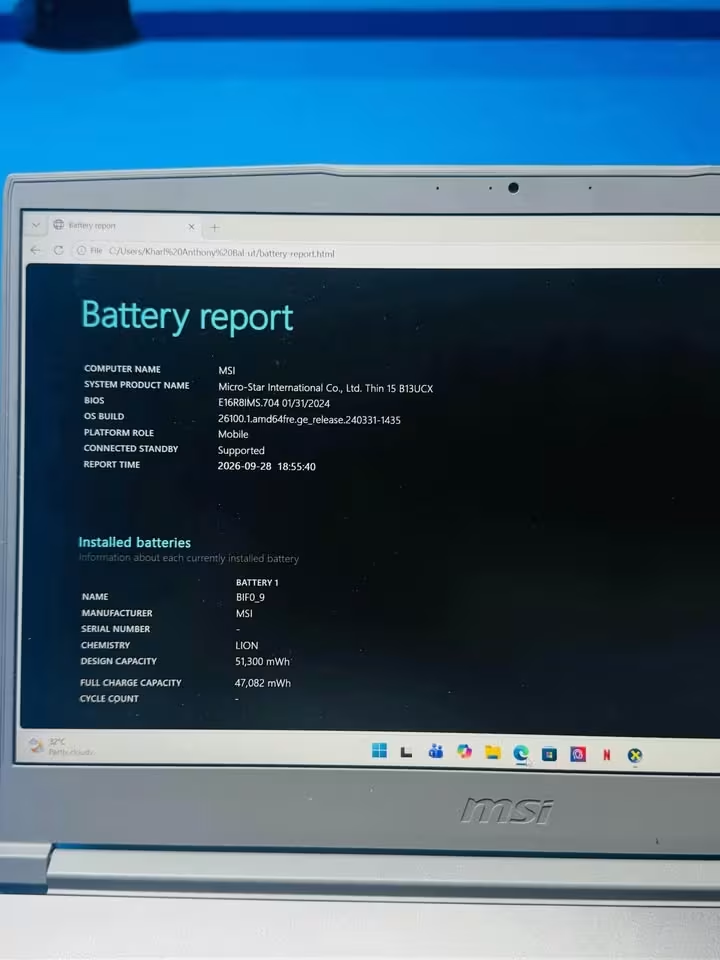
For the battery, the MSI Thin 15 is using a 3-cell, 52.4 Wh lithium-polymer unit. The runtimes which we have noted down for every workload, you can see them below.
| Test Profile / Workload | Operating Conditions | Recorded Runtime |
| Standard Video Playback Loop | Eco / Silent Mode | 5 hours and 31 minutes |
| Max Brightness Video Loop | 100% brightness, continuous HD / 4K streaming | 4 hours and 30 minutes |
| Web Browsing & Daily Tasks | Balanced Mode, Wi-Fi connected, multiple tabs | 2 to 3 hours |
| Continuous 3D Gaming | Heavy 3D titles on Balanced Mode | Under 1 hour |
During the continuous 3D gaming, the battery was falling from around 68% down to 30% only within 15 minutes.
The video playback numbers are coming out decent enough for a gaming laptop. But still, the browsing and the gaming runtimes are on the shorter side, so my suggestion is you should always keep the charger near to your hand.
How the MSI Thin 15 Performs
The MSI Thin 15 is performing in a few different manners. Because this laptop is working like a gaming machine and also like a daily work laptop at the same time, so the way it is handling each task can be different from one another.
Processor
First of all, the i5-13420H is built on a hybrid design, which is having 8 cores and 12 threads (that means 4 performance cores and 4 efficient cores). The performance cores are boosting up to 4.6 GHz, and these ones take care of the games and the heavy applications.
After that, the efficient cores are handling all the background tasks. Due to this reason, the laptop is able to multitask between the office software, the coding tools, and the many browser tabs, and still it is not slowing down.
Graphics
Now coming to next, the RTX 3050 is the one carrying the gaming load. It is coming with 6GB of GDDR6 VRAM and the maximum graphics power (TGP) is 45W.
Once any game is supporting it, then the users can switch on the NVIDIA DLSS, which is using the AI upscaling method to lift up the frame rates. The ray tracing is also supported here, but honestly it is going to cost you some frame rates, because on a budget GPU like this one it is a heavy feature.
For one example, if we take Cyberpunk 2077 – the Thin 15 is running it around 40–55 FPS on native, and when DLSS is turned on, it is pushing that number more close to 60 FPS.
Cooling
When you are doing the gaming for the long hours, the cooling of this laptop is needing a little bit of help. The MSI Cooler Boost can be turned on, so that the fan is spinning in faster speed.
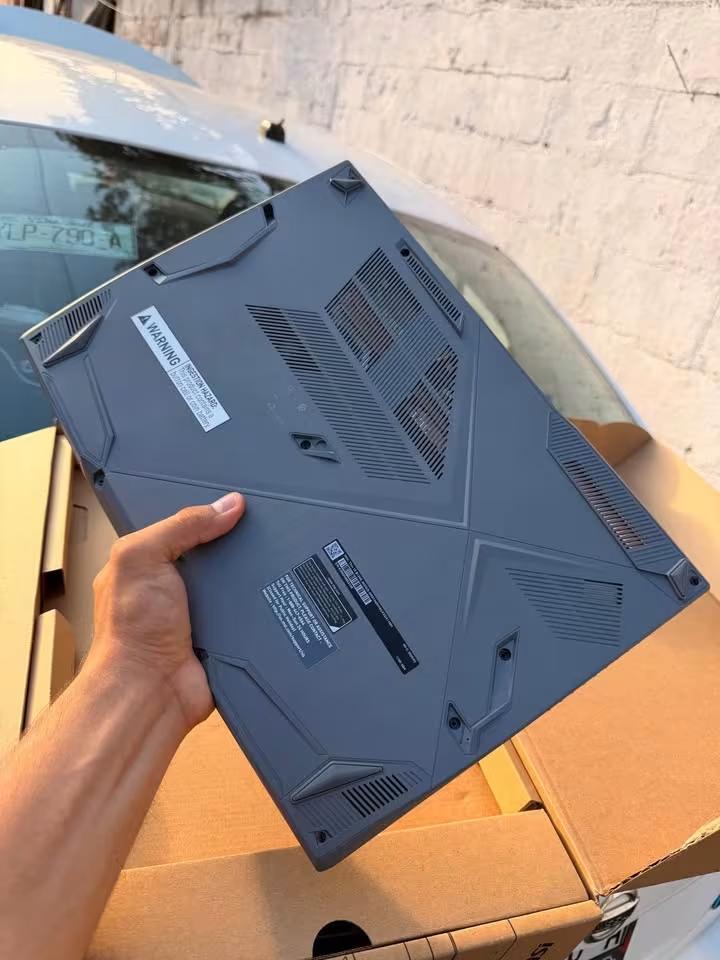
The way this cooling system is working is mostly same like other thin gaming laptops, but here it is depending only on the single fan. Because of this, the laptop is becoming more thin, however at the same time it is giving less thermal headroom also.
MSI is recommending that the vents should be kept clear during the heavy usage. If you are lifting the back side of the laptop little bit, the airflow is reaching to the fan more easily.
Frequently Asked Questions
Yes, but only up to some point. As per our testing data, it is running Forza Horizon 5 in 60–85 FPS on High, and Red Dead Redemption 2 in 45–65 FPS on Medium. The more heavier titles such as Cyberpunk 2077 are needing DLSS, only then it is coming near to the 60 FPS mark.
Yes, but again only up to some point. The CPU and the GPU together are handling the casual editing nicely. But the panel is having only ~45% NTSC, which is not that accurate for the colour-critical kind of work.
It is depending fully on the workload. We have noted 5 hours and 31 minutes of the video playback in Eco mode, around 2 to 3 hours in the web browsing, and under 1 hour only when gaming is going on.
Yes. It is able to drive up to two external displays – one through the USB Type-C port (DisplayPort) and another from the HDMI port, which is supporting up to 4K in 30Hz.
Yes. It is carrying the Intel Wi-Fi 6E AX211 adapter, which is working across all three bands — 2.4 GHz, 5 GHz and also 6 GHz. Along with this, Bluetooth 5.3 is also there.
Yes. A Gigabit Ethernet (RJ45) port is given, so that you can get the stable and low-latency wired connection.
How big is the MSI Thin 15?
The MSI Thin 15 is having 35.9 cm width, 25.4 cm depth, and 2.1 cm of thickness. Also, this MSI is weighing around 1.8 kg.
- Width – 35.9 cm
- Depth – 25.4 cm
- Thickness – 2.1 cm
- Weight – 1.8 kg
Connecting a Second Monitor
The USB Type-C port and the HDMI port both can be used for external display without much trouble. You only have to plug the cable, and after that Windows will detect the second screen by itself.
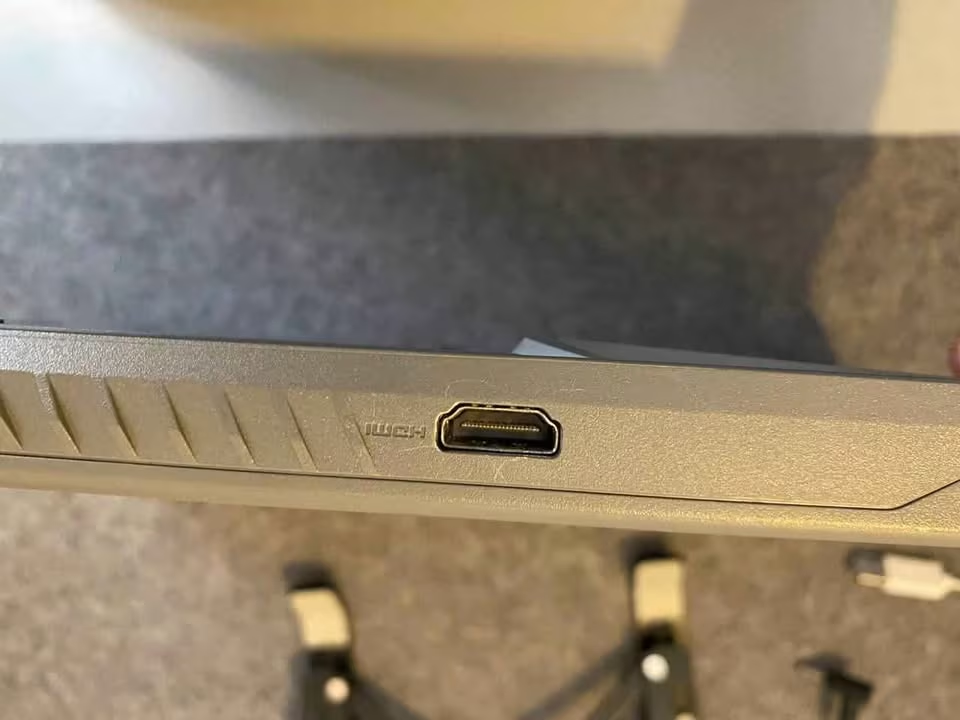
One thing you must remember is to use the HDMI port when you are connecting with TVs, because it is supporting up to 4K resolution but only at 30Hz.
So overall, the MSI Thin 15 is not a difficult laptop to handle, however I will suggest that you first spend some time inside MSI Center before you start using it for the very first time.
Portability
The MSI Thin 15 is a slim type of gaming laptop, but still you cannot call it an ultra-light machine. The unit is weighing around 1.8 kg.
For some users this weight can become a small problem, and it depends mostly on how much frequently you are carrying the laptop here and there. If your movement is only from the study desk to the college bag, then honestly the weight of Thin 15 will not trouble you.
Weight
1.8 kg
Thickness
2.1 cm
Battery
52.4 Wh
Adapter
120W
Even though this MSI is not the most lightest option in the market, it is still fitting inside a normal backpack. Because of this, taking it to college or to the office becomes quite an easy job.
MSI Thin 15 RTX 3050 6GB vs RTX 3050 4GB Laptops
The RTX 3050 is coming in two kind of laptops, one with 4GB and another with 6GB of VRAM. On the paper the differences are not looking so many, but still they are enough to change your decision if you are a person who plays modern games.
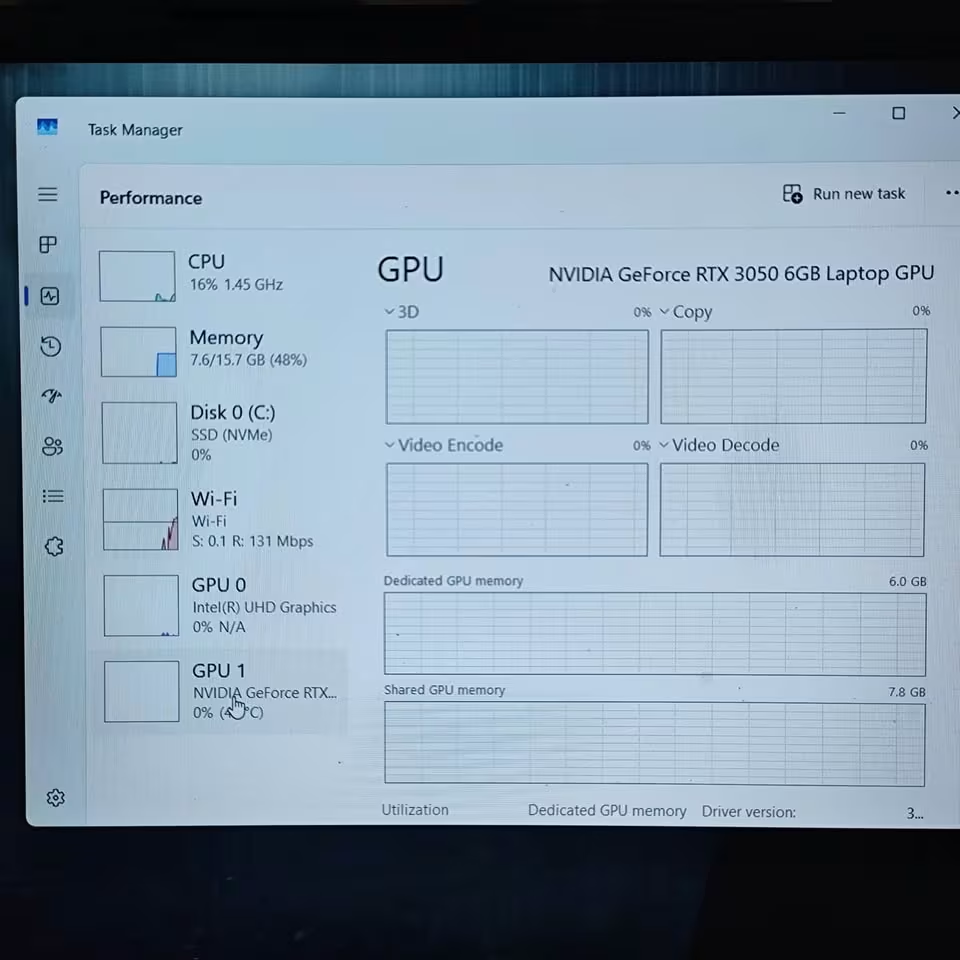
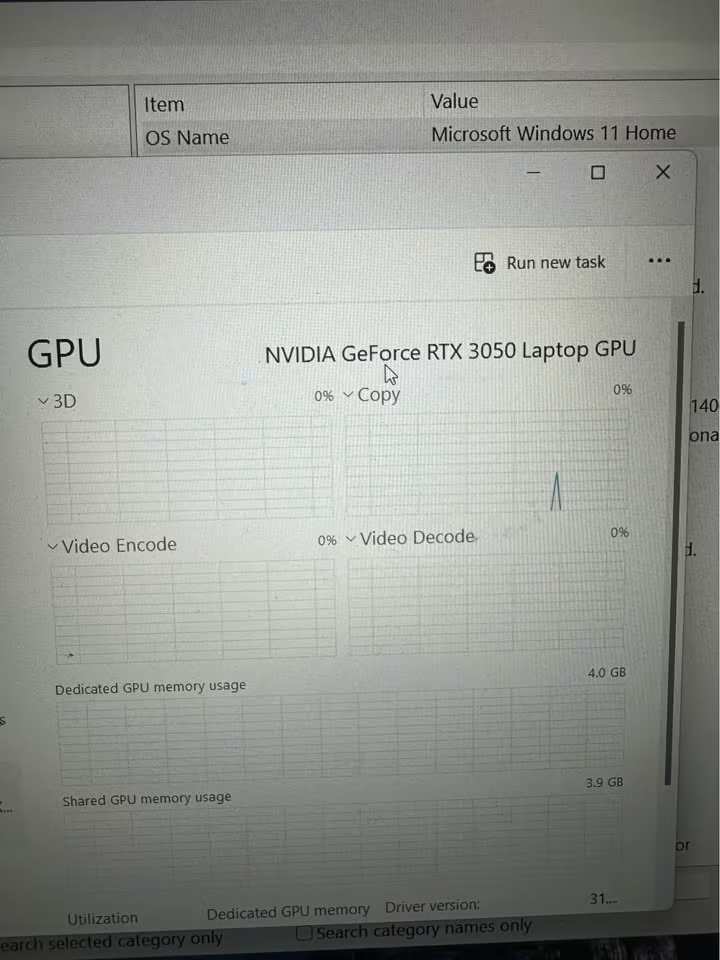
RTX 3050 6GB (MSI Thin 15 B13UDX)
- VRAM: 6GB
- Memory Type: GDDR6
- Texture Headroom: Better for the modern AAA games
- Best For: Esports and mainstream AAA on 1080p
RTX 3050 4GB (standard variants)
- VRAM: 4GB
- Memory Type: GDDR6
- Texture Headroom: Limited in the memory-heavy games
- Best For: Esports and lighter games
First of all, you should understand that both the versions are made for 1080p gaming only. The one big difference between these two is nothing but the quantity of video memory.
Now when we are looking at the modern AAA games, the 6GB version is able to keep more textures inside the memory at one time.
According to our view, this extra 2GB of VRAM is helping to stop the heavy micro-stutters and also the texture swapping problem.
With most of the 4GB variants you are getting almost the same kind of experience in esports titles, just you are losing that extra headroom which the newer games are demanding.
Is the MSI Thin 15 really worth your money?
The one downside which we noticed is that this machine becomes quite hot when the load is heavy. But still, it is doing a very good job for esports, daily work, coding and also the casual video editing. The connectivity part, specially the Wi-Fi 6E and the Gigabit LAN, this can make your online gaming much more smoother.
The Thin 15 is also capable to drive up to two external monitors at a time. Only thing, you have to make sure that you are using the correct port for your display. So overall, the MSI Thin 15 is giving a great value for the money, because with one single laptop you can do gaming, studying and also the office work.
The MSI Thin 15 B13UDX is definitely worth it at the price of ₹99,750 and it offers an amazing value. This MSI is behaving like a gaming laptop and a work laptop both, and it is performing excellent in both of the roles.
The price which you are paying for this unit, it is fully justified by the performance level that you are getting in return.
Gaming
During our gaming tests, there was hardly any kind of issue. In the esports titles, the Thin 15 was simply flawless. And in the mainstream AAA games, it was also very good.
The only place where we have seen a small problem is the heavy AAA games like Cyberpunk 2077. Here the Thin 15 was not able to hold the 60 FPS on native, but after turning ON the DLSS, it came very close to it.
Thermals
The thermals, this is maybe my biggest complaint point. The Thin 15 is coming with only a single-fan cooler. Because of this reason, it is best suited for a desk type setup with a cooling pad under it.
Having said that, it is also having the MSI Cooler Boost, which is a quite nice feature to have.
MSI Thin 15 Specifications
Below is the complete list of the important specifications and the features which are included in the MSI Thin 15 B13UDX:
Specifications
| Type | Gaming Laptop |
|---|---|
| Model | Thin 15 B13UDX-129IN |
| Processor | Intel Core i5-13420H (8 cores / 12 threads, up to 4.6 GHz) |
| Graphics | NVIDIA GeForce RTX 3050, 6GB GDDR6 (45W TGP) |
| Display | 15.6″ (40 cm) FHD, 144Hz, IPS-level, ~45% NTSC |
| RAM | 16GB DDR4, 3200 MHz |
| Storage | 512GB NVMe PCIe Gen4 SSD |
| Battery | 3-cell, 52.4 Wh |
| Adapter | 120W |
| Wireless | Wi-Fi 6E (Intel AX211), Bluetooth 5.3 |
| Ports | 1x USB-C (DP), 3x USB-A, 1x HDMI, 1x RJ45, mic-in, headphone-out |
| Dimensions | 35.9 x 25.4 x 2.1 cm |
| Weight | 1.8 kg |
| Operating System | Windows 11 Home |
| Colour | Cosmos Gray |
| Warranty | On-site |
Who Should Buy the MSI Thin 15?
The MSI Thin 15 is one all-rounder laptop which have the capability for gaming, studying and office work also, all in the same single machine. If your plan is to finish all these works together, and also you want to play the esports titles on high refresh rate, then in my opinion the MSI Thin 15 B13UDX can become a nice addition for your setup.
I am recommending the MSI Thin 15 if below features are the thing you are searching in a gaming laptop:
You want one budget gaming laptop –
Being a budget category gaming laptop, the MSI Thin 15 is giving you the 6GB RTX 3050, one 144Hz display panel, and the i5-13420H processor, and all of this stays under the ₹1 lakh price only. In the esports type games, it is using the full potential of that 144Hz panel. But when you are shifting towards the heavy AAA games, then the DLSS is doing the helping job to keep the frame rates in playable zone.
You want the smooth esports gaming –
In our esports testing the MSI Thin 15 was simply dominating. But the more impressive thing is this, that it was running the GTA V around 75–95 FPS on the Very High setting. Only after few minutes of Valorant playing, I was already feeling that how much smoothness this 144Hz panel is giving.
You are liking the idea of one single laptop for every work –
If the idea of doing gaming in the night time and then doing your work or studies in the day time on the one same laptop is attracting you, then the Thin 15 can be a very good option. The performance in both of these sides is coming solid.
One last point, please keep in your mind that the Thin 15 you should keep plugged in during the gaming. For the work purpose the battery is doing okay, but for the gaming purpose it is not enough.
More Reviews –