
- 1080p esports gaming – in our testing it was giving around 100 -115 FPS in Counter-Strike 2 and also 110 -125 FPS on GTA V, which is quite good for this segment.
- Students and the developers – the Zen 4 processor is scoring near about 2,385 points in Geekbench 6 single-core, so for coding and daily productivity works it is more than enough.
- Upgradability – it is supporting up to 64GB of DDR5 RAM and also giving 2 M.2 SSD slots, so in future the storage and memory expansion is not a problem.
- Only 4GB of VRAM is there, which is putting a limit on the demanding AAA titles – in Cyberpunk 2077 we have to put DLSS on just to stay near the 50 FPS mark
- The battery backup during gaming is becoming very short, this you should keep in the mind
Our Verdict
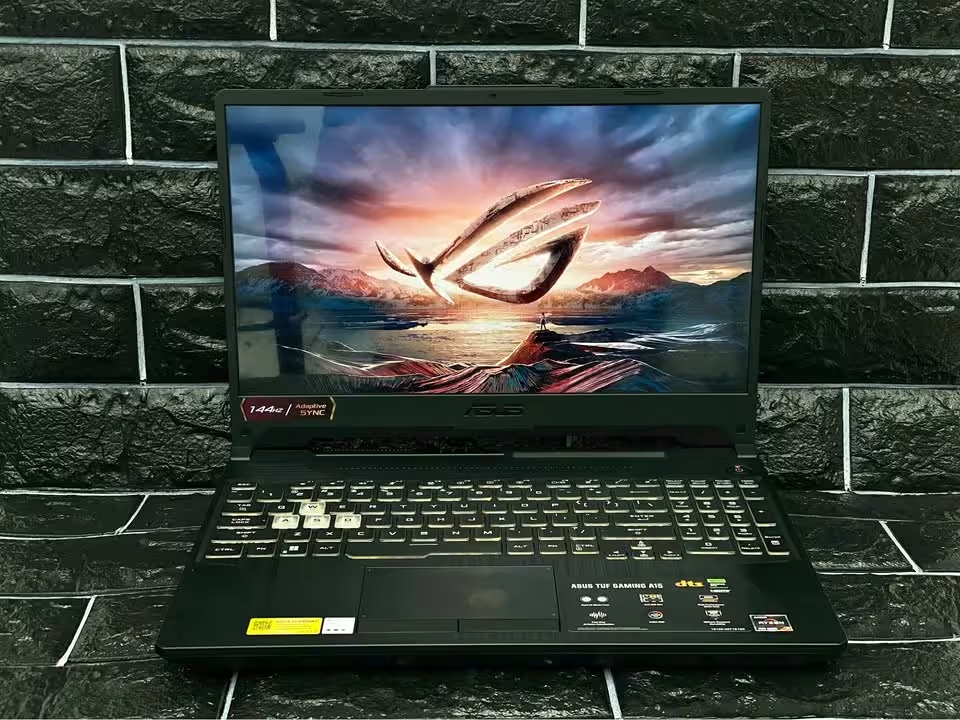
The ASUS TUF Gaming A15 (FA506NCG) is one of the most affordable RTX gaming laptops which ASUS is offering right now. It is combining the new AMD Ryzen 7 7445HS processor together with the NVIDIA RTX 3050 GPU, and this GPU is running up to 75W TGP. In our esports gaming tests it was staying above 100 FPS in the most of the titles at 1080p resolution. Also the Armoury Crate software is allowing the user to take a deep control over the performance modes, the fan speeds and the lighting also.
Apart from this, the port selection is also very excellent, because it is having a proper RJ45 LAN port and the HDMI 2.1 also. The chassis comes with MIL-STD-810H certification and for this price point it is feeling very sturdy in the hand. But still, the laptop is falling short in one area, that is the only 4GB of VRAM. Due to this, in the demanding AAA games you have to either lower down the settings or put the DLSS on, otherwise the frame rates will not stay smooth.
Performance Summary
We are testing total 14 different factors which are impacting the performance, the build quality and also the usability of the laptop. Below you can see the complete list of our testing categories along with their performance.
| Test Type | Test Data |
| Overall Gaming Tests | 78 FPS |
| Esports Gaming Test | 104 FPS |
| AAA Gaming Test | 52 FPS |
| Geekbench 6 Single-Core | 2,385 |
| Geekbench 6 Multi-Core | 8,192 |
| Cinebench 2024 Multi-Core | 576 |
| Display Test | Very Good |
| Light Use Battery Test | 3–5 hrs |
| Gaming Battery Test | 45 min. – 1.5 hrs |
| Charging Speed | 0–50% in 30 min. |
| Thermal Test | 85–91°C |
| Ports & Connectivity | Excellent |
| Build Quality Test | Very Good |
| Noise Test | Under 48 dB |
Gaming Performance
The gaming performance which ASUS TUF A15 is delivering, it was getting very good ratings in whole of our 1080p gaming tests. In fast-paced esports type titles it is excelling a lot, and even in those heavy AAA games it remains playable also, when the DLSS is kept in ON condition.
Overall Avg. FPS
78 FPS
Esports Avg. FPS
104 FPS
AAA Avg. FPS
52 FPS
Peak FPS
125 FPS
GPU Power (TGP)
75W
Display Refresh Rate
144Hz
Overall Gaming Test
For doing the testing of gaming performance of ASUS TUF A15, we are making it to pass through one series of 8 different-different games, which is consisting of 4 esports titles and 4 heavy AAA titles.
Each game we runned on 1080p resolution only, with laptop in plugged-in state and the mode is set to Turbo from inside Armoury Crate. After this, we play one fixed portion of the gameplay in every game, and this we repeat for 2 full times. Then only, we are noting down the average frame rate and doing comparison of it with our testing averages, so the gaming performance can be decided.
Here are the overall results for the ASUS TUF A15:
Overall
78 FPS
Esports
104 FPS
AAA
52 FPS
In this gaming test, the ASUS TUF A15 manages to give average of 78 FPS in all 8 games together. This is coming 8 FPS more than the 70 FPS average, which is based upon all gaming laptop tests we have done till this date.
Esports Titles Test
For the esports titles, no issue was there for ASUS TUF A15. All the 4 games it is running on high or ultra setting very easily, and in maximum matches it is staying nearby to the 144Hz limit of its own display.
Counter-Strike 2
100 – 115 FPS
GTA V
110 – 125 FPS
PUBG
85 – 95 FPS
Fortnite
90 – 110 FPS
In the esports testing, ASUS TUF A15 gave average of 104 FPS. This much is 9.5% on higher side than the 95 FPS average, which is counted from all esports tests till now.
Among these 4 titles, PUBG was most demanding one, and it is coming down till 85 FPS. Fortnite also was requiring the Performance Mode along with medium-high setting, so that 90 FPS line can be crossed. But still, the 144Hz Adaptive-Sync display is keeping the motion in smooth condition and the screen tearing it is keeping at minimum level only.
AAA Titles Test
For checking that how nicely the ASUS TUF A15 is handling the heavy games, we are making it to fight against 4 latest AAA titles. In each game the setting we are keeping on low or medium side, and NVIDIA DLSS we are turning ON wherever that facility is available. After that same gameplay portion we are playing and the average frame rate is getting recorded.
God of War Ragnarök
60–65 FPS
Black Myth: Wukong
50–58 FPS
Cyberpunk 2077
45–55 FPS
Alan Wake 2
40–46 FPS
In our AAA testing, ASUS TUF A15 gave average of 52 FPS. This is coming 10.3% on lower side than the 58 FPS average, which is from all AAA tests till this date.
The main limiting thing in these games was the VRAM of only 4GB. The high-resolution textures are filling the video memory very fast, so because of this we had to bring the settings down. But when DLSS is turned ON, the frame rate is improving up to 75% also, and the visual is still remaining sharp. Alan Wake 2 was proving the toughest one, and even with DLSS Performance it is staying in low 40s only.
CPU Performance
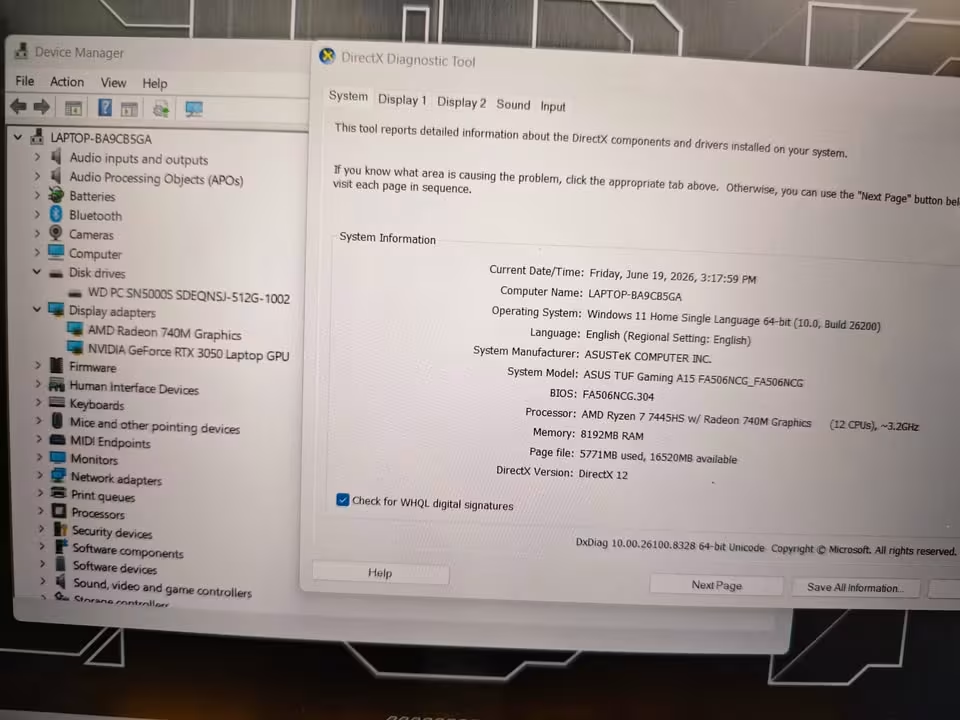
The AMD Ryzen 7 7445HS is the 6-core and 12-thread processor which is made on Zen 4 architecture with 4nm process node. It is boosting up to 4.7 GHz and carrying 22MB of total cache memory, which is good number for this segment.
Geekbench 6 Single-Core
2,385
Geekbench 6 Multi-Core
8,192
Cinebench 2024 Single-Core
100
Cinebench 2024 Multi-Core
576
Geekbench 6 Test
For testing the CPU performance of this ASUS TUF A15, we are running the Geekbench 6 while the laptop is plugged in the charger and keeping it on Turbo mode. We do the test for 3 times and then take out the average score from them.
In our Geekbench 6 testing, the ASUS TUF A15 is scoring 2,385 points in the single-core and 8,192 points in multi-core. This single-core score is 10.9% much higher than our average of 2,150 points, which is based on all the Geekbench 6 tests we have done till now. But the multi-core score is becoming 9% lower side than the average of 9,000 points.
The Zen 4 architecture is giving this chip one big single-core advantage over the older 8-core processors. In the daily usage, this thing is showing up as very fast app launching and also snappy navigation feeling.
Cinebench 2024 Test
In our Cinebench 2024 testing, the ASUS TUF A15 is scoring 100 points in single-core and 576 points in the multi-core. This multi-core score is 11.4% lower than our average of 650 points, which is again based on all Cinebench 2024 tests done till date.
Because it is having only 6 cores and not 8 cores, so the long rendering type of tasks are taking little more time compared to the premium workstation chip. But still, for the most of students and the gamers, this difference will be very hard to notice in real life.
Real-World Performance Test
We are also testing that how nicely the ASUS TUF A15 is handling the everyday work. For this we are focusing mainly on 3 core areas — productivity, the content creation, and gaming background tasks.
- Productivity – when it is pairing with 16GB of DDR5-5600 RAM, it was handling the large Excel sheets and multi-tab browsing with zero lagging. See – 32GB DDR4 vs 16GB DDR5 Laptop RAM
- Content Creation – it was managing the 1080p video editing inside Premiere Pro and also DaVinci Resolve, along with some casual 3D rendering work.
- Gaming Background – it is easily handling the physics and the logic part of modern games, so the RTX 3050 is remaining as the main bottleneck and not the CPU.
Display Test
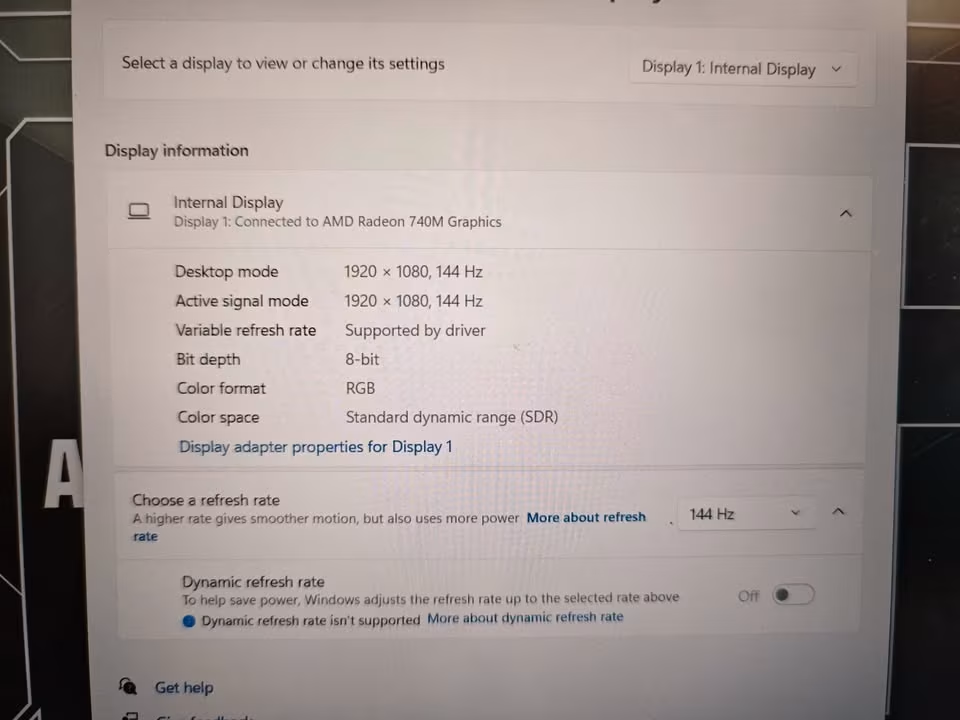
For testing the display of this ASUS TUF A15, we are checking the refresh rate, the brightness, and also viewing comfort during the both gaming and the office type work.
Resolution
1920 x 1080
Refresh Rate
144Hz
Brightness
250 nits
Panel Type
IPS-level
Screen Surface
Anti-glare
Screen-to-Body Ratio
80%
In our display testing, the ASUS TUF A15 is reaching only 250 nits of brightness. This is 50 nits on lower side than our average of 300 nits, which is based on all the display tests we have done till now.
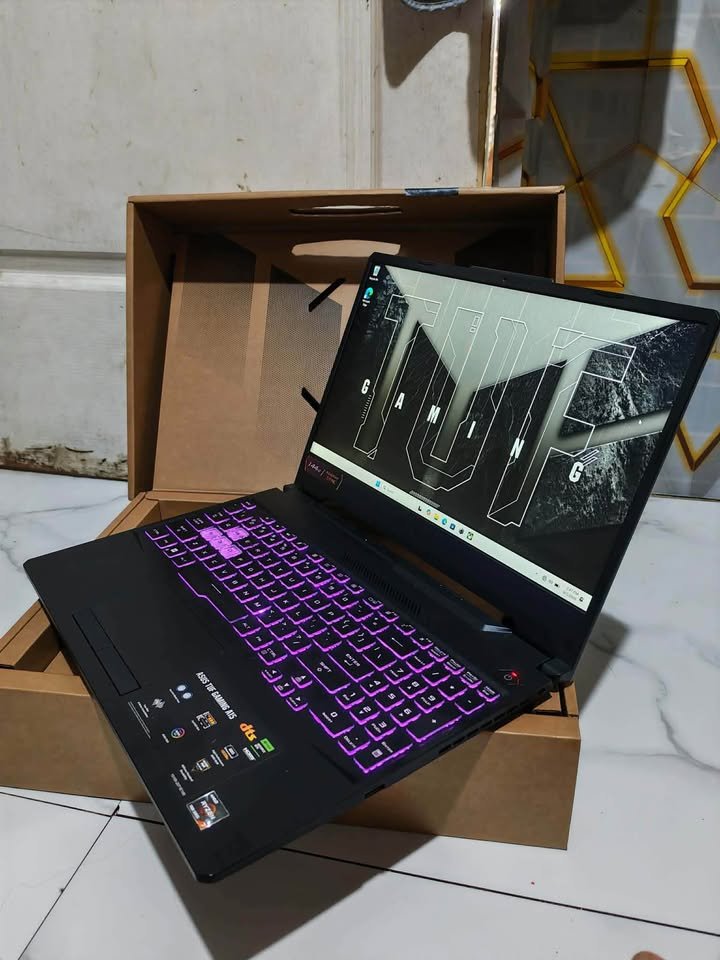
The 144Hz refresh rate was feeling very smooth in the fast-paced games. The anti-glare surface is also helping us with the reflections inside our office cabin. But still, 250 nits is coming on the dim side. The screen is becoming hard to see when you are sitting near to one bright window.
Battery Test
The duration for which a gaming laptop can survive away from its charger is giving a big impact on the whole user experience. For checking the battery backup of the ASUS TUF A15, we are putting our focus mainly on these below key factors.
Light Use
3–5 hrs
Mixed Use
1.5–2.5 hrs
Gaming
45 min. – 1.5 hrs
Charging Speed
0–50% in 30 min.
Light Use Battery Test
In our light use testing, we do the web browsing, document editing, and also the video streaming in a continuous loop manner. We are setting the laptop into Silent mode, decreasing the brightness level down, and also dropping the refresh rate from 144Hz to 60Hz.
During these light use battery tests, the ASUS TUF A15 is lasting around 3 to 5 hours only. This is 1 hour more lower than the average of 5 hours, which is based upon all of our battery tests done till this date.
Mixed Use Battery Test
In our mixed use battery testing, the ASUS TUF A15 is lasting only 1.5 to 2.5 hours. This particular test is including multiple background apps running together along with the active code compiling at same time.
The 48Wh battery is quite small sized for a gaming laptop. So you should must carry the charger always if you are planning to do work through one full college or office day.
Gaming Battery Test
In our gaming battery testing, the ASUS TUF A15 is lasting only just 45 minutes to 1.5 hours. The demanding games are fully unleashing the 75W graphics card together with the CPU, which is draining the 48Wh battery very quickly.
So we are recommending to keep the laptop in plugged-in condition during gaming. This is also making sure that you are getting the best possible performance out from the hardware.
Charging Speed Test
Our charging speed test is showing that the ASUS TUF A15 was capable to charge from 0% up to 50% in about 30 minutes only, by using the included 180W adapter.
Charger
180W
0–50% Charge
30 min.
The USB Type-C port is not supporting the charging function. This means you are having no choice but to carry that bulky 180W barrel charger along with you everywhere.
Thermal Test
The cooling system inside the ASUS TUF A15 is using the signature TUF design of ASUS. It is being built specially for managing the heat which is coming from both the Ryzen 7 7445HS and also the RTX 3050 during the long duration gaming sessions.
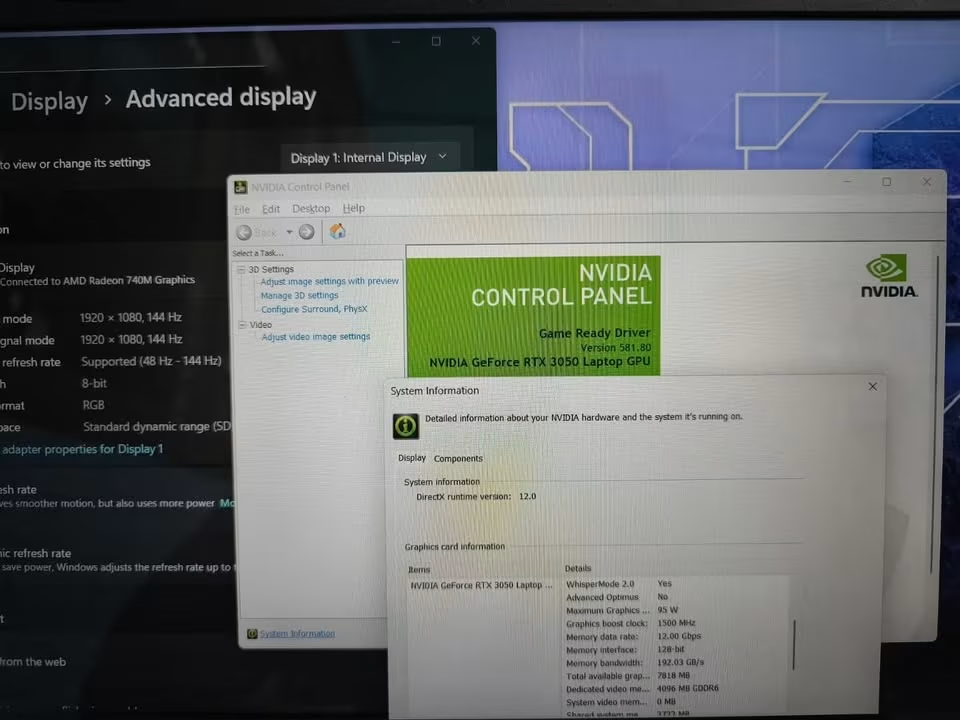
For testing the thermals of the ASUS TUF A15, we are running one long gaming session in Turbo mode. We are recording the CPU temperature through monitoring software and also checking how much hot the keyboard is feeling.
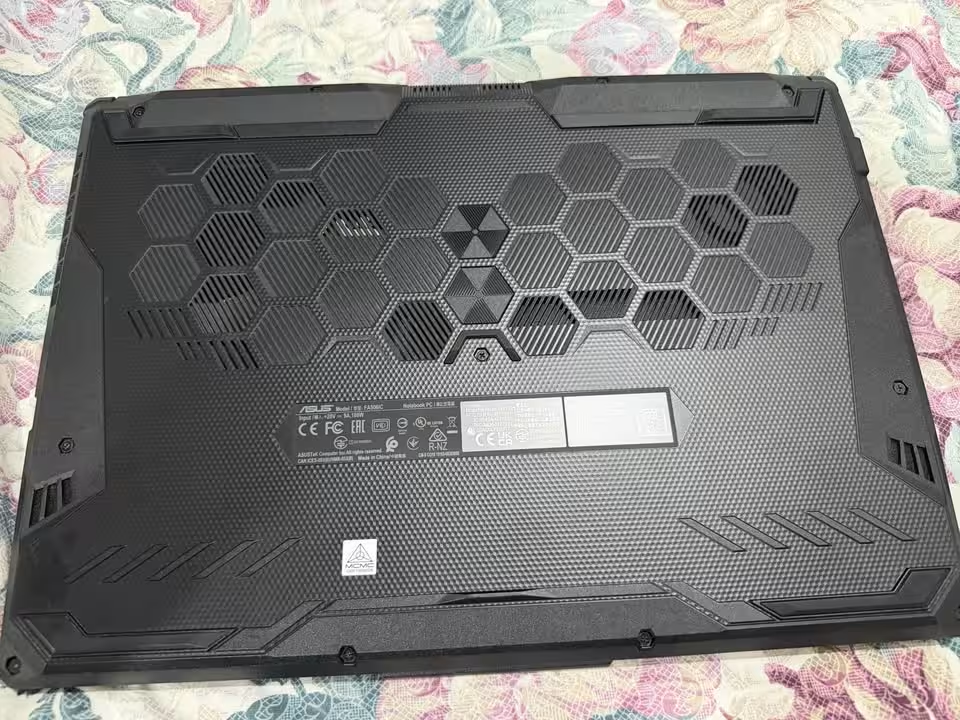
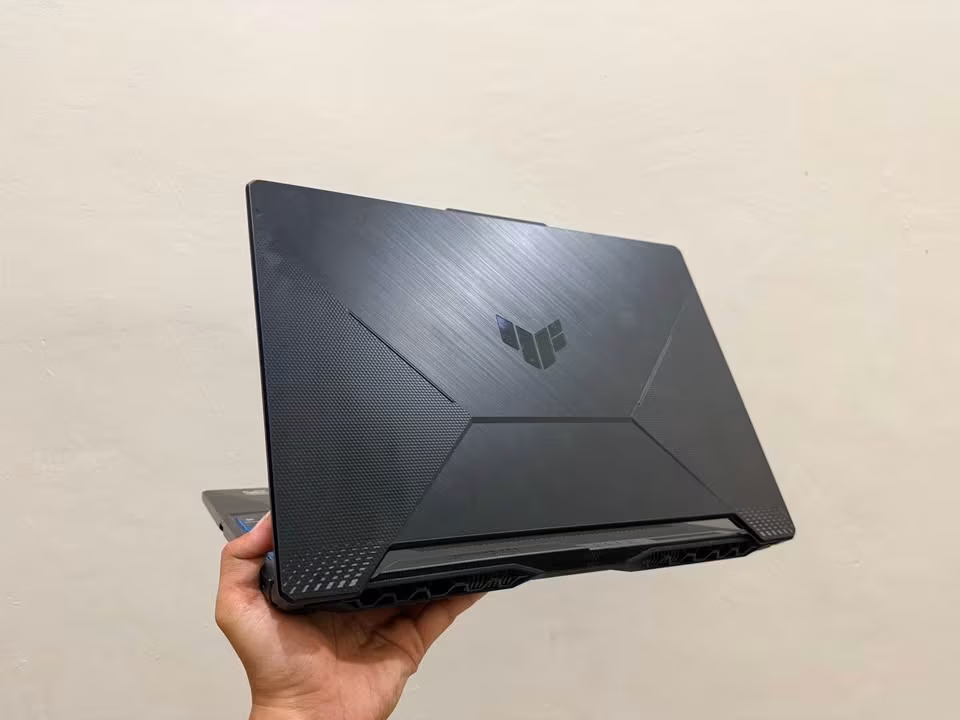
In our thermal testing, the CPU of ASUS TUF A15 is peaking in between 85°C to 91°C. This is 3°C more higher than the average of 88°C, based upon all our thermal tests done till now.
CPU Peak Temp
85–91°C
Fans
2
Heatpipes
4
Exhaust Vents
4
The dual Arc Flow fans are using 0.1mm thin blades, having 97 blades in per fan. The 4 copper heatpipes are running across the CPU, GPU, and also the VRM for drawing the heat away from these core parts. The quad exhaust vents are pushing the hot air into outward direction, which is keeping the WASD area cool even under the pressure. For avoiding the thermal throttling, it is best advised to run the laptop in Turbo mode during gaming time.
Cooling Modes
We also done the testing on how the fan modes inside the Armoury Crate software is making the changes in cooling behaviour of the machine. Here we are giving our main focus on the 3 core profiles only, which is Silent, Performance, and Turbo.
Silent
Yes
Performance
Yes
Turbo
Yes
0 dB Ambient Cooling
Yes
In our testing the ASUS TUF A15 showed very good control over the cooling part. The Silent mode kept the fans into quiet manner for the office type work, but on other side the Turbo mode is ramping up the fans much higher for handling the gaming load.
Ports & Connectivity
The ports of this ASUS TUF A15 are mostly given on the left side of the body. Because of this placement the right side is staying clear, so the mouse movement is happening without any hindrance.
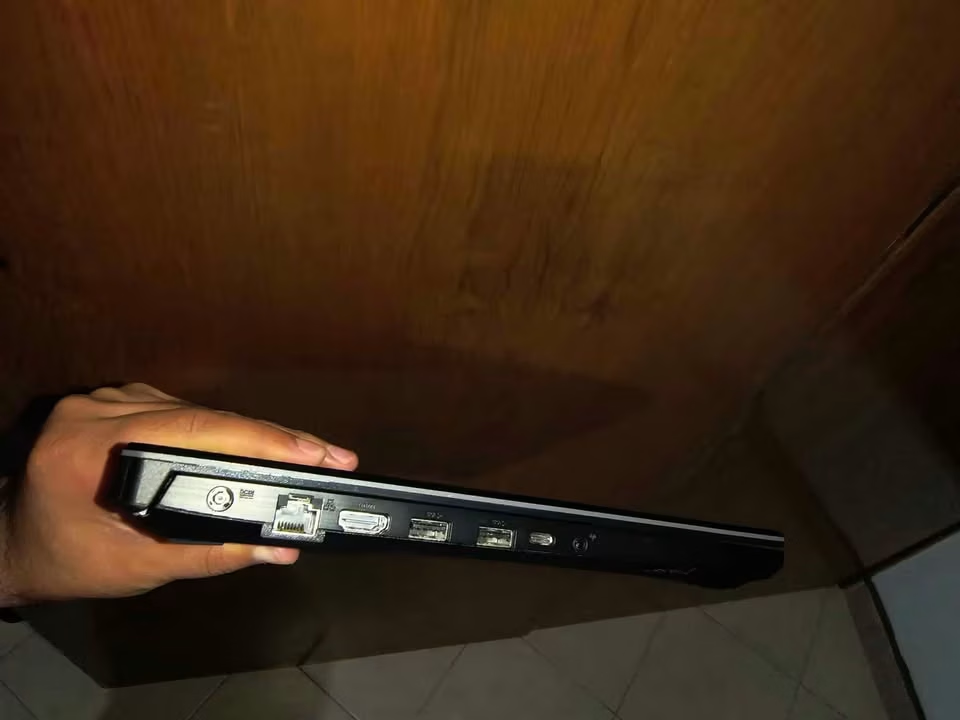
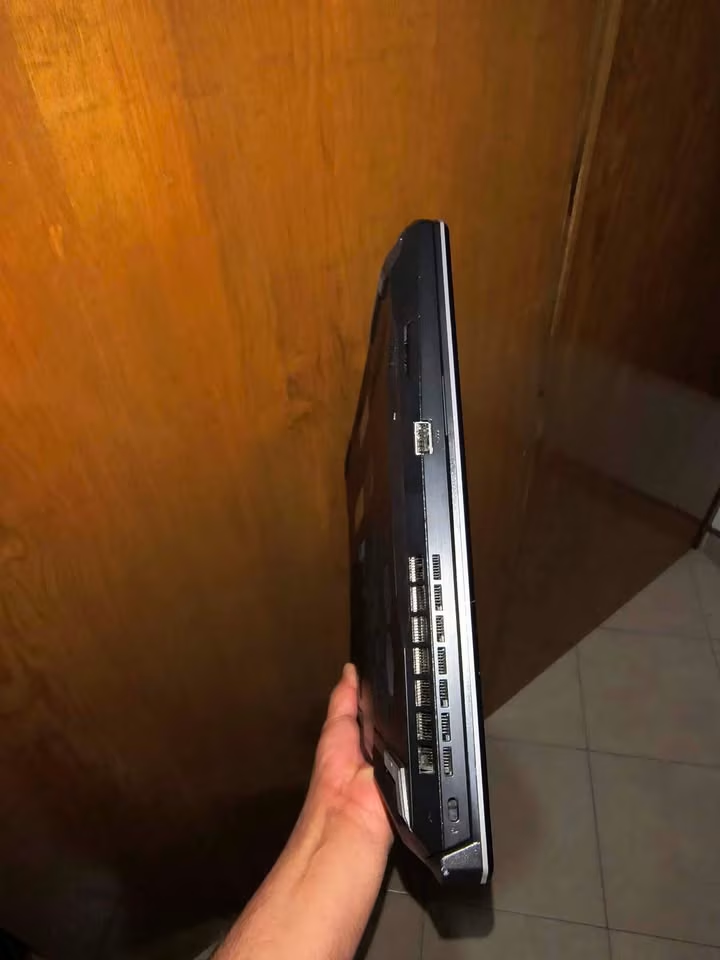
USB 3.2 Gen 2 Type-C
1 (DisplayPort, 10Gbps)
USB 3.2 Gen 1 Type-A
3 (5Gbps)
HDMI 2.1
1
RJ45 LAN
1
3.5mm Audio Jack
1
Wireless
Wi-Fi 6, Bluetooth 5.3
For its price segment the ASUS TUF A15 is having excellent selection of ports in our opinion. The HDMI 2.1 port is supporting the 4K external displays and also the high-refresh gaming monitors without problem. The RJ45 LAN port is giving one stable wired connection which is useful for the online multiplayer type games. However, one drawback is there — the Type-C port is not supporting the USB Power Delivery charging.
Build Quality Test
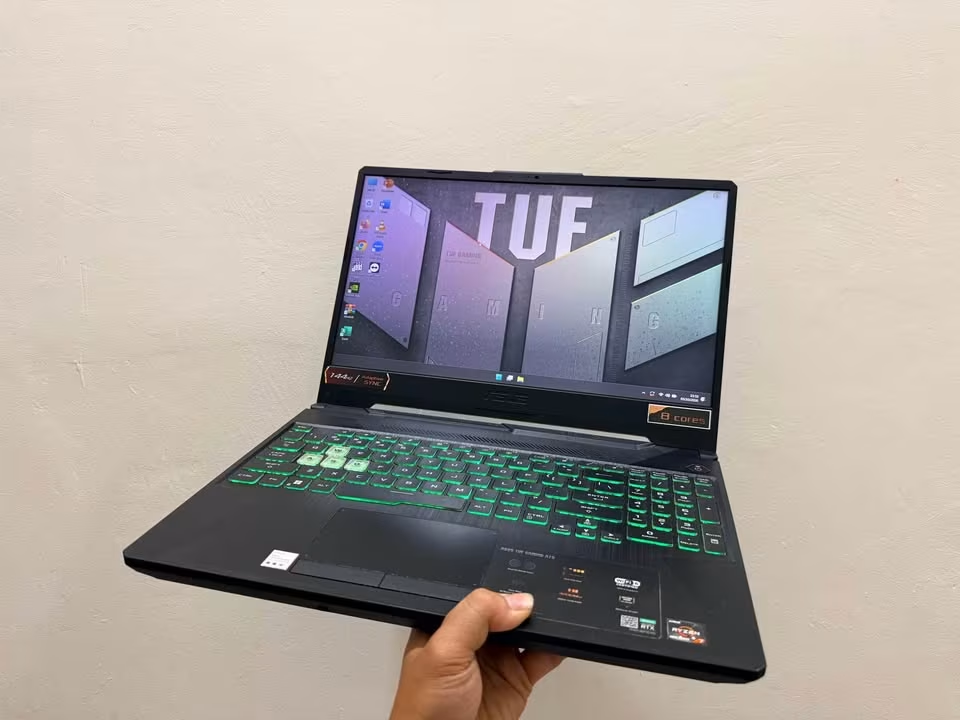
Our build quality test is one subjective type test, where we are examining and assessing the major material and the design components of the laptop by ourselves. Mainly we are searching for those build and design issues which are having more chance to break and/or become difficult in the usage.
The ASUS TUF A15 is come with MIL-STD-810H certification. As per ASUS it has passed the drop, shake, heat, cold and also humidity tests. In our hands the chassis is feeling sturdy and well-constructed overall. But at the 2.3 kg weight, it is falling on the heavier side when we talk about the daily carrying.
| Part | Build Quality |
| Overall | Very Good |
| Chassis / Body | Very Good |
| Lid & Hinge | Very Good |
| Keyboard | Very Good |
| Touchpad | Good |
| Display | Good |
| Ports | Excellent |
| Charger | Good |
Almost all of the budget gaming laptops which we are testing is having the plastic bodies only. So the main difference in case of ASUS TUF A15 is this military-grade durability certification which others are not giving.
Noise Test
The gaming laptops are becoming loud while they are in operation condition. For measuring that how much loud it is, we run one game in each of the fan mode and then measuring the generated noise with the help of a sound meter. Before starting the test, first we take one measurement of the ambient noise of the room, which is used as the baseline for the comparison against the laptop.
| Fan Mode | Noise Level |
| Ambient | 38 dB |
| Silent | 40 dB |
| Performance | 44 dB |
| Turbo | Under 48 dB |
In our noise testing, the ASUS TUF A15 is generating under 48 dB of noise when it is in the Turbo mode. This figure is 4 dB lower side if we compare with the average of 52 dB, which is based upon all of our noise tests done till the date.
Usability
One interesting thing which I noticed in the ASUS TUF A15 is the 0 dB Ambient Cooling. Most gaming laptops keep running their fans all the time, but this one is able to stop the fans fully when you are doing only light works. Because of this, the laptop stays silent and it becomes very useful inside classrooms, libraries or during the meetings.
Keyboard & Controls
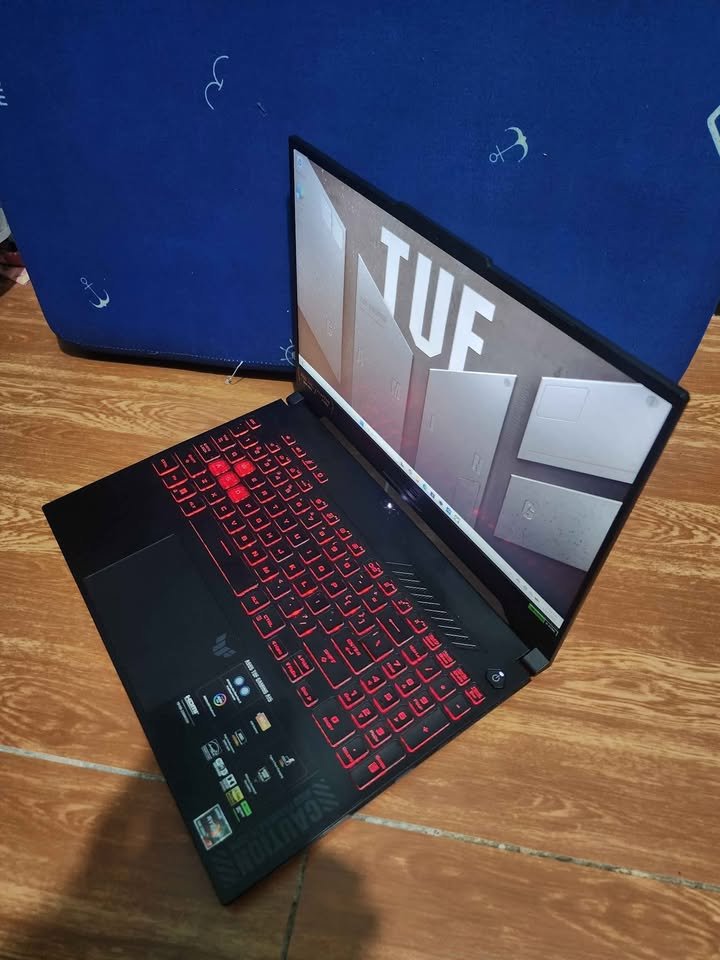
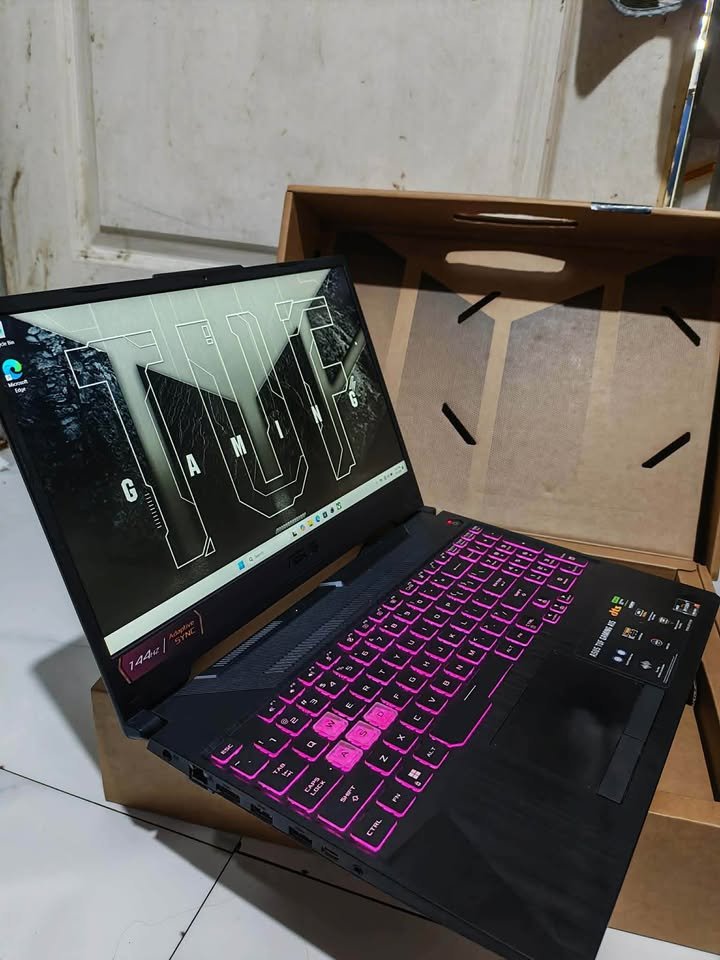
The ASUS TUF A15 comes with a full-size backlit chiclet keyboard which has 1-zone RGB lighting.
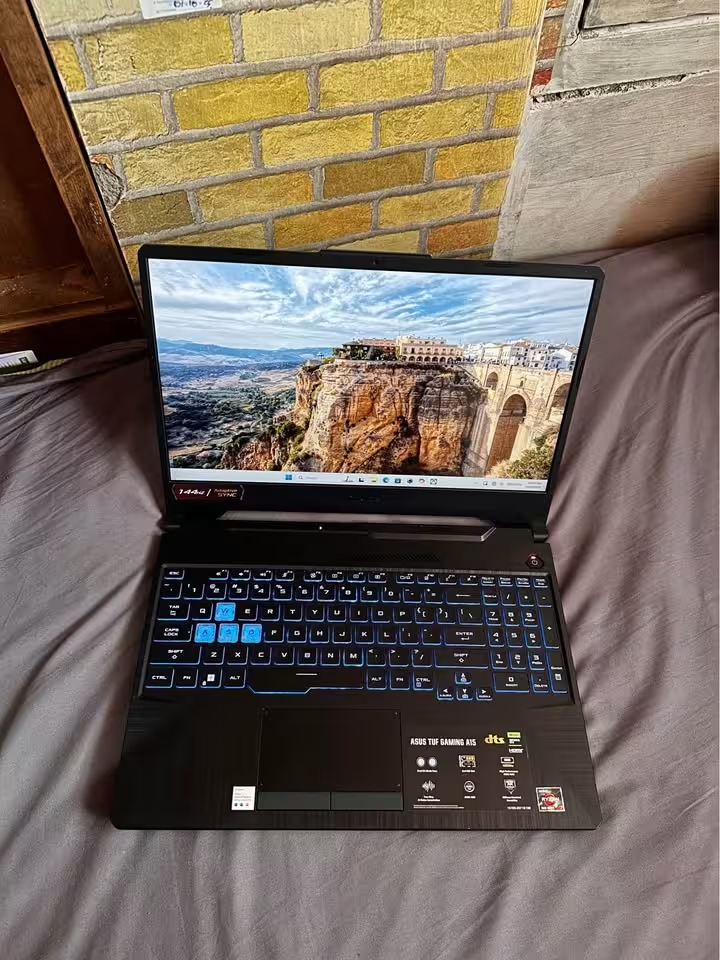
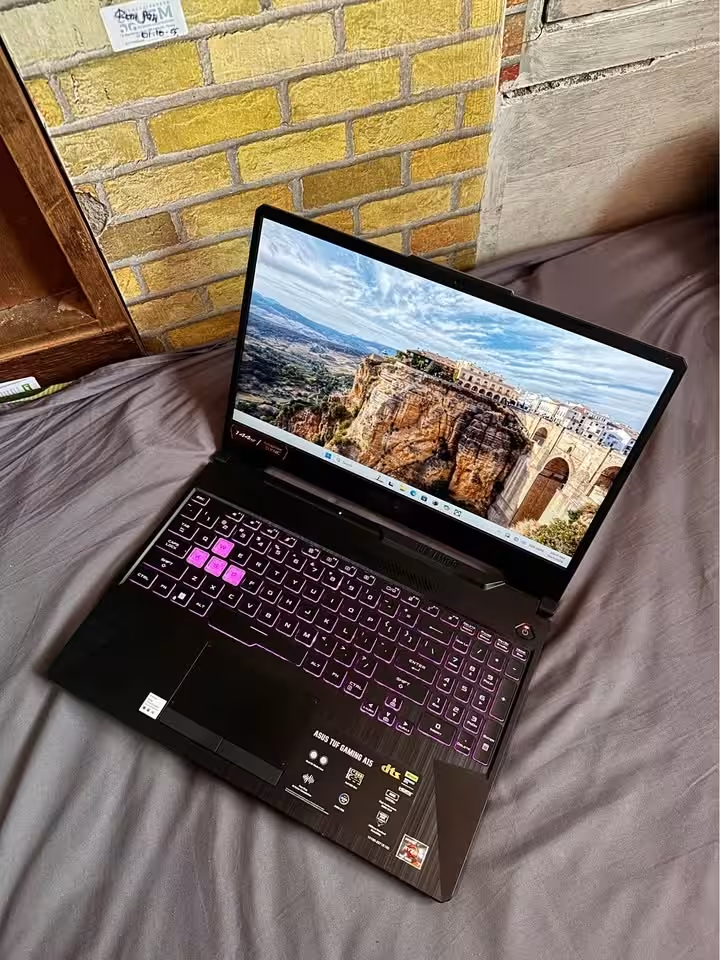
One point to note is that there are no dedicated macro keys given on the keyboard. So all the performance related functions you have to control from the Armoury Crate software only.
Size & Dimensions
| Size | Measurement |
| Length | 35.9 cm (14.1″) |
| Width | 25.6 cm (10.1″) |
| Thickness | 2.3 cm (0.9″) |
| Weight | 2.3 kg (5.1 lbs.) |
| Screen Size | 15.6″ |
| Screen-to-Body Ratio | 80% |
| Battery Capacity | 48Wh |
Specifications
The below table is showing the product specifications as per the manufacturer.
| Manufacturer Specifications | Gaming Laptop |
| Manufacturer | ASUS |
| Model | TUF Gaming A15 (FA506NCG-HN200WS) |
| Processor | AMD Ryzen 7 7445HS (6 cores, 12 threads, 3.2–4.7 GHz, 22MB cache) |
| Graphics | NVIDIA GeForce RTX 3050 4GB GDDR6 |
| GPU Power (TGP) | 75W |
| RAM | 16GB DDR5-5600 (upgradeable up to 64GB) |
| Storage | 512GB PCIe 4.0 NVMe M.2 SSD (upgradeable up to 2TB) |
| SSD Slots | 2 × M.2 PCIe |
| Display | 15.6″ FHD (1920 x 1080), IPS-level, 144Hz, 250 nits, Anti-glare |
| Ports | 1x USB 3.2 Gen 2 Type-C, 3x USB 3.2 Gen 1 Type-A, 1x HDMI 2.1, 1x RJ45 LAN, 1x 3.5mm Audio Jack |
| Wireless | Wi-Fi 6, Bluetooth 5.3 |
| Camera | 720p HD |
| Keyboard | Backlit Chiclet, 1-Zone RGB |
| Audio | Dolby Atmos, Hi-Res Audio |
| Battery | 48Wh |
| Charger | 180W |
| Weight | 2.3 kg (5.1 lbs.) |
| Dimensions | 35.9 x 25.6 x 2.3 cm |
| Operating System | Windows 11 Home |
| Software | Office Home 2024 (lifetime), Microsoft 365 Basic (1 year, 100GB) |
| Durability | MIL-STD-810H |
| Colour | Graphite Black |
| Price | ₹99,000 |
| Warranty | 1 year |
ASUS TUF A15 with RTX 3050 Evolution
The ASUS TUF A15 FA506NCG is basically the successor of the previous TUF A15 models, which were built on the older 8-core Ryzen 7 7435HS processor (FA506NC). The biggest change in this newer model is the Zen 4 Ryzen 7 7445HS, which is made on the 4nm process.
This new chip is having only 6 cores in place of 8. But still, it is giving much better single-core performance and also better power efficiency. It runs in the range of 20W to 40W, and this is the reason the laptop remains cooler and the battery also lasts longer during the non-gaming type tasks.
In terms of gaming, the ASUS TUF A15 is offering more or less the same performance as the older model, because both of them are using the same RTX 3050. But the everyday responsiveness, that is a real improvement here. The DDR5-5600 RAM and the second SSD slot are also a very good extra addition. My only big complaint is that the GPU is still having only 4GB of VRAM.
How does the ASUS TUF A15 compare?
Below I have given the full list of our laptop tests and the critical product data, compared side by side with the average which is calculated from all of our gaming laptop tests till now.
| Test Type | Test Data | Avg. Data |
| Overall Gaming Tests | 78 FPS | 70 FPS |
| Esports Gaming Test | 104 FPS | 95 FPS |
| AAA Gaming Test | 52 FPS | 58 FPS |
| Geekbench 6 Single-Core | 2,385 | 2,150 |
| Geekbench 6 Multi-Core | 8,192 | 9,000 |
| Cinebench 2024 Multi-Core | 576 | 650 |
| Display Brightness | 250 nits | 300 nits |
| Light Use Battery | 3–5 hrs | 5 hrs |
| Gaming Battery | 45 min. – 1.5 hrs | 1.2 hrs |
| CPU Peak Temp | 85–91°C | 88°C |
| Noise Test | Under 48 dB | 52 dB |
| Build Quality | Very Good | Very Good |
| GPU | RTX 3050 4GB | RTX 4050 6GB |
| RAM | 16GB DDR5 | 16GB DDR5 |
| Storage | 512GB SSD | 512GB SSD |
| Weight | 2.3 kg (5.1 lbs.) | 2.2 kg (4.9 lbs.) |
| Price | ~₹99,000 | ~₹95,000 |
When we compare the ASUS TUF A15 with the other gaming laptops we have tested, the TUF A15 is clearly standing out in our esports gaming and the single-core CPU tests. But on the other side, it is falling behind in the AAA gaming, and it scored below the averages mainly because of its 4GB of VRAM. Also it went below our averages in the display brightness and the battery life part.
FAQs
Yes, surely! In our own testing time, the TUF A15 is giving more than 100 FPS in esports titles on 1080p resolution, which is very smooth for eyes. The heavy AAA games are also playable, but you have to keep settings on low to medium and switch on the DLSS, then only the experience becomes proper.
Yes, it is possible. The RAM you can increase till 64GB of DDR5 type. Also there are 2 M.2 PCIe slots given inside, which is supporting up to 2TB SSD storage, so space tension is not there for future.
No, this is not happening. The Type-C port is only for data transfer and DisplayPort output purpose, but USB Power Delivery feature is not supporting. So compulsory you have to use the 180W charger which is coming in the box.
See, this depends fully on which games you are playing. For esports type titles like Counter-Strike 2 and Fortnite, the 4GB is more than sufficient, no problem at all. But for the newer AAA games, you have to reduce the texture settings little bit and also use DLSS, then only the frame rate will stay smooth and not drop.
This is totally depending on your usage pattern only. In our testing, for light light work it gave around 3 to 5 hours backup. But during gaming, it finished very fast in only 45 minutes to 1.5 hours, so our honest suggestion is to keep it always plugged in the charging.