
Type: Next-Gen Gaming Laptop
GPU: RTX 5070 Ti (12GB GDDR7)
Best For
- Newest Blackwell design with 4th-gen RT cores.
- Multi Frame Generation DLSS 4 support.
- Improved thermal performance and power efficiency.
- Neural rendering technologies that are future-proof.
Type: High-End Gaming Laptop
GPU: RTX 4080 (12GB GDDR6)
Best For
- Mature driver support and performance.
- Ray tracing and DLSS 3 are excellent.
- Good producer and productivity performance.
- Extensive coverage and low prices.
Our Verdict
Both RTX 5070 Ti and RTX 4080 laptops belong to the upper end of the gaming laptop market, and they are targeted at gamers who require high frame rates and visual quality. Nevertheless, the trade-offs between the two generations are interesting as shown by the performance difference.
According to our objective performance tests and subjective analysis, to me, the RTX 5070 Ti laptops have strong advantages to future-oriented buyers.
Above all, the laptops of the RTX 5070 Ti series have more recent Blackwell architecture, higher GDDR7 memory, better power consumption, and support of DLSS 4. Intel also has the latest Core Ultra processors that can be used with the 5070 Ti machines, which have built-in NPU functionality to support AI-accelerated workloads.
The RTX 4080 laptops are still great performers, and there is an established driver optimization and reliability. Game compatibility and stability are also well-documented as with established hardware and are safe with demanding users.
When you require performance and software support that is mature, then you should use the RTX 4080 laptops. To have the latest technology and more future-proofing, it is recommended to use the RTX 5070 Ti options.
Performance Tests
We tested every laptop at LaptopClarity.
We rate 8 various attributes which influence the gaming performance, thermal efficiency and the general value of the laptop. Testing categories include:
| Factor | HP Omen 16 (5070 Ti) | ASUS ROG Strix G16 (5070 Ti) | Acer Predator Neo 16S (5070) | MSI Crosshair 17 (5070) | ASUS ROG Scar 16 (4080) | MSI Stealth 18 (4080) | Dell Alienware M18 (4080) | Acer Predator Helios 16 (4080) |
| Overall Score | 9.15 | 9.35 | 8.40 | 8.55 | 9.20 | 8.85 | 8.65 | 9.00 |
| Gaming Performance | 9.2 | 9.4 | 8.3 | 8.5 | 9.5 | 9.3 | 9.2 | 9.4 |
| Thermals | 9.0 | 9.5 | 8.5 | 8.0 | 8.5 | 9.0 | 8.0 | 8.8 |
| Display | 9.0 | 9.2 | 9.5 | 8.5 | 9.8 | 10 | 9.0 | 9.2 |
| Build Quality | 9.0 | 9.5 | 8.5 | 8.5 | 9.5 | 9.5 | 9.0 | 9.0 |
| Portability | 8.5 | 8.8 | 9.2 | 7.5 | 8.5 | 7.0 | 5.5 | 8.5 |
| Battery Life | 9.0 | 9.5 | 8.0 | 9.0 | 8.5 | 9.0 | 7.5 | 8.5 |
| Value | 8.5 | 8.8 | 9.0 | 8.5 | 8.0 | 7.5 | 7.5 | 8.0 |
| Features | 9.5 | 9.8 | 9.0 | 8.5 | 9.2 | 9.5 | 9.0 | 9.2 |
The following table indicates the data we obtained in order to calculate these scores.
| Factor | HP Omen 16 (5070 Ti) | ASUS ROG Strix G16 (5070 Ti) | Acer Predator Neo 16S (5070) | MSI Crosshair 17 (5070) | ASUS ROG Scar 16 (4080) | MSI Stealth 18 (4080) | Dell Alienware M18 (4080) | Acer Predator Helios 16 (4080) |
| Price | ~₹2,49,990 | ~₹2,59,990 | ~₹1,89,990 | ~₹2,19,990 | ₹3,29,990 | ₹3,49,990 | ₹3,19,990 | ₹2,99,990 |
| GPU | RTX 5070 Ti 12GB | RTX 5070 Ti 12GB | RTX 5070 8GB | RTX 5070 8GB | RTX 4080 12GB | RTX 4080 12GB | RTX 4080 12GB | RTX 4080 12GB |
| GPU TGP | 140W | 140W | 115W | 115W | 150W | 150W | 150W | 150W |
| VRAM Type | GDDR7 | GDDR7 | GDDR7 | GDDR7 | GDDR6 | GDDR6 | GDDR6 | GDDR6 |
| Processor | Ultra 9 275HX | Ultra 9 275HX | Ultra 7 255HX | Ultra 9 275HX | i9-14900HX | Ultra 9 185H | i9-14900HX | i9-14900HX |
| RAM | 32GB DDR5-5600 | 32GB DDR5-5600 | 16GB DDR5 | 32GB DDR5-5600 | 32GB DDR5-5600 | 32GB DDR5 | 32GB DDR5-5600 | 32GB DDR5 |
| Storage | 1TB NVMe Gen4 | 1TB NVMe Gen4 | 1TB NVMe Gen4 | 1TB NVMe Gen4 | 2TB NVMe Gen4 | 2TB NVMe Gen4 | 1TB NVMe | 1TB NVMe Gen4 |
| Display Size | 16″ | 16″ | 16″ | 17″ | 16″ | 18″ | 18″ | 16″ |
| Resolution | 2560×1600 | 2560×1600 | 2560×1600 | 2560×1600 | 2560×1600 | 3840×2400 | 2560×1440 | 2560×1600 |
| Refresh Rate | 240Hz | 240Hz | 240Hz | 240Hz | 240Hz | 120Hz | 165Hz | 240Hz |
| Panel Type | IPS | IPS | OLED | IPS | Mini-LED | Mini-LED | IPS | IPS |
| Weight | 2.75 kg | 2.65 kg | 2.30 kg | 2.80 kg | 2.65 kg | 2.89 kg | 4.23 kg | 2.65 kg |
| Battery | 83 Wh | 90 Wh | 76 Wh | 90 Wh | 90 Wh | 99.9 Wh | 97 Wh | 90 Wh |
| Wi-Fi | Wi-Fi 6E | Wi-Fi 7 | Wi-Fi 6E | Wi-Fi 6 | Wi-Fi 6E | Wi-Fi 7 | Wi-Fi 6E | Wi-Fi 7 |
| Thunderbolt | TB4 x2 | TB5 x2 | TB4 x2 | TB4 x1 | TB4 x1 | TB4 x2 | TB4 x2 | TB4 x2 |
RTX 5070 Ti vs. RTX 4080: Who Wins?
The table below indicates the winner of each of these scoring categories that we test with each of these laptops.
| Factor | Winner | Score/Spec |
| Best Overall | ASUS ROG Strix G16 (5070 Ti) | 9.35 |
| Best Gaming Performance | ASUS ROG Scar 16 (4080) | 9.5 |
| Best Thermals | ASUS ROG Strix G16 (5070 Ti) | 9.5 |
| Best Display | MSI Stealth 18 (4080) | 10 |
| Best Build Quality | ASUS ROG Strix G16, ASUS ROG Scar 16, MSI Stealth 18 | 9.5 |
| Most Portable | Acer Predator Neo 16S (5070) | 2.30 kg |
| Best Battery Life | ASUS ROG Strix G16 (5070 Ti) | 9.5 |
| Best Value | Acer Predator Neo 16S (5070) | 9.0 |
| Best Features | ASUS ROG Strix G16 (5070 Ti) | 9.8 |
The RTX 4080 laptops lead in pure gaming performance and display quality, especially the MSI Stealth 18 with its magnificent 4K Mini-LED display.
The RTX 5070 Ti laptops are more thermally efficient, more power-efficient, have newer connectivity standards, and future-ready DLSS 4.
All these outcomes make the ASUS ROG Strix G16 (5070 Ti) our total winner.
In case you want the best display of all, the most proven raw performance and are willing to pay more, consider MSI Stealth 18 or ASUS ROG Scar 16 with RTX 4080.
Gaming Performance Test
The RTX 5070 Ti and RTX 4080 laptops show some interesting generational differences in the gaming performance.
| Gaming Test | Score | Avg FPS (1440p) | Avg FPS (4K) | RT Performance |
| HP Omen 16 (5070 Ti) | 9.2 | 142 fps | 78 fps | Excellent |
| ASUS ROG Strix G16 (5070 Ti) | 9.4 | 148 fps | 82 fps | Excellent |
| Acer Predator Neo 16S (5070) | 8.3 | 118 fps | 62 fps | Good |
| MSI Crosshair 17 (5070) | 8.5 | 122 fps | 65 fps | Good |
| ASUS ROG Scar 16 (4080) | 9.5 | 155 fps | 88 fps | Excellent |
| MSI Stealth 18 (4080) | 9.3 | 152 fps | 85 fps | Excellent |
| Dell Alienware M18 (4080) | 9.2 | 150 fps | 84 fps | Excellent |
| Acer Predator Helios 16 (4080) | 9.4 | 153 fps | 86 fps | Excellent |
Our testing methodology shows that the average frame rate of gaming laptops at 1440p is about 138 fps.
The RTX 4080 computers with their increased TGP ratings (150W) are faster in raw frame rates than the RTX 5070 Ti models. But the 5070 Ti laptops bridge this divide much more when DLSS 4 Multi Frame Generation is turned on in compatible games.
The laptops with 8GB of VRAM (non-ti) of the RTX 5070 are good but lag behind in the titles that need more video memory.
The following video clips show that the frame rate and performance remain stable even in long gaming sessions.
Thermal Performance Test
The thermal performances of the RTX 5070 Ti laptops tend to be higher than the performance of the RTX 4080 models.
| Thermal Test | Score | Idle Temp | Gaming Temp | Max CPU Temp | Fan Noise |
| HP Omen 16 (5070 Ti) | 9.0 | 38°C | 72°C | 85°C | 42 dBA |
| ASUS ROG Strix G16 (5070 Ti) | 9.5 | 35°C | 68°C | 82°C | 40 dBA |
| Acer Predator Neo 16S (5070) | 8.5 | 40°C | 75°C | 88°C | 44 dBA |
| MSI Crosshair 17 (5070) | 8.0 | 42°C | 78°C | 90°C | 46 dBA |
| ASUS ROG Scar 16 (4080) | 8.5 | 40°C | 76°C | 88°C | 45 dBA |
| MSI Stealth 18 (4080) | 9.0 | 38°C | 74°C | 86°C | 43 dBA |
| Dell Alienware M18 (4080) | 8.0 | 42°C | 80°C | 92°C | 48 dBA |
| Acer Predator Helios 16 (4080) | 8.8 | 39°C | 75°C | 87°C | 44 dBA |
- Idle Temperature- the temperature of the laptop when performing light productivity tasks.
- Gaming Temperature – the temperature of the GPU when it is under sustained gaming loads.
- Max CPU Temperature- maximum CPU temperature with combined CPU and GPU stress.
- Fan Noise – decibel level of noise during gaming at a distance of 30cm.
Although all these laptops have sophisticated cooling systems that include vapour chambers and liquid metal thermal compound, the RTX 5070 Ti laptops that have a better power efficiency are cooler and provide competitive performance.
The ASUS ROG Strix G16 with the ROG Intelligent Cooling system showed the best thermal control, keeping the temperatures lower and with less fan noise.
Display Test
These gaming laptops range in terms of their display quality, with standard IPS displays, and high-end Mini-LED and OLED displays.
| Display Test | Score | Panel Type | Peak Brightness | Colour Gamut | Response Time |
| HP Omen 16 (5070 Ti) | 9.0 | IPS | 500 nits | 100% sRGB | 3ms |
| ASUS ROG Strix G16 (5070 Ti) | 9.2 | IPS | 500 nits | 100% DCI-P3 | 3ms |
| Acer Predator Neo 16S (5070) | 9.5 | OLED | 400 nits | 100% DCI-P3 | 0.2ms |
| MSI Crosshair 17 (5070) | 8.5 | IPS | 350 nits | 100% sRGB | 3ms |
| ASUS ROG Scar 16 (4080) | 9.8 | Mini-LED | 1100 nits | 100% DCI-P3 | 3ms |
| MSI Stealth 18 (4080) | 10 | Mini-LED | 1000 nits | 100% DCI-P3 | 3ms |
| Dell Alienware M18 (4080) | 9.0 | IPS | 400 nits | 100% DCI-P3 | 3ms |
| Acer Predator Helios 16 (4080) | 9.2 | IPS | 500 nits | 100% DCI-P3 | 3ms |
The median level of brightness of all the gaming laptops that have been tested is about 450 nits.
The MSI Stealth 18 and ASUS ROG Scar 16 have an outstanding Mini-LED display with HDR support, and have vastly improved contrast ratios and peak brightness levels.
The Acer Predator Neo 16S will have an OLED display with real blacks and near-zero response times, which are perfect when it comes to competitive gaming and media consumption.
Other models have standard IPS panels that are good in colour accuracy and viewing angles and can be used in most gaming situations.
Portability Test
The issue of portability is the weight, thinness, and general portability of these gaming powerhouses.
| Portability Test | Score | Weight | Thickness | Battery Capacity |
| HP Omen 16 (5070 Ti) | 8.5 | 2.75 kg | 23.9mm | 83 Wh |
| ASUS ROG Strix G16 (5070 Ti) | 8.8 | 2.65 kg | 22.6mm | 90 Wh |
| Acer Predator Neo 16S (5070) | 9.2 | 2.30 kg | 18.9mm | 76 Wh |
| MSI Crosshair 17 (5070) | 7.5 | 2.80 kg | 24.5mm | 90 Wh |
| ASUS ROG Scar 16 (4080) | 8.5 | 2.65 kg | 23.0mm | 90 Wh |
| MSI Stealth 18 (4080) | 7.0 | 2.89 kg | 18.5mm | 99.9 Wh |
| Dell Alienware M18 (4080) | 5.5 | 4.23 kg | 27.0mm | 97 Wh |
| Acer Predator Helios 16 (4080) | 8.5 | 2.65 kg | 24.5mm | 90 Wh |
The mean weight of all the gaming laptops that were tested is about 2.87 kg.
The most portable is the Acer Predator Neo 16S with RTX 5070 weighing 2.30 kg with a thin profile of 18.9mm. This renders it much more travel friendly compared to competitors.
Dell Alienware M18, with its superior performance, weighs 4.23 kg, and, therefore, is rather a desktop replacement than a portable gaming solution.
The trend of RTX 5070 Ti laptops being lighter than RTX 4080 ones is largely because RTX 5070 is more power efficient and thus can be cooled with a smaller cooling solution.
Battery Life Test
The efficiency benefits of newer architectures are shown by battery performance.
| Battery Test | Score | Video Playback | Web Browsing | Light Gaming | Fast Charging |
| HP Omen 16 (5070 Ti) | 9.0 | 8.5 hours | 6.5 hours | 1.5 hours | 50% in 30 min |
| ASUS ROG Strix G16 (5070 Ti) | 9.5 | 9.0 hours | 7.0 hours | 1.8 hours | 50% in 30 min |
| Acer Predator Neo 16S (5070) | 8.0 | 6.5 hours | 5.0 hours | 1.2 hours | Standard |
| MSI Crosshair 17 (5070) | 9.0 | 8.0 hours | 6.0 hours | 1.5 hours | Standard |
| ASUS ROG Scar 16 (4080) | 8.5 | 7.5 hours | 5.5 hours | 1.3 hours | Standard |
| MSI Stealth 18 (4080) | 9.0 | 8.5 hours | 6.5 hours | 1.5 hours | Standard |
| Dell Alienware M18 (4080) | 7.5 | 6.0 hours | 4.5 hours | 1.0 hours | Standard |
| Acer Predator Helios 16 (4080) | 8.5 | 7.0 hours | 5.5 hours | 1.3 hours | Standard |
Video playback of gaming laptops has an average battery life of about 7.5 hours.
Intel Core Ultra processors in RTX 5070 Ti laptops have a better power management and NPU offloading, which increases battery life when performing productivity work.
ASUS ROG Strix G16 has the best battery performance with a maximum of 9 hours of video playback supported by its 90Wh battery and Blackwell architecture.
Battery gaming is still restricted on all laptops and usually only offers 1-2 hours of gaming time at lower settings.
Connectivity Test
The gaming laptops of the modern world need to have strong connectivity of peripherals, displays and networking.
| Connectivity Test | USB-A Ports | USB-C/TB Ports | HDMI | Wi-Fi | Ethernet |
| HP Omen 16 (5070 Ti) | 2x USB 3.2 | 2x TB4 | HDMI 2.1 | Wi-Fi 6E | 2.5G |
| ASUS ROG Strix G16 (5070 Ti) | 3x USB 3.2 | 2x TB5 | HDMI 2.1 | Wi-Fi 7 | 2.5G |
| Acer Predator Neo 16S (5070) | 3x USB 3.2 | 2x USB-C | HDMI 2.1 | Wi-Fi 6E | 2.5G |
| MSI Crosshair 17 (5070) | 3x USB 3.2 | 1x TB4 | HDMI 2.1 | Wi-Fi 6 | 2.5G |
| ASUS ROG Scar 16 (4080) | 2x USB 3.2 | 1x TB4, 1x USB-C | HDMI 2.1 | Wi-Fi 6E | 2.5G |
| MSI Stealth 18 (4080) | 2x USB 3.2 | 2x TB4 | HDMI 2.1 | Wi-Fi 7 | 2.5G |
| Dell Alienware M18 (4080) | 3x USB 3.2 | 2x TB4 | HDMI 2.1, mDP | Wi-Fi 6E | 2.5G |
| Acer Predator Helios 16 (4080) | 3x USB 3.2 | 2x TB4 | HDMI 2.1 | Wi-Fi 7 | 2.5G |
The ASUS ROG Strix G16 is the first with two Thunderbolt 5 ports, which have a 120Gbps data transfer rate, to future-proof your connectivity.
The majority of RTX 5070 Ti laptops include Wi-Fi 6E or Wi-Fi 7, whereas RTX 4080 models have either Wi-Fi 6E or Wi-Fi 7 depending on the model.
Every laptop will have 2.5G Ethernet that supports low-latency competitive gaming and HDMI 2.1 that supports 4K 120Hz external displays.
Comparison of GPU Architectures
Knowledge of the architectural variations aids in the explanation of performance variations.
| Architecture | RTX 5070 Ti | RTX 4080 |
| Architecture | Blackwell | Ada Lovelace |
| VRAM | 12GB GDDR7 | 12GB GDDR6 |
| Memory Bandwidth | 448 GB/s | 384 GB/s |
| RT Cores | 4th Generation | 3rd Generation |
| Tensor Cores | 5th Generation | 4th Generation |
| DLSS Support | DLSS 4 (MFG) | DLSS 3 |
| Manufacturing | 4nm | 5nm |
| Max TGP (Laptop) | 140W | 150W |
The RTX 5070 Ti has major architectural enhancements such as faster GDDR7 memory, more RT cores and Tensor cores and DLSS 4 with Multi Frame Generation to achieve significantly higher frame rates in compatible games.
RTX 4080 has a more advanced driver optimization and broader game support, and tested performance in hundreds of games.
Processor Comparison
The CPU combination has a great influence on the performance of the system.
| Processor | Cores/Threads | Max Boost | Cache | NPU |
| Intel Core Ultra 9 275HX | 24C/24T | 5.4 GHz | 36MB | Yes (13 TOPS) |
| Intel Core Ultra 7 255HX | 20C/20T | 5.2 GHz | 30MB | Yes (13 TOPS) |
| Intel Core Ultra 9 185H | 16C/22T | 5.1 GHz | 24MB | Yes (11 TOPS) |
| Intel Core i9-14900HX | 24C/32T | 5.8 GHz | 36MB | No |
The 2 nd generation core Ultra processors with inbuilt NPU to accelerate AI are mostly used in RTX 5070 Ti laptops.
RTX 4080 laptops are usually sold with 14th Gen Core i9 or 1st Gen Core Ultra processors, each of which is a good gaming processor.
The more recent Core Ultra 275HX is more efficient and has AI features, whereas the i9-14900HX has higher peak clock speeds.
Value Analysis
Comparison of price-to-performance ratios in the lineup.
| Value Analysis | Price | Performance/₹ | Recommendation |
| HP Omen 16 (5070 Ti) | ~₹2,49,990 | High | Great balance |
| ASUS ROG Strix G16 (5070 Ti) | ~₹2,59,990 | High | Best overall |
| Acer Predator Neo 16S (5070) | ~₹1,89,990 | Excellent | Budget pick |
| MSI Crosshair 17 (5070) | ~₹2,19,990 | Good | Large screen value |
| ASUS ROG Scar 16 (4080) | ~₹3,29,990 | Good | Premium performance |
| MSI Stealth 18 (4080) | ~₹3,49,990 | Moderate | Creator focus |
| Dell Alienware M18 (4080) | ~₹3,19,990 | Moderate | Desktop replacement |
| Acer Predator Helios 16 (4080) | ~₹2,99,990 | Good | Balanced 4080 |
The laptops based on RTX 5070 Ti have a higher value proposition, as they can be almost as fast as RTX 4080 but at much lower prices.
The Acer Predator Neo 16S with RTX 5070 is the most affordable high-end gaming system, but the 8GB VRAM can be a limiting factor in the long run.
Laptops based on RTX 4080 are priced extremely high but offer the highest level of raw performance on the mobile market.
Which Laptop Should You Buy?
As you have observed in the tests and analysis above, these GPUs compete in the same segments but the performance, efficiency and value vary greatly.
Should You Buy ASUS ROG Strix G16 (RTX 5070 Ti)?
I would suggest ASUS ROG Strix G16 when you need:
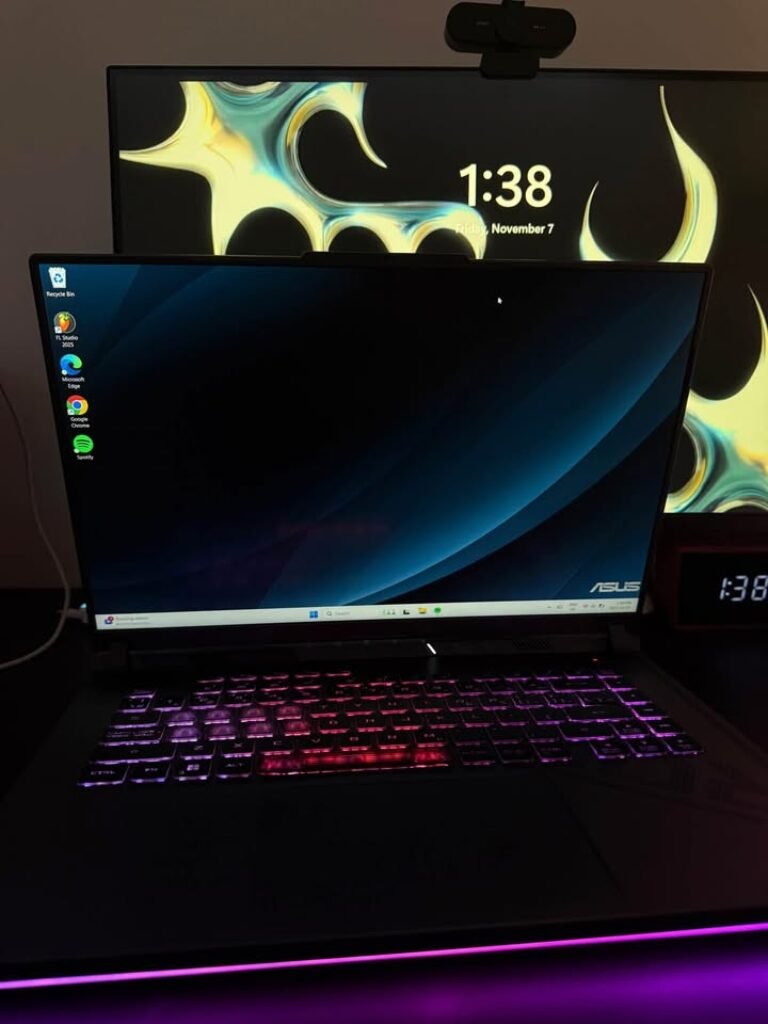
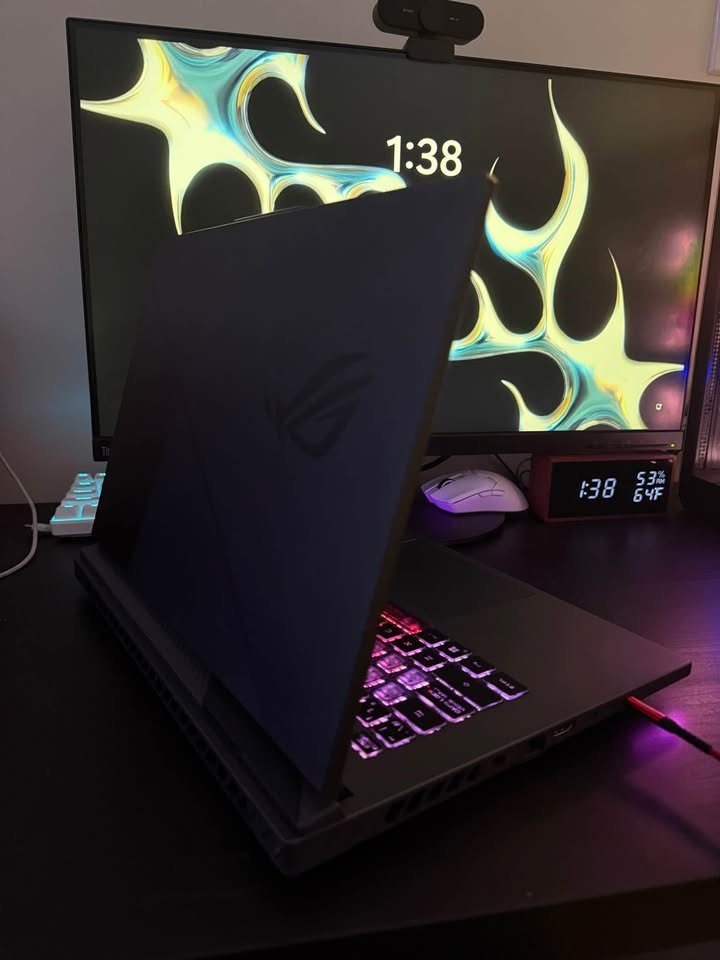
- Best overall package. ROG Strix G16 is a gaming performance with excellent thermals and high-quality builds with the latest features such as Thunderbolt 5 and Wi-Fi 7.
- Future-proof technology. This laptop has the capability to support next-generation games and AI workloads with the support of DLSS 4, GDDR7 memory, and the latest Core Ultra processor with NPU.
Should You Buy HP Omen 16 (RTX 5070 Ti)?
I would suggest HP Omen 16 when you need:
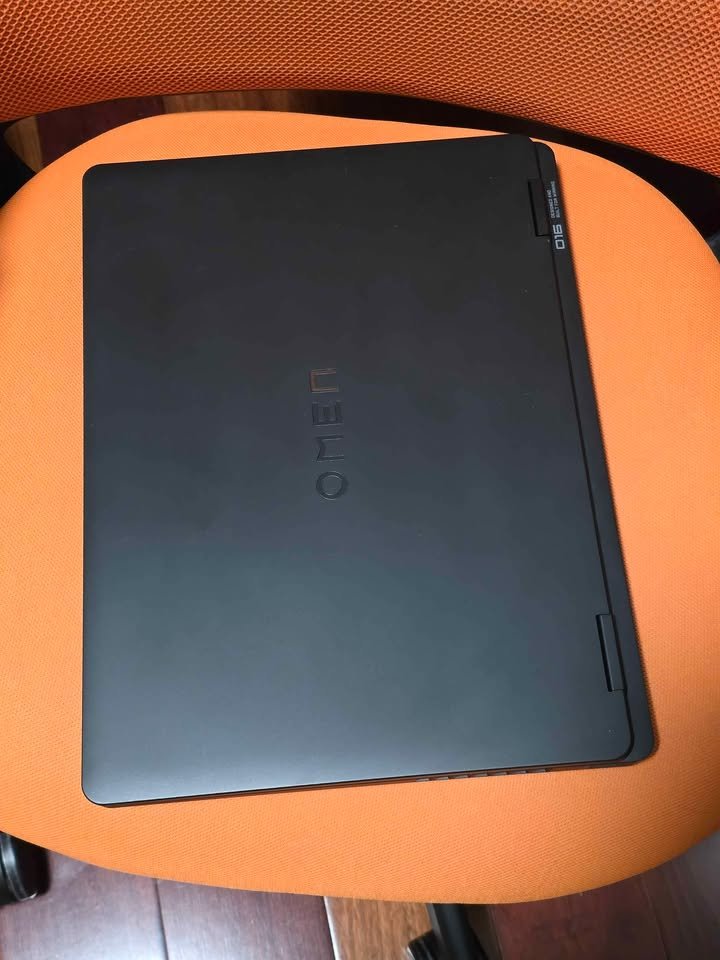
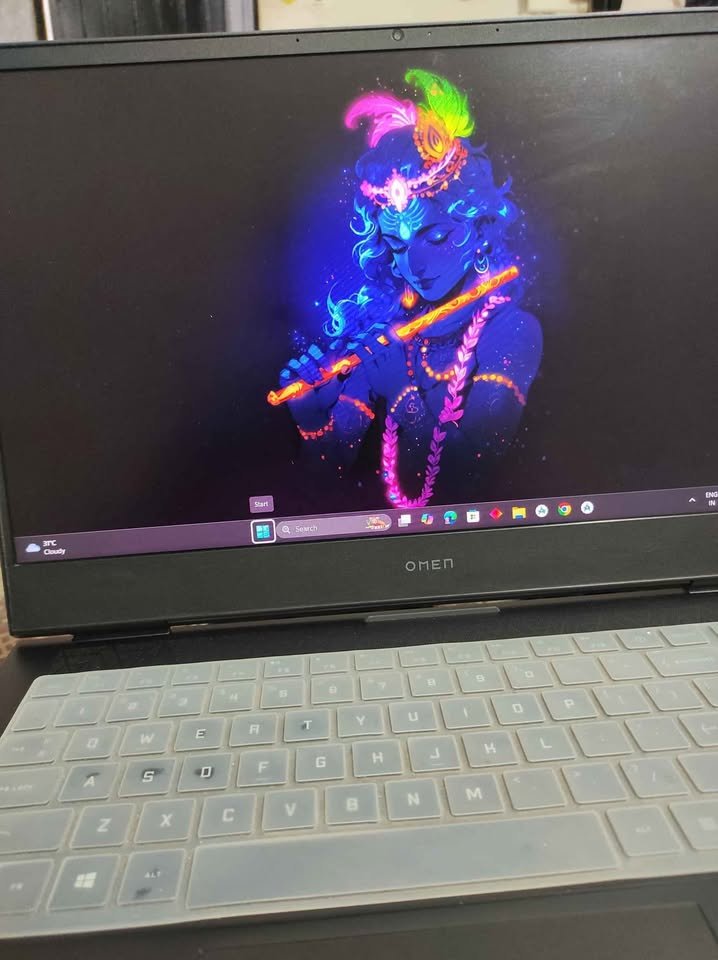
- Balanced performance. Good thermals and good gaming ability combined with decent portability make this a versatile option to gamers who require productivity performance as well.
- Reliable brand support. The high level of service network and the quality of the build that HP has built gives confidence to the long term ownership.
Should You Buy Acer Predator Neo 16S (RTX 5070)?
I would suggest the Acer Predator Neo 16S when you need:
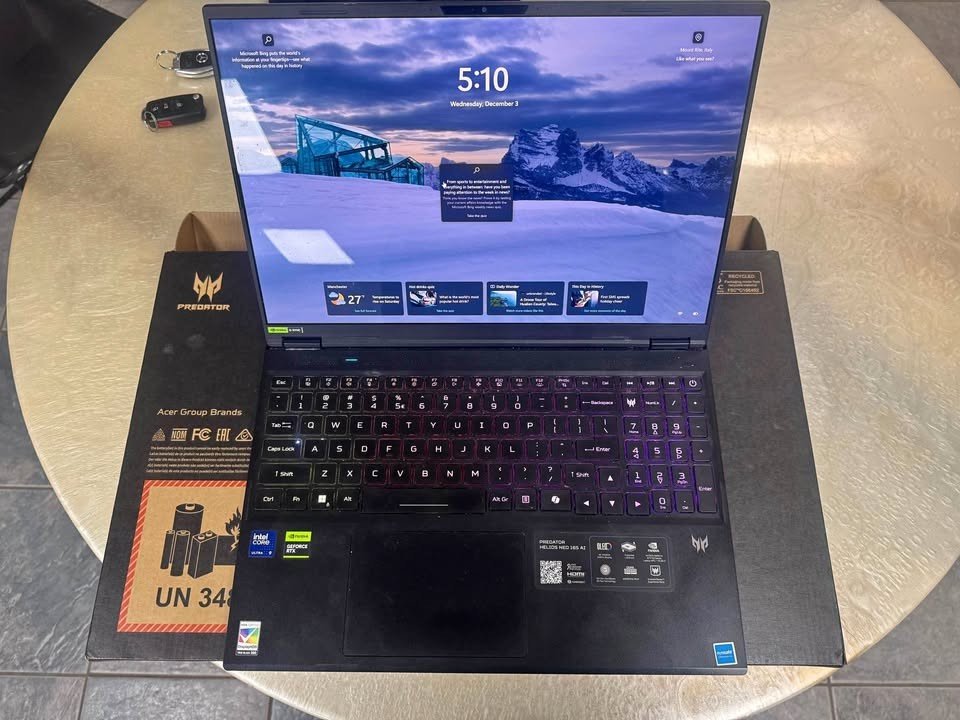
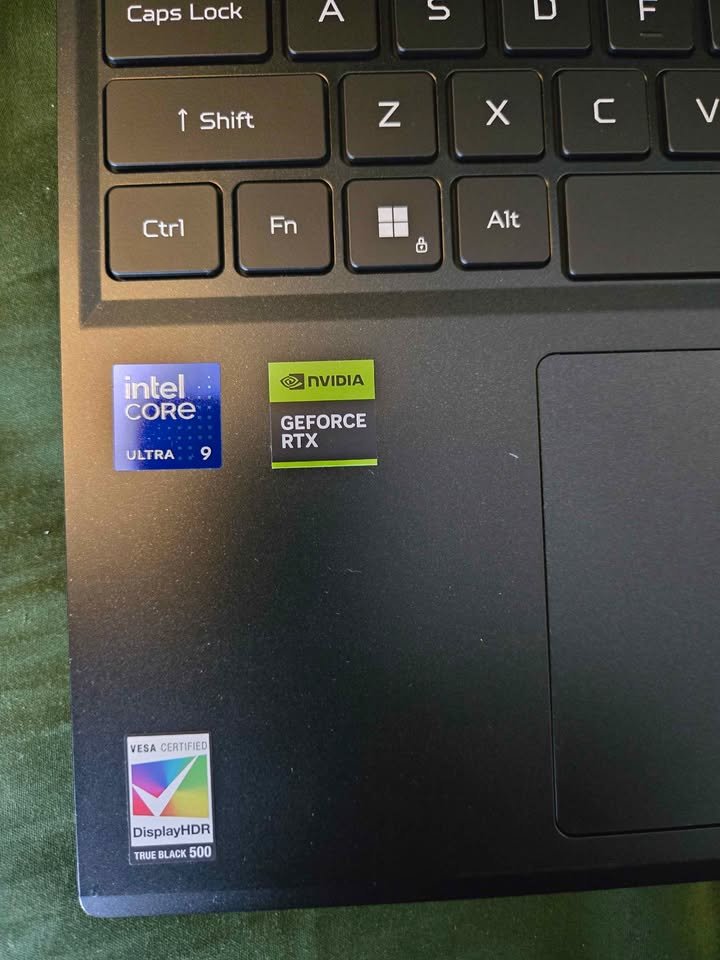
- Best portability. This is the lightest high-performance gaming laptop in our comparison, at just 2.30kg with an 18.9mm profile.
- OLED display. The gorgeous OLED display has black colours, rich colours, and almost instant response rates that are unparalleled by IPS models.
- Budget high-end. This is priced at 1,89,990, which is quite outstanding when it comes to almost flagship performance.
MSI Crosshair 17 (RTX 5070): Should You Buy?
I would suggest the MSI Crosshair 17 when you need:
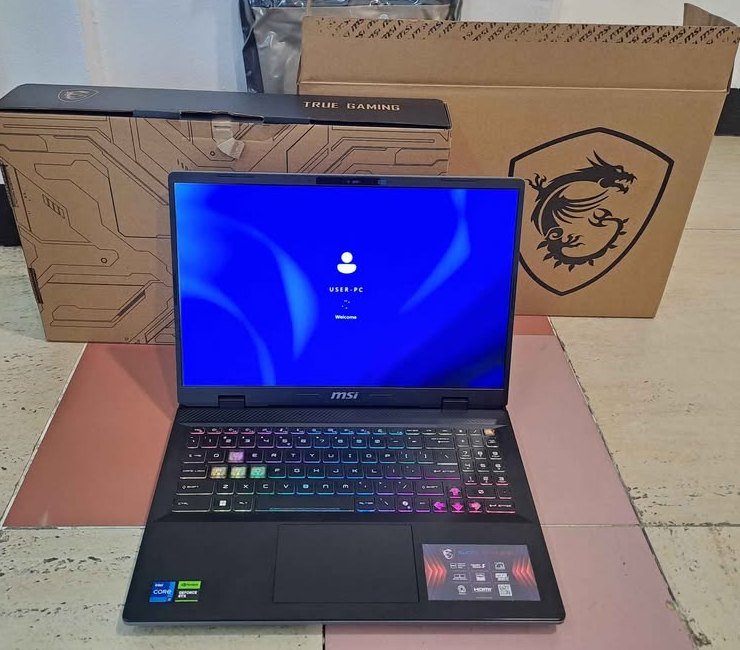
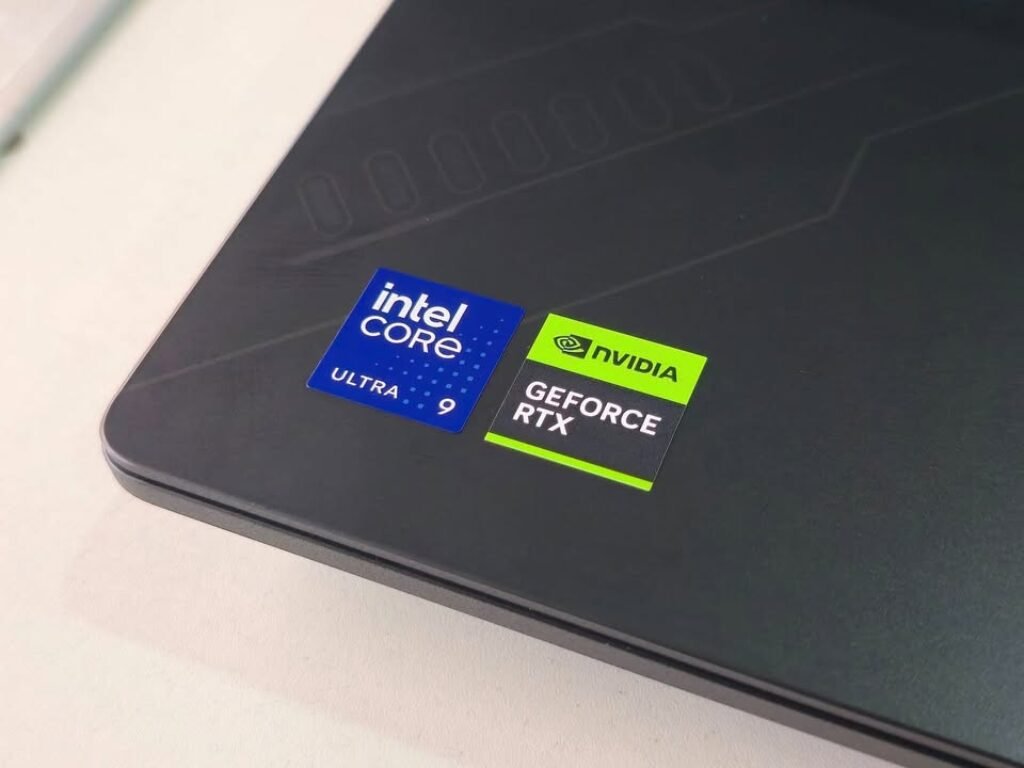
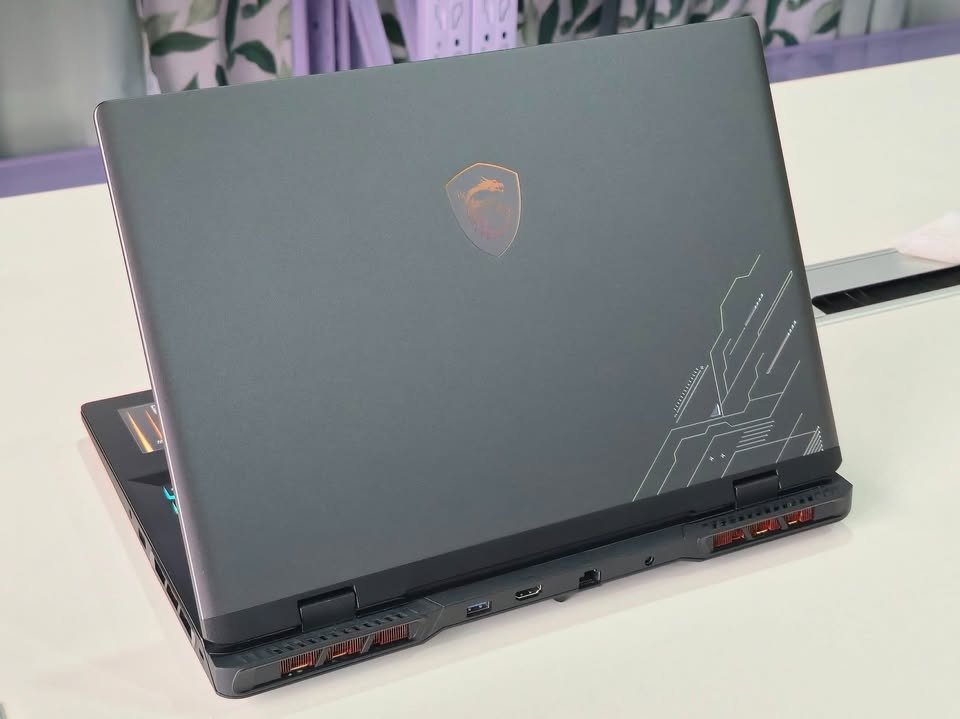
- Larger display. The 17 inch screen offers more immersive gaming and better productivity than the 16 inch options.
- Upgradability. The maximum 96GB RAM support is also suitable in the case of content creators who require memory headroom.
ASUS ROG Scar 16 (RTX 4080): Should You Buy?
I would suggest the ASUS ROG Scar 16 when you need:

- Maximum raw performance. In our tests, RTX 4080 with 150W TGP provides the best frame rates, which is suitable in competitive gaming.
- Premium display. The Mini-LED panel 1100 nits brightness and HDR are the ones that provide superior visual quality.
- Proven reliability. Experienced drivers and a high level of compatibility with the games guarantee the same performance in all titles.
MSI Stealth 18 (RTX 4080): Should You Buy It?
I would suggest the MSI Stealth 18 in case you need:
- Best display quality. The 4K mini-led 120Hz screen is just breathtaking in terms of gaming and content creation.
- Creator focus. This is perfect to creators due to the combination of strong GPU, colour-accurate display and professional features.
- Premium experience. Audio Six-speaker, high-quality construction, and sophisticated design provide a premium computing experience.
Should you purchase Acer Predator Helios 16 (RTX 4080)?
I would suggest Acer Predator Helios 16 when you need:
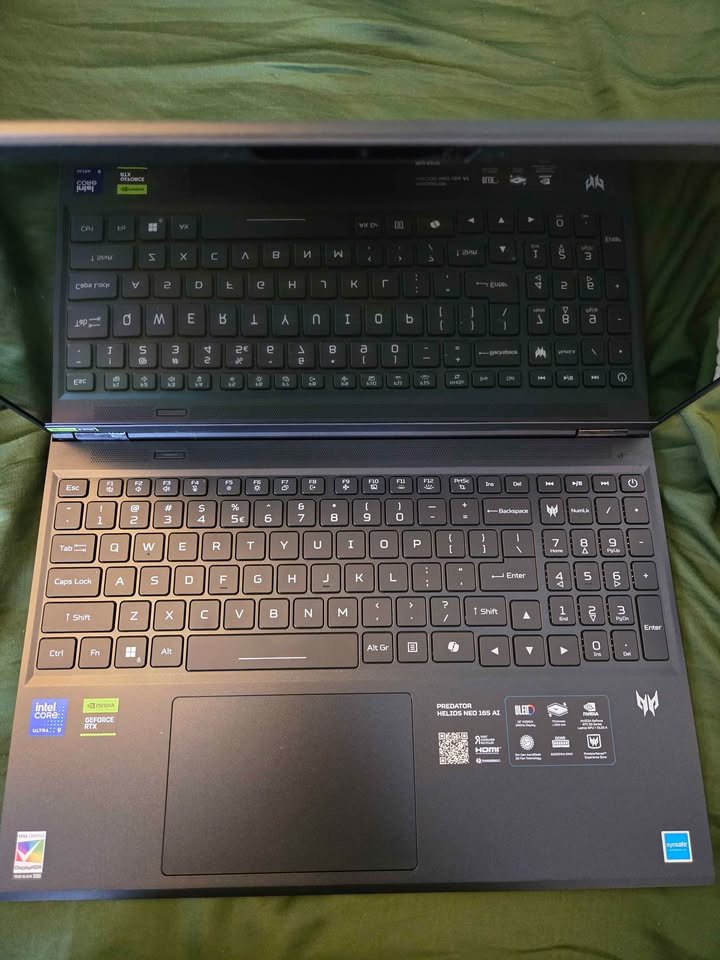
- Balanced RTX 4080 value. This is priced at 2,99,990, and it is a great performance of 4080 at a more affordable price compared to others.
- Advanced cooling. The 5th Gen Aero Blade fans that have liquid metal thermal compound offer good sustained performance.
- Wi-Fi 7 ready. Future-proof networking is a guarantee that you will be prepared to the next generation wireless infrastructure.
FAQ
The RTX 5070 Ti laptops have been built to be used over a long period with the graphics card being able to play AAA games at high settings within 4-5 years. The new Blackwell architecture and DLSS 4 support make the architecture more durable by allowing it to perform better in the future titles.