
As a student, professional, and content creator, one might find it difficult to get the right laptop within his or her budget. Although you may have a rough idea of what you want, it is vital to know the most important specifications that will provide maximum convenience to your budget.
It is, however, paramount to mention before we get further, that the most significant details to be addressed when selecting a laptop in this price category are the generation of processors and the performance. The Intel core i7 13 th generation processors have a very high single-core and multi-core performance improvement over older generations.
Nevertheless, strong processor is not a sufficient requirement to enjoy the computing experience. This is the reason why RAM capacity and storage type are both equally important. 16GB DDR4 or DDR5 RAM will enable a person to multitask, whereas a fast NVMe SSD will allow it to boot quickly and respond fast. At least 512GB of SSD storage is required!
Keeping all of that in mind, I have come up with a list of the top five laptops below 70000 rupees with i7 processor and 16GB RAM. The models have high standards of display and high standards of build. All of them have gone through proper testing and have shown great performance when it comes to performing day-to-day computer activities and productivity.
These are just a few of the Quick Summaries of the Best Laptops under 70,000 Rupees!
- Acer Aspire Lite AL15-52H – This is the best alternative to a majority of users. It has the 13 th Gen Intel Core i7-13620H, is the least expensive at 58990 and is very cost-effective. It will have 512GB SSD and LPDDR5 RAM.
- Lenovo IdeaPad Slim 3 – The best product based on the quality of builds and display is Lenovo IdeaPad Slim 3. I would recommend it to those users who are more interested in a high-quality experience with its metal top cover and 15.3 WUXGA screen with a 300 nits brightness.
- HP 15 fd0468tu/fd0515tu – It is an excellent choice when the user requires a reputable brand with inbuilt Intel Iris Xe graphics. It has a one-year subscription of Microsoft 365 and Office 2024.
- ASUS Vivobook 15 X1502VA – The ASUS is a little higher priced compared to the Acer, but it comes in with 1TB storage in SSD format, which will have more storage capacity of files and programmes in the long term. It features a 180° hinge design.
- Dell 15 DC15250 – Although it is sold at a price slightly higher than the cost of 70,000 at the MRP, it best fits users who value the quality of display. I can recommend it due to its 120Hz refresh rate display and advanced Dell customer care.
Top 5 Laptops below 70,000 having i7 Processor and 16GB RAM
I would like to mention that almost all laptops can perform various workloads differently, and each of the devices has strong and weak aspects regarding particular operations.
To me, the most important factor is that the laptops with this price frequently have to sacrifice one of the features in order to excel in another. Due to this, laptops with higher screens might possess lesser storage, whereas the ones with more storage might possess slightly darker screens.
To ease the process of identifying the most suitable laptops that cost below ₹70,000, I have added the list of the five Best laptop under 70000 with i7 processor and 16gb ram out of the total number of laptops available in the market.
01. Acer Aspire Lite AL15-52H- Best Low-End Laptop among Cost-Effective Consumers
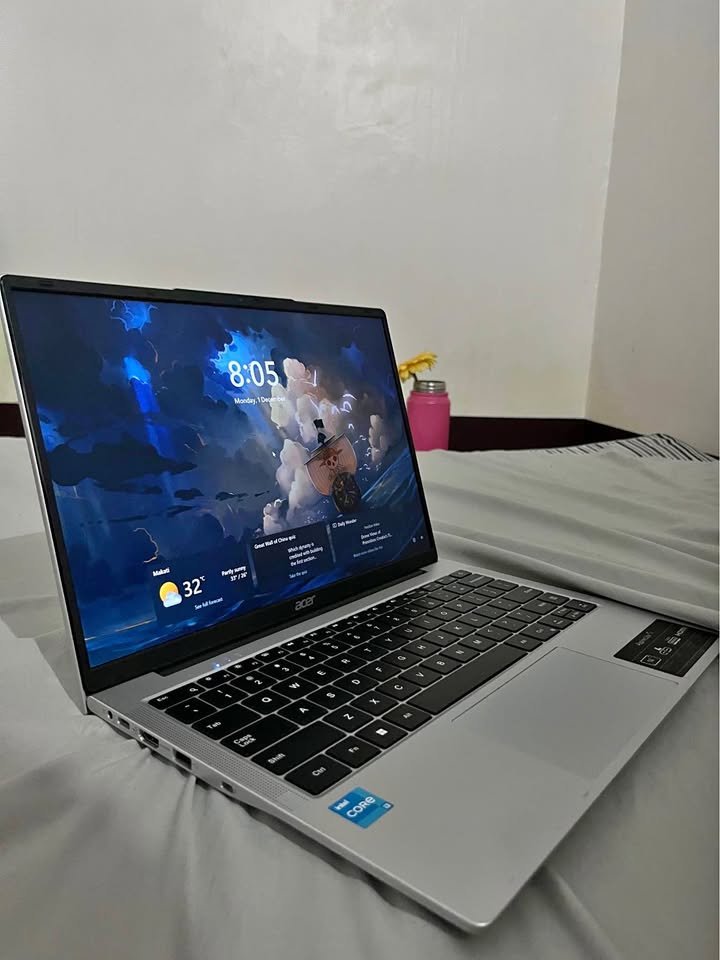
The lowest priced one in this list is Acer Aspire Lite AL15-52H which can be purchased around ₹58,990. This adds to its extraordinary value offer to the low-end consumers who do not wish to compromise on the fundamental specifications.
On the whole, this laptop has impressive performance, its processor, which is 13th Gen Intel Core i7-13620H, provides outstanding performance, and the only point that makes it special is the fact that it has LPDDR5 rather than DDR4 RAM. I have compared and contrasted benchmarks of DDR4 and LPDDR5- performance- see them to know the practical benefits.
Acer Aspire Lite is among the most preferred low-end laptops we have tested. It applies a premium quality IPS display technology, has a powerful 10-core processor and a backlit keyboard which is convenient.
It provides remarkable results when used in normal situations. When doing general productivity activities such as document editing, web browsing, and programming, it takes everything with ease and does not show any tangible lag.
Acer did not fail in the specifications category as a matter of fact, it established its reputation of providing great value and was also one of the best budget laptops in this category.
The Acer Aspire Lite has a 512GB M.2 2280 Gen 4 PCIe SSD, which can be extended up to 1TB. This type of storage setup is the best type of storage to use by users that use cloud storage most of the time or do not need huge storage locally.
Acer Aspire Lite was considered in relation to its applicability in various contexts of use and this was done by evaluating how the device can suit common computing activities and moderate working conditions.
Also, I tested this model briefly to determine its performance in the real world. I discovered that it is not just highly efficient in dealing with office programmes, but also light photo editing and other casual games seem not to be a problem.
At 1.7 kg, it is very light at 15.6″ laptop which is very commendable considering the price bracket. To make a comparison, the Dell 15 has 1.94 kg of weight, and the Acer is significantly lighter.
Connectivity features will be extensive, with 3x USB 3.0 Gen 1 Type-A, 1x USB 3.2 Gen 1 Type-C, HDMI and a headset/speaker jack. This offers sufficient ports to the majority of users.
The 2MP webcam that has two digital microphones is capable of providing clear video calls and is therefore appropriate to be used in remote work and online classes.
It also scored a great score in our multitasking testing where it could have numerous browser tabs, Office applications, and video playback without lagging.
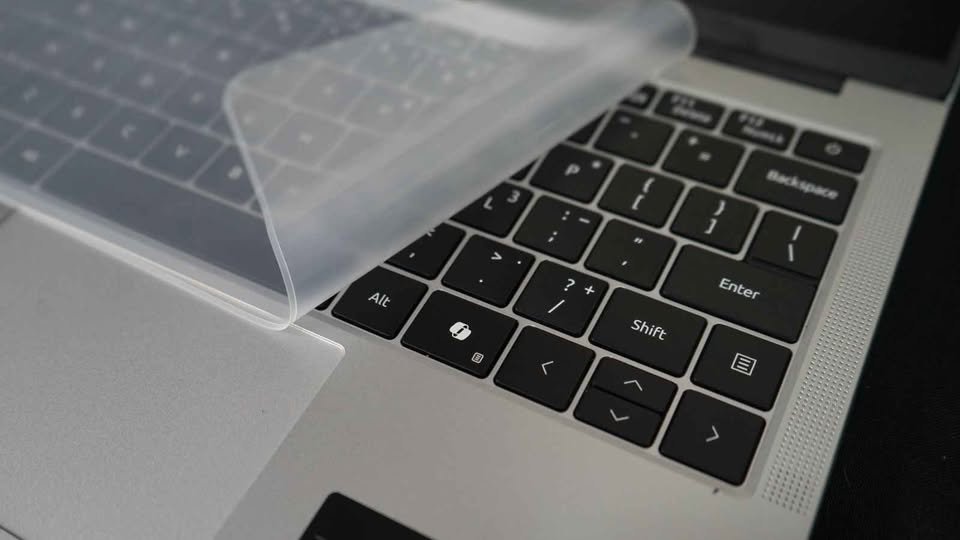
Besides, the Acer Aspire Lite is packed with Windows 11 Home and MS Office and it is productivity ready right out of the box.
Specs: Acer Aspire Lite AL15-52H
| Specification | Details |
| Dimensions (cm) | 35.7 x 22.8 x 1.8 cm |
| Weight (kg) | 1.7 kg |
| Processor | Intel Core i7-13620H (10 cores, 16 threads) |
| Base/Max Clock Speed | 2.4 GHz / 4.9 GHz |
| Display | 15.6″ FHD IPS (1920 x 1080), LED-backlit |
| Display Features | Acer ComfyView, 170° viewing angle |
| RAM | 16GB LPDDR5 (onboard) |
| Storage | 512GB M.2 Gen 4 PCIe SSD (expandable to 1TB) |
| Graphics | Intel UHD Graphics |
| Operating System | Windows 11 Home |
| Pre-installed Software | MS Office |
| Battery Life | Up to 8.5 hours |
| Battery Capacity | 54 Wh |
| Keyboard | Backlit keyboard |
| Webcam | 2MP with dual microphones |
| Ports | 3x USB 3.0 Type-A, 1x USB 3.2 Type-C, HDMI, Audio jack |
| Wireless | Wi-Fi, Bluetooth |
| Performance Rating | 9.5/10 |
| Value Rating | 9.8/10 |
| Portability Rating | 9.6/10 |
| Price | ~₹58,990 |
02. Lenovo IdeaPad Slim 3 – Better Build Quality and Display
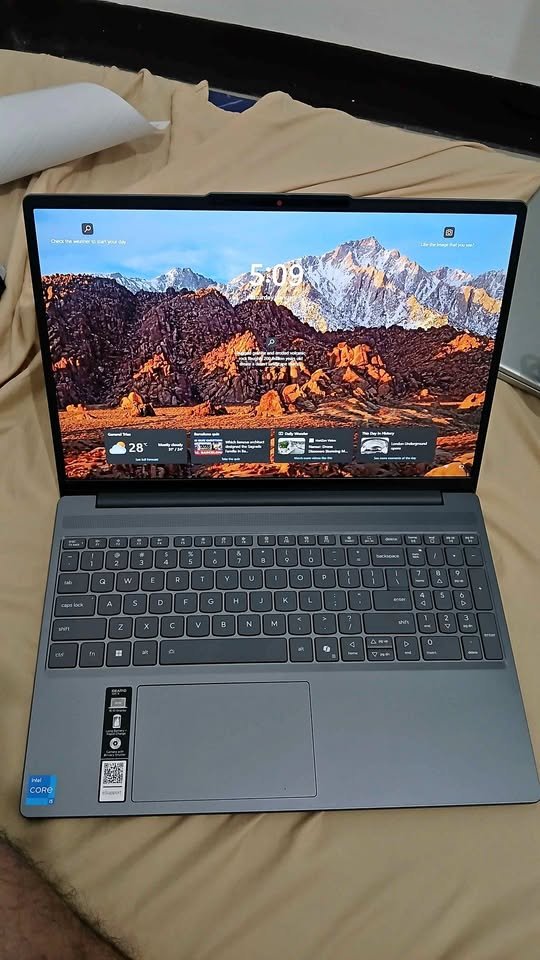
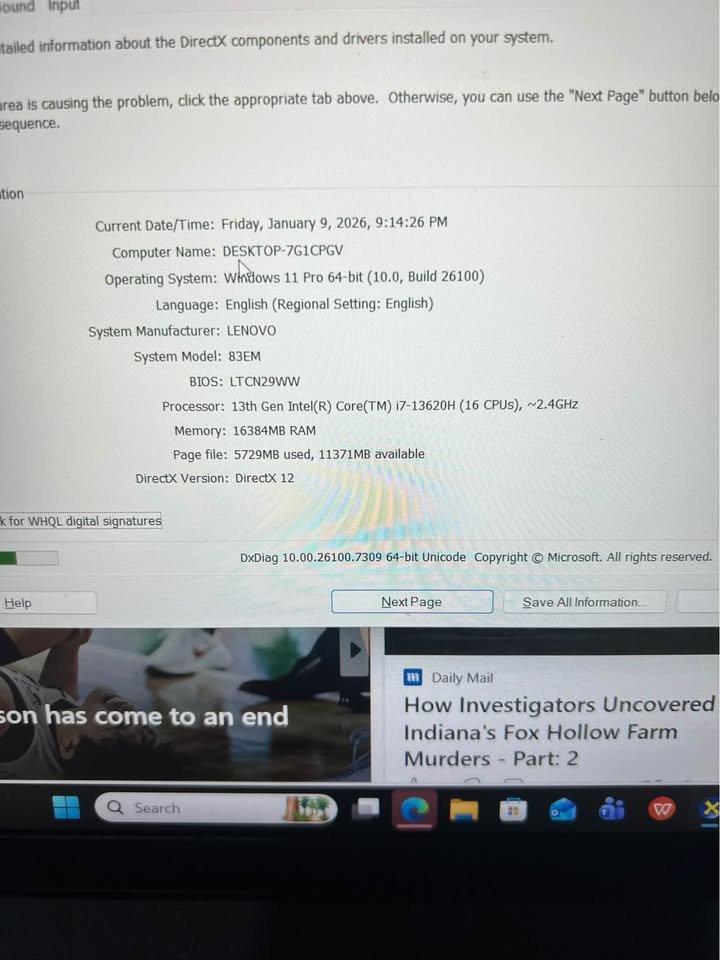
Lenovo IdeaPad Slim 3 is a high quality laptop that lives up to the 63,990 price tag by being built well and having a high quality display. Its top cover made of aluminium and a display ratio that is 16:10 are the key factors that make it much better to use.
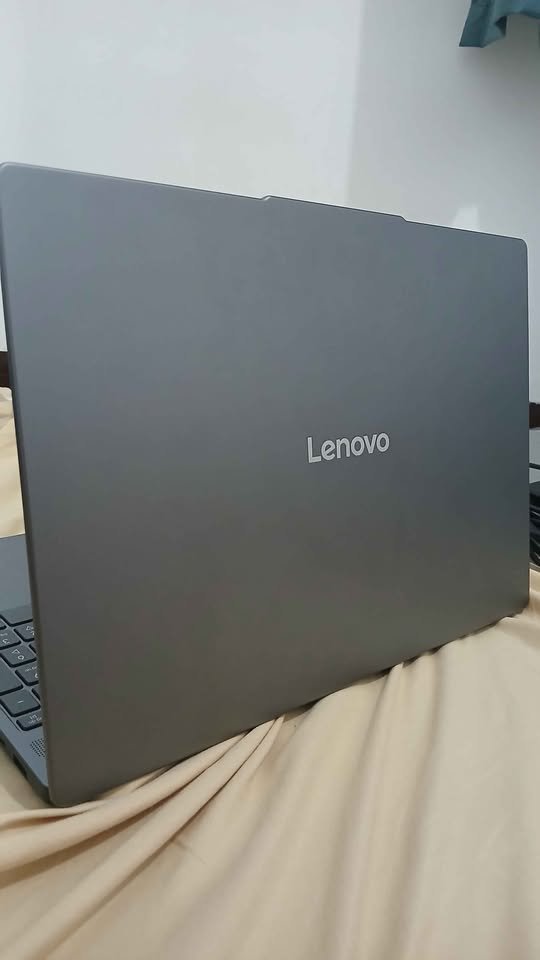
Lenovo IdeaPad Slim 3 has six aspects to be highlighted. It also includes an IR camera with Windows Hello facial recognition, which is a feature the product usually lacks in this price category.
We have put its performance in all the typical usage scenarios in terms of special benchmarking tools.
The IdeaPad Slim 3 weighs 1.59 kg, and this is relatively light compared to a laptop that has a large screen. Comparatively, the Dell 15 has a weight of 1.94 kg and has a similar display size.
When it comes to power efficiency, I would say the 50Wh battery with Rapid Charge technology is notable to a laptop of this kind.
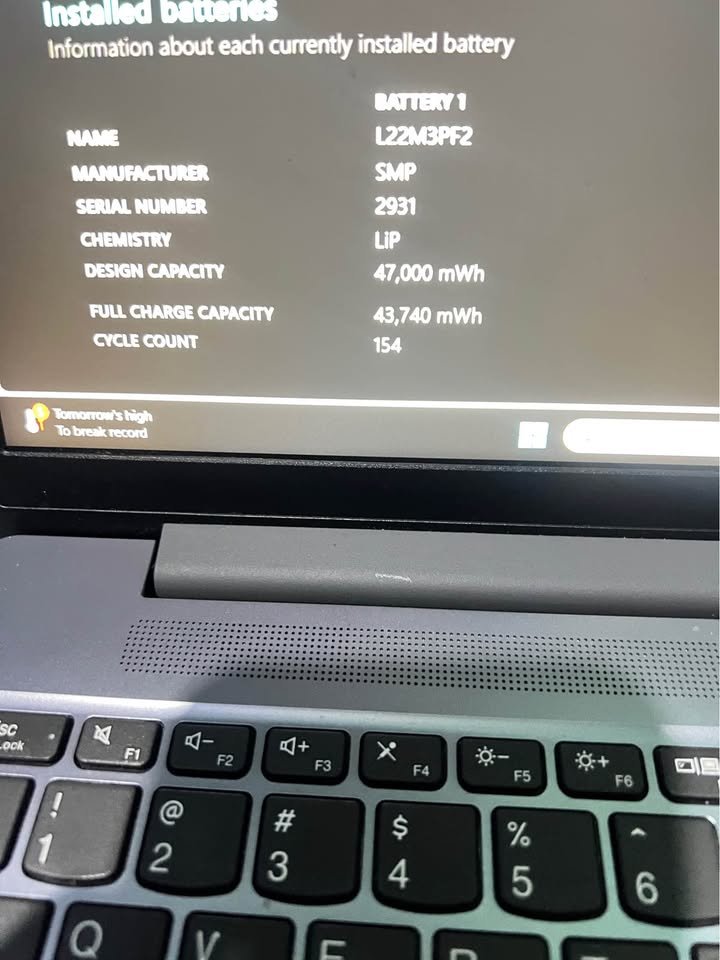
The Rapid Charge is a 2 hours of run time with only 15 minutes charge. This implies that during a hurry, you can refill the battery within no time and have sufficient power to use it during a couple of hours.
This renders it very convenient to its users who move around frequently. To compare, the battery of ASUS Vivobook 15 is 42wh, which means that its battery does not last as long under the same conditions.
Lenovo IdeaPad Slim 3 has a mix of both soldered and SO-DIMM RAM; this enables it to upgrade to a maximum of 24GB in total.
This RAM configuration offers a range of future upgrade options with a narrow dimensions.
It has DDR5-4800 memory that is one of the fast as well as in this price bracket.
The second feature that is worth mentioning is the 512GB M.2 2242 PCIe 4.0×4 NVMe SSD that can be upgraded to 1TB by the user in case of the need to increase storage at a later stage.
The IdeaPad Slim 3 is also flexible in terms of expansion in the future unlike the laptops that have soldered-in storage which cannot be upgraded.
Due to this, IdeaPad Slim 3 is especially appropriate to users who expect increasing the storage capacity or have the desire to upgrade.
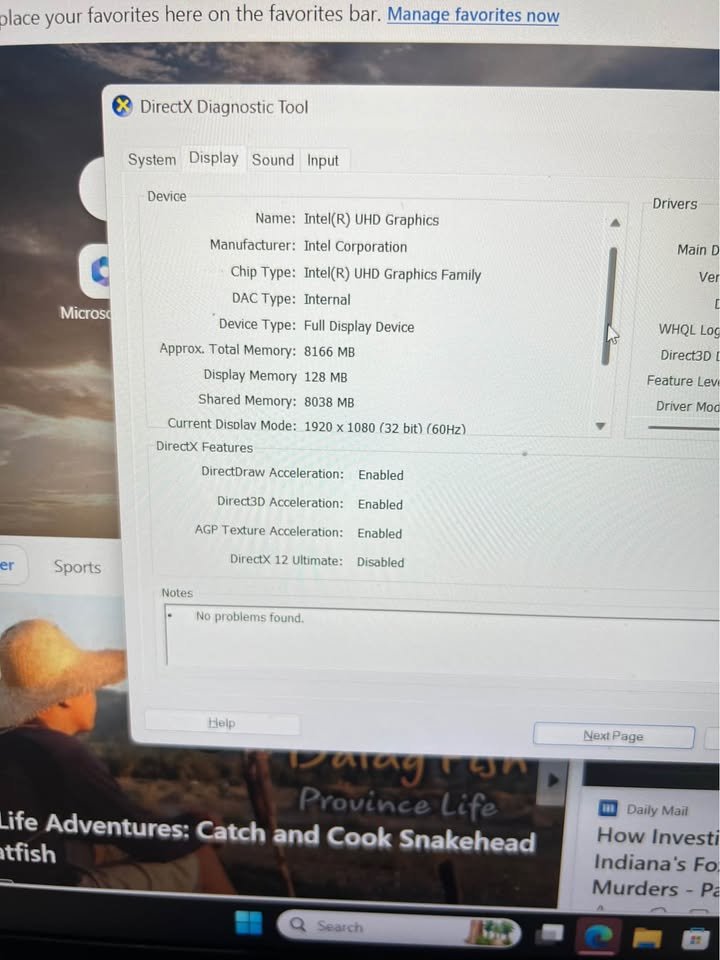
It does not have a dedicated graphics card, but it has Intel UHD Graphics that would support casual gaming and video editing. Nevertheless, other companies have specific GPU options when one is more interested in gaming.
It had excellent results in our productivity tests. In office work, and content consumption, it was found to substantially raise the efficiency of the workflow in comparison with entry-level configurations.
Its small base storage, the partially solder configuration of the RAM and the absence of dedicated graphics card in doing graphics-intensive tasks are only its shortcomings to me.
Specifications: Lenovo IdeaPad Slim 3
| Specification | Details |
| Dimensions (cm) | 34.3 x 23.9 x 1.79 cm |
| Weight (kg) | 1.59 kg |
| Processor | Intel Core i7-13620H (10 cores, 16 threads, 24MB cache) |
| Base/Max Clock Speed | 2.4 GHz / 4.9 GHz |
| Display | 15.3″ WUXGA IPS (1920 x 1200), 300 nits |
| Display Features | Anti-glare, TUV Low Blue Light Certified |
| RAM | 16GB DDR5-4800 (8GB soldered + 8GB SO-DIMM) |
| Max RAM | Up to 24GB |
| Storage | 512GB M.2 PCIe 4.0×4 NVMe SSD (expandable to 1TB) |
| Graphics | Intel UHD Graphics |
| Operating System | Windows 11 Home |
| Pre-installed Software | Office Home 2024, Xbox GamePass 3-month |
| Camera | FHD 1080p with Privacy Shutter, IR Camera |
| Audio | Stereo speakers 2W x2, Dolby Audio |
| Battery | 50Wh with Rapid Charge |
| Battery Life | Up to 14.5 hours (video playback) |
| Keyboard | Backlit |
| Ports | 2x USB-A, 1x USB-C (PD + DisplayPort), HDMI 1.4, Card reader, Audio jack |
| Wireless | Wi-Fi 6, Bluetooth 5.2 |
| Durability | MIL-STD-810H certified |
| Warranty | 1 Year Onsite + 1 Year ADP |
| Performance Rating | 9.6/10 |
| Build Quality Rating | 9.7/10 |
| Display Rating | 9.5/10 |
| Price | ~₹63,990 |
03. HP 15 fd0468tu/fd0515tu – Excellent Choice to Have a believable brand support.
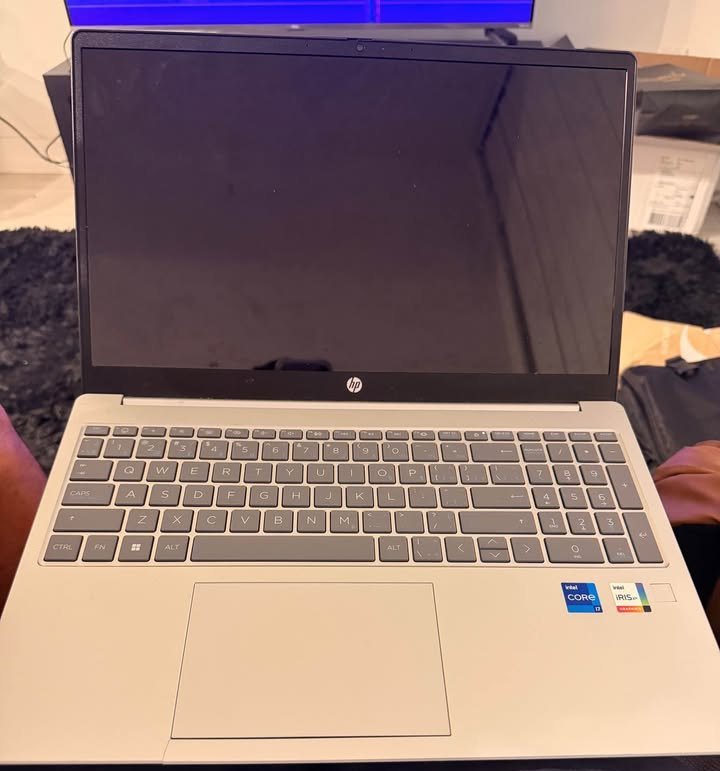
Of all the laptops we have reviewed in this price bracket the HP 15 is a unique one in that it has an Intel Iris Xe Graphics which is a huge upgrade compared to the Intel UHD Graphics that most of the other competitors have.
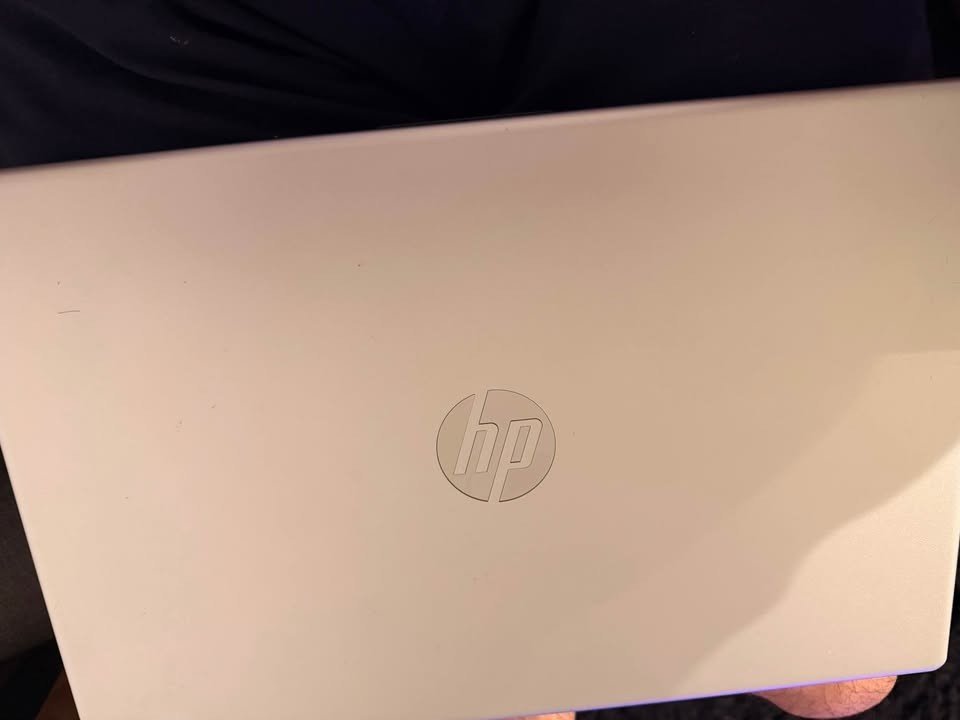
In case you believe that the onboard graphical capabilities of the HP 15 might not be as good as you require, you can always get laptops with dedicated GPUs but they are usually above this budget.
The best features of the HP 15 include a good camera with a high-quality image, quick battery, and the HP support system. It can be used in rooms of normal lighting.
Microsoft 365 and Office Home 2024 are complete software packages included in this model which means it is productivity ready at once.
It is a balanced laptop; it performs much better than it appears when observing the specs in particular.
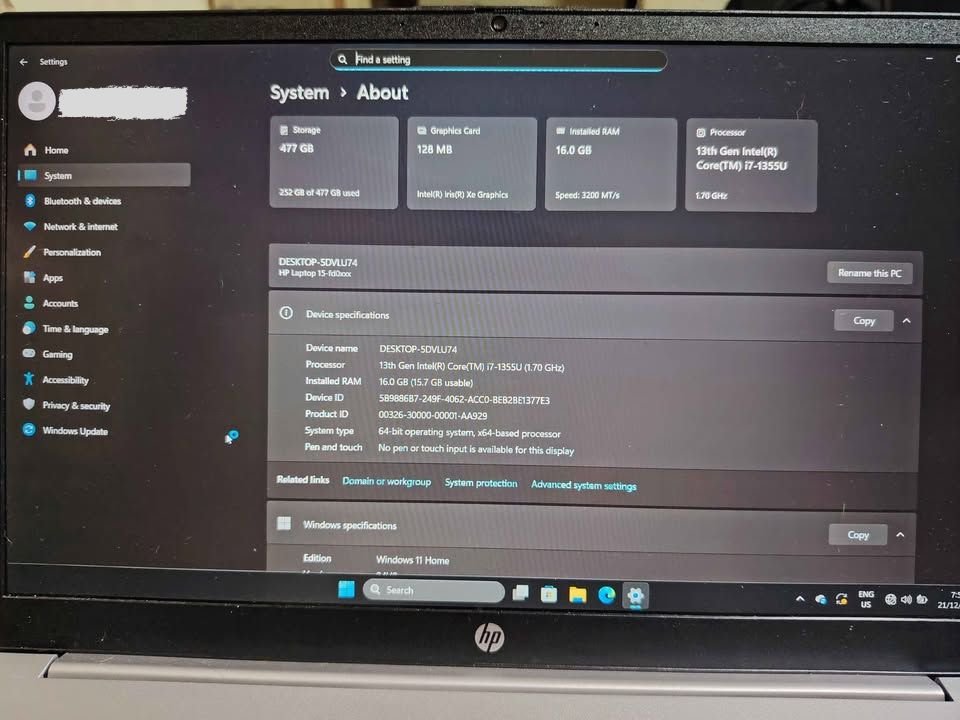
The HP 15 will be able to meet all the necessary computing requirements because of the powerful Intel Core i7-1355U processor, we were able to internet browsing with 20 tabs open in 3 browser , and multimedia consumption with ease.
Even though the HP 15 is widely recognised due to its reliability and brand support, we have put the performance of HP 15 to the test in a number of productivity and multimedia applications.
Its 16GB DDR4 RAM with an operating speed of 3200MHz makes it have a considerable amount of multitasking capability with multiple applications running concurrently. This is a critical specification to the productivity users.
The 512GB PCIe NVMe M.2 SSD offers a hassle-free boot-up and fast applications loading times. This storage setup has provided the appropriate combination of speed and storage capacity to the majority of the users.
The 15.6-inch FHD display is micro-edge with a bezels design, and the anti-glare coating ensures that the eyes do not strain when using the computer extensively.
Overall, HP 15 is built with quality components and build, which is proven by the image of HP and our performance test.
One more possible factor is the 250 nits brightness that can not be used outdoors. In the case of indoor settings, however, it does quite well.
HP 15 would be a good option to those who focus on the reliability of a brand and the value of software. Its Intel Iris Xe Graphics is powerful enough that it can be used to do more or less creative work, and its accompanying subscriptions to software are a significant addition in the value of purchase.
Specifications: HP 15 fd0468tu/fd0515tu
| Specification | Details |
| Dimensions (mm) | 360 x 236 x 19 mm |
| Weight (kg) | 1.59 kg |
| Processor | Intel Core i7-1355U (10 cores, 12 threads, 12MB cache) |
| Base/Max Clock Speed | Up to 5.0 GHz with Turbo Boost |
| Display | 15.6″ FHD (1920 x 1080), 250 nits |
| Display Features | Anti-glare, Micro-edge, 85% screen-to-body ratio |
| RAM | 16GB DDR4-3200 |
| Storage | 512GB PCIe NVMe M.2 SSD |
| Graphics | Intel Iris Xe Graphics |
| Operating System | Windows 11 Home |
| Pre-installed Software | Microsoft 365 (1 year), Office Home 2024 |
| Camera | HP True Vision 1080p FHD with Privacy Shutter |
| Audio | Dual speakers |
| Battery | 3-cell 41Wh Li-polymer |
| Battery Life | Up to 7 hours 45 minutes |
| Fast Charge | 50% in 45 minutes |
| Keyboard | Full-size backlit with numeric keypad |
| Ports | 3x USB, HDMI, Audio jack |
| Wireless | Wi-Fi 6, Bluetooth 5.3 |
| Performance Rating | 9.4/10 |
| Software Value Rating | 9.7/10 |
| Camera Rating | 9.6/10 |
| Price | ~₹63,990 |
04. ASUS Vivobook 15 X1502VA – Great Option with 1TB Storage
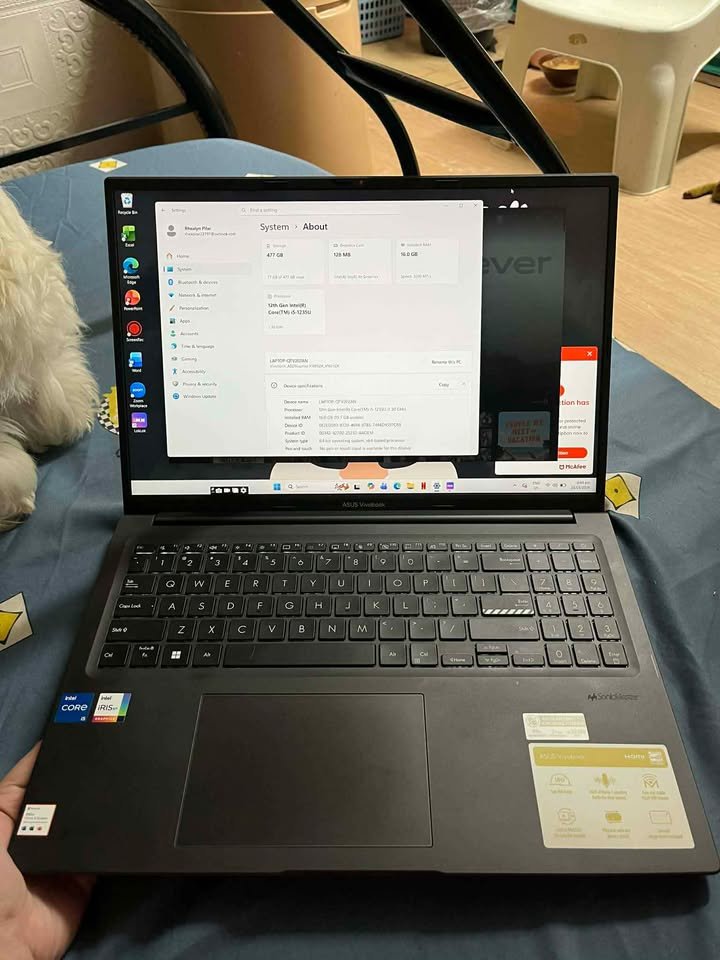
The sizeable storage capacity of 1TB, the usefulness of the hinge design, and the included extensive software package are the features that I like about ASUS Vivobook 15.
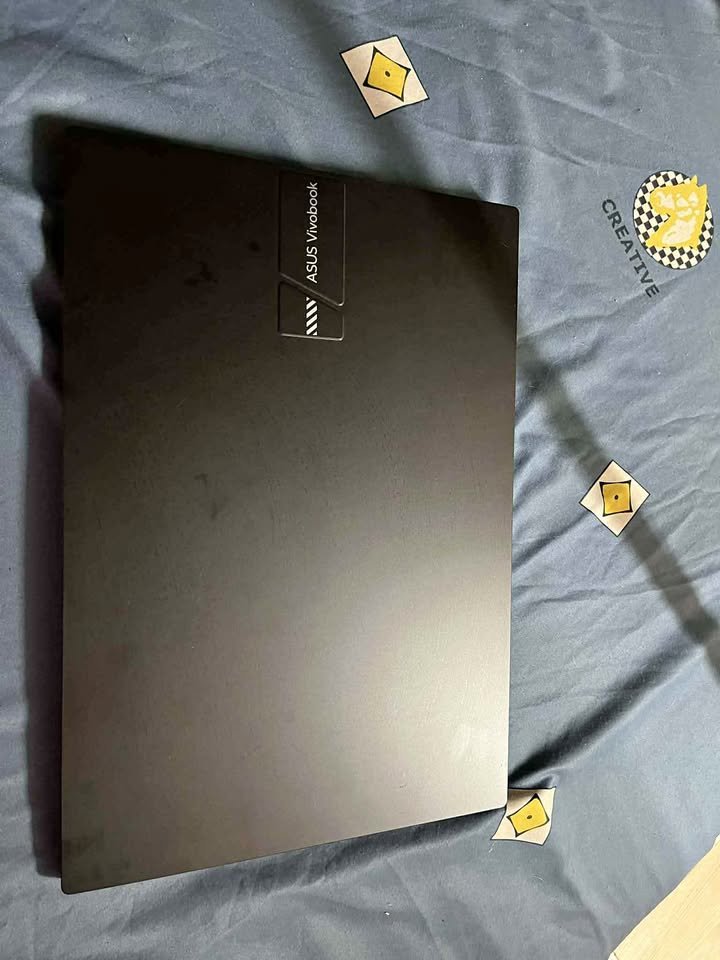
The ASUS vivobook 15 has a three step value proposition, although in this particular case the most distinct feature that is worth mentioning is the storage of 1TB PCIe 4.0 SSD. It is also powered by a powerful Intel Core i7-13620H which effectively manages challenging tasks.
ASUS Vivobook 15 performed very well in our tests in storage which are intensive. It did very well when it came to file transfer and loading applications tests due to its quick PCIe 4.0 SSD.
During everyday use test, it was able to cope with any tasks in a hassle free and responsive manner.
The display of this laptop is 15.6″ FHD, 45% NTSC colour gamut, so it will be appropriate in general productivity and entertainment. Nevertheless, according to our tests on displays, I believe that it can also support casual photo editing.
The ASUS Vivobook 15 is not only a good laptop in case of users with a high storage space, but it is also quite convenient when it comes to content creators who have to work with large files. This is a perfect laptop to suit your requirements in case you have the habit of downloading movies, games or working with big project files.
Under normal productivity conditions, the Asus Vivobook 15 had no problems with multiple applications being used at the same time as we had extensively tested it.
The Intel UHD Graphics can support common graphics tasks such as 4K video playback, and doing basic photo editing.
The 16GB of DDR4 RAM might not be the newest DDR5 standard, but it is equally sufficient to be able to multitask with many applications and tabs of multiple browsers running at the same time.
My unequivocal suggestion will be to give consideration to the 1TB storage space, as this will leave you with adequate space to store all your files, applications and any other demands in the future.
This is a special arrangement of storage as most users no longer have to outsource storage services. And that suffices practically any real-life scenario.
However, maybe you still need an additional storage capacity. At that, I would suggest combining the already spacious 1TB of internal storage with cloud storage or external drives.
The size of the laptop is 36 cm long, which is normal in a 15.6 inch laptop. ASUS Vivobook 15 is not only a well-made laptop but also has an attractive choice of Quiet Blue colour. The designers have exerted efforts to come up with a modern outlook that will be appropriate at the workplace and even the informal setting.
Although these laptops are so productivity oriented, I would like to mention that what I believe is most vital is the 180 degrees hinge where the display would sit down flat and produce a surface on which the contents can be shared easily.
| Specification | Details |
| Dimensions (cm) | 36 x 23.3 x 2 cm |
| Weight (kg) | 1.7 kg |
| Processor | Intel Core i7-13620H (10 cores, 16 threads, 24MB cache) |
| Base/Max Clock Speed | 2.4 GHz / 4.9 GHz |
| Display | 15.6″ FHD (1920 x 1080), 60Hz, 250 nits |
| Display Features | Anti-glare, 45% NTSC, 82% screen-to-body ratio |
| RAM | 16GB DDR4 |
| Storage | 1TB M.2 NVMe PCIe 4.0 SSD |
| Graphics | Intel UHD Graphics |
| Operating System | Windows 11 Home |
| Pre-installed Software | Microsoft 365 Basic (1 year), Office Home 2024 |
| Camera | 720p HD with Privacy Shutter |
| Audio | Dual speakers |
| Battery | 42Wh 3-cell Li-ion |
| Keyboard | Backlit Chiclet with Numpad |
| Hinge | 180° lay-flat design |
| Ports | 1x USB 2.0, 2x USB 3.2 Type-A, 1x USB 3.2 Type-C, HDMI 1.4, Audio jack |
| Wireless | Wi-Fi 6E, Bluetooth |
| Performance Rating | 9.5/10 |
| Storage Rating | 9.9/10 |
| Design Rating | 9.4/10 |
| Price | ~₹67,990 |
05. Dell 15 DC15250 – Great Option for Premium Display Experience
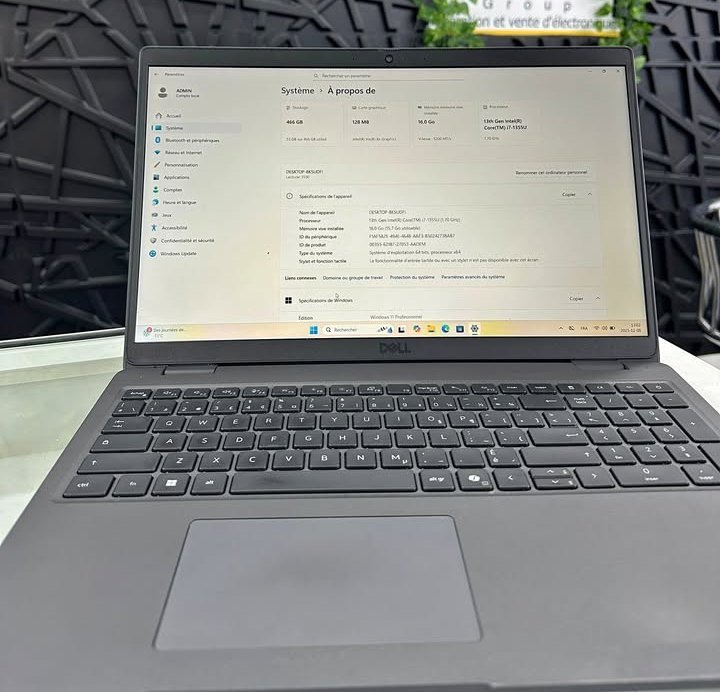
The Dell 15 DC15250 is a Lifted hinge laptop that has unmatched display resolution and a high-quality touch which is above the price bracket.
Nonetheless, I would mainly suggest it to users who value smooth images and brand endorsement particularly those who consume large quantities of media content or those who handle quickly moving pictures.
This laptop comes with a 120Hz refresh rate display, which is perfect to those users who perceive the smoothness in the process of scrolling and navigation. I would strongly recommend it to optimise the ultimate experience on its visual side along with content consumption and productivity applications where a fast scrolling of information can optimise a workflow.
Besides being of high quality in the display, it possesses various useful features as well which include MaxxAudio Pro, ergonomic hinges, and extensive connectivity possibilities.
It comes with a full range of ports, support with Dell, and features such as convenient hinges.
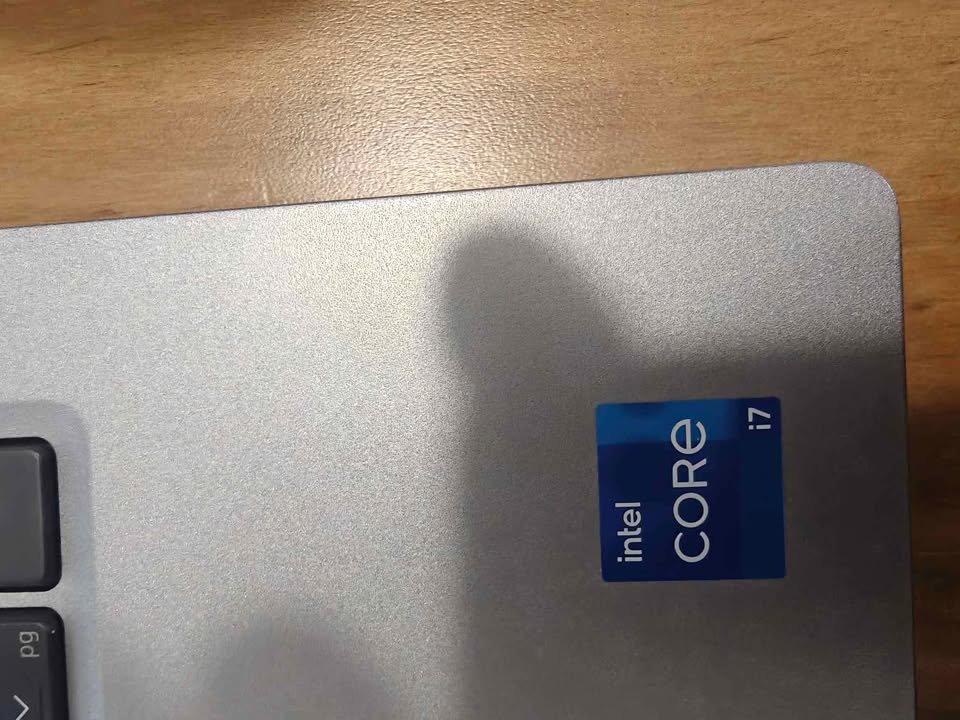
The nearest in terms of display quality is the Lenovo IdeaPad Slim 3 having the WUXGA resolution, although the difference with the Dell is the refresh rate of 120Hz which offers another type of visual advantage, namely motion smoothness.
The Dell 15 is not only offering an excellent display quality, but also good audio with the help of MaxxAudio Pro, comfortable typing experience and a wide range of connexion features.
I prolonged the use of the Dell 15 to test its actual performance. The thing about it that I discovered is that it creates a high-end feel when used thus making it one of the classiest laptops in the same price bracket.
The interesting fact is that this is not the only Dell laptop available in this category, in fact, there are different Dell laptops with different specifications in different prices.
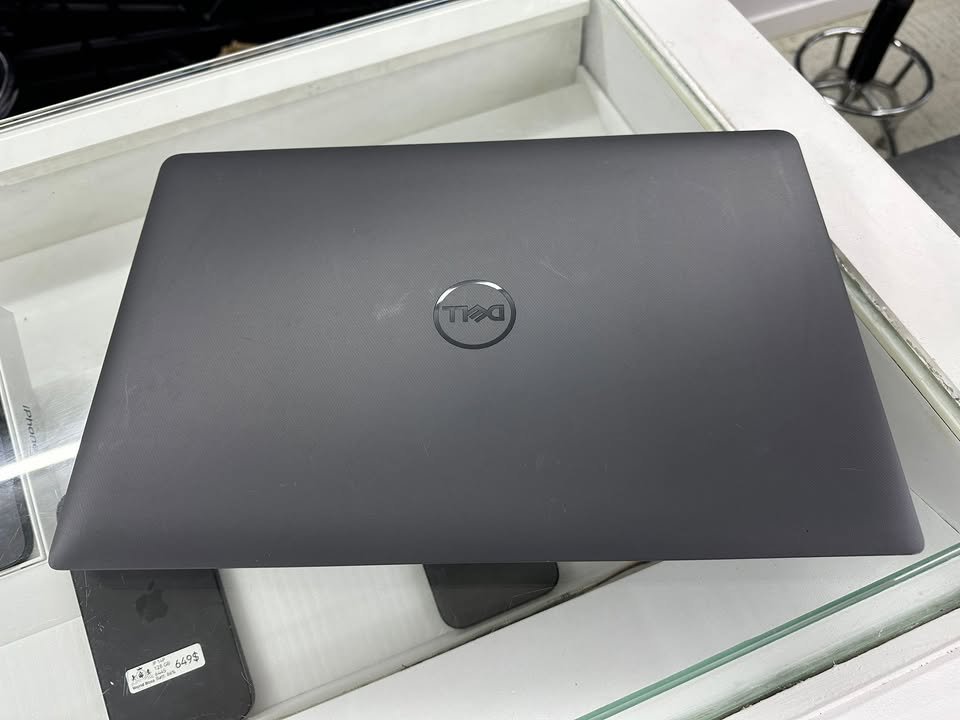
The 120Hz display and the high-quality build make it a perfect laptop to choose in case one appreciates visual experience and the durability of the device.
Specifications: Dell 15 DC15250
| Specification | Details |
| Dimensions (cm) | 35.8 x 23.5 x 1.8 cm |
| Weight (kg) | 1.94 kg |
| Processor | Intel Core i7-1355U (10 cores, 12 threads, 12MB cache) |
| Base/Max Clock Speed | 1.2 GHz / 5.0 GHz |
| Display | 15.6″ FHD (1920 x 1080), 120Hz |
| Display Features | LED, Anti-glare, ComfortView |
| RAM | 16GB DDR4-3200 |
| Max RAM Slots | 1 available |
| Storage | 512GB M.2 PCIe SSD |
| Graphics | Intel UHD Graphics |
| Operating System | Windows 11 Home |
| Camera | 1080p with Privacy Shutter |
| Audio | MaxxAudio Pro, Stereo Speakers |
| Battery | 54Wh 4-cell |
| Keyboard | Ergonomic with Numeric Keypad |
| Ports | 2x USB 3.2 Type-A, 1x USB 2.0, HDMI, SD Card, Audio jack |
| Wireless | Wi-Fi 6, Bluetooth 5.3 |
| Special Features | Lifted hinges, Calculator hotkey |
| Warranty | 1 Year Onsite Service |
| Performance Rating | 9.3/10 |
| Display Rating | 9.8/10 |
| Build Quality Rating | 9.5/10 |
| Price | ₹75,990 (under ₹70,000 with offers) |
Side-by-side Comparison of the Best Laptops Under ₹70,000
| Specification | Acer Aspire Lite | Lenovo IdeaPad Slim 3 | HP 15 | ASUS Vivobook 15 | Dell 15 |
| Price | ₹58,990 | ₹63,990 | ₹63,990 | ₹67,990 | ₹75,990* |
| Dimensions (cm) | 35.7 x 22.8 x 1.8 | 34.3 x 23.9 x 1.79 | 36 x 23.6 x 1.9 | 36 x 23.3 x 2 | 35.8 x 23.5 x 1.8 |
| Weight (kg) | 1.7 kg | 1.59 kg | 1.59 kg | 1.7 kg | 1.94 kg |
| Processor | i7-13620H | i7-13620H | i7-1355U | i7-13620H | i7-1355U |
| Cores/Threads | 10/16 | 10/16 | 10/12 | 10/16 | 10/12 |
| Display Size | 15.6″ | 15.3″ | 15.6″ | 15.6″ | 15.6″ |
| Resolution | FHD (1920×1080) | WUXGA (1920×1200) | FHD (1920×1080) | FHD (1920×1080) | FHD (1920×1080) |
| Refresh Rate | 60Hz | 60Hz | 60Hz | 60Hz | 120Hz |
| Brightness | Standard | 300 nits | 250 nits | 250 nits | Standard |
| RAM | 16GB LPDDR5 | 16GB DDR5 | 16GB DDR4 | 16GB DDR4 | 16GB DDR4 |
| Storage | 512GB | 512GB | 512GB | 1TB | 512GB |
| Graphics | Intel UHD | Intel UHD | Intel Iris Xe | Intel UHD | Intel UHD |
| Battery | 54Wh | 50Wh | 41Wh | 42Wh | 54Wh |
| Battery Life | 8.5 hrs | 14.5 hrs | 7.75 hrs | Standard | Standard |
| Webcam | 2MP | 1080p + IR | 1080p | 720p | 1080p |
| Keyboard | Backlit | Backlit | Backlit | Backlit | Backlit |
| OS | Win 11 Home | Win 11 Home | Win 11 Home | Win 11 Home | Win 11 Home |
| Included Software | MS Office | Office 2024 + Xbox | M365 (1yr) + Office 2024 | M365 Basic + Office 2024 | None |
| Warranty | 1 Year | 1yr + 1yr ADP | 1 Year | 1 Year | 1yr Onsite |
| Performance Rating | 9.5/10 | 9.6/10 | 9.4/10 | 9.5/10 | 9.3/10 |
| Value Rating | 9.8/10 | 9.5/10 | 9.6/10 | 9.4/10 | 9.2/10 |
| Best For | Budget buyers, Students, Portability | Build quality, Premium display, Battery life | Brand reliability, Software bundle, Video calls | Storage needs, Content creators, File storage | Display quality, 120Hz smoothness, Dell support |
*Price can be under ₹70,000 with bank card offers
FAQs on the Best Laptops Under ₹70,000 with i7 and 16GB RAM
Yes! 16GB RAM is the best to a majority of users by the year 2026. It offers enough memory to multitask, open several browser windows, office programmes and even light content development without bottlenecks.
Final Conclusion
Balancing many factors to come up with the ideal laptop that has i7 processor and 16GB RAM without costing above 70,000 is not easy. You can value-focused, display-focused, storage-focused, or brand-reliable there always has to be an option that suits you.
Alternatives such as compromising on specifications or spending more than budget are not always necessary and with keen planning then it is possible to get a laptop that fits all your needs in this budget.
I have listed the top laptops in this article, where the Acer Aspire Lite tops the list as the best budget laptop and Lenovo IdeaPad Slim 3 tops the list as the best in terms of construction and display.
I highly discourage the use of laptops that have lower than 512GB SSD memory. It does not matter what brands and marketing materials might say, there is always a risk of lacking space management soon, especially under the influence of smaller storage capacities. You will require sufficient storage when you want to have a long life with your laptop.
To conclude, despite the list above, you cannot go wrong when picking up any device; they will all give you good results in the daily computing and productivity activities. You can also make a comment below in case you have any question regarding this topic or the devices.