
Have you ever think how it would feel to play the newest games on 1080p, but without spending more than ₹1 lakh for one gaming laptop? Well, now the wondering can be stopped, because here is coming the Lenovo LOQ with the AMD Ryzen 5 7235HS and the RTX 3050 6GB.
This gaming laptop is one Lenovo LOQ product which is made for running the modern games, also the schoolwork and the daily normal tasks, and all this without pulling your budget too much far.
In the review of this week, we are going to put the Lenovo LOQ under the testing, and find out that is this budget gaming laptop really worth of all the hype or not.
Please keep reading in below to find out that is the Lenovo LOQ the correct gaming laptop for your need.
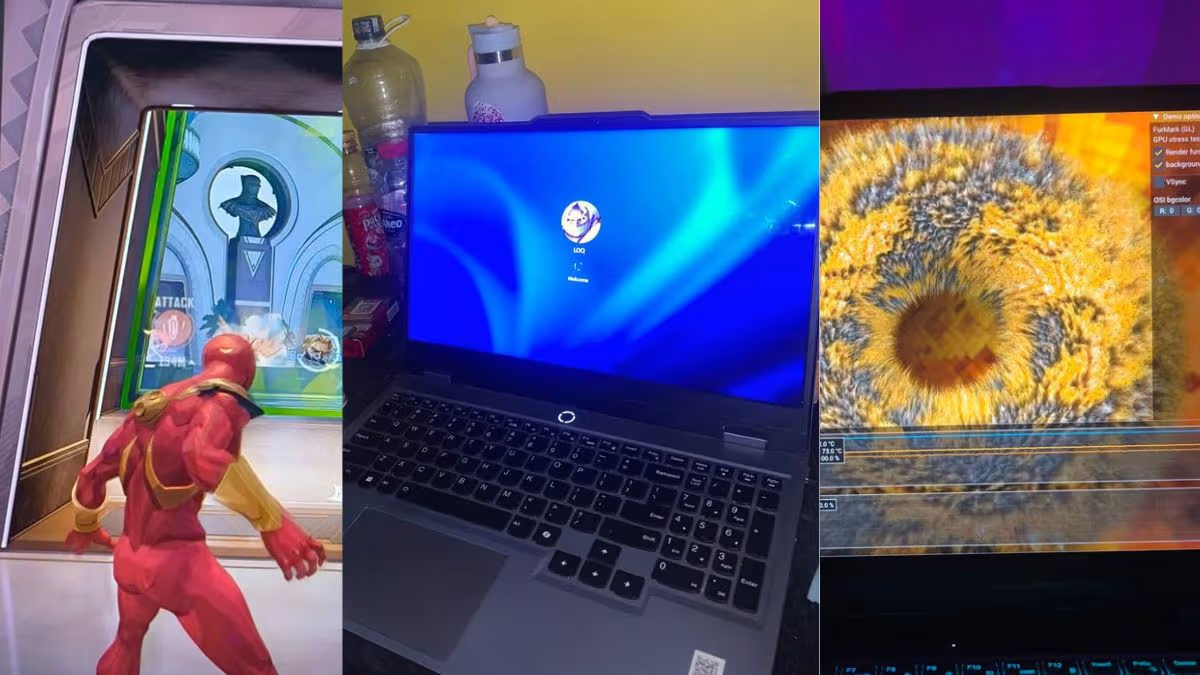
The Lenovo LOQ is such gaming laptop which can give you the smooth 1080p gaming inside most of the popular titles. Its 95W RTX 3050 6GB together with the 144Hz display is making one good pair, specially in the esports type games. Not only this, the Hyper Chamber cooling is keeping the temperature in the control, and it is rarely crossing above the 85°C. It is probably not the best choice for the heavy video editing or the 3D type work, but for the gaming and the day-to-day using, it is having a lot of things to offer.
- The LOQ is running Counter-Strike 2 at near about 125 FPS on the Very High, and the GTA V at near about 87 FPS on the Ultra, in 1080p.
- This gaming laptop is charging from 0% till 70% in only 30 minutes, with that 170W adapter which comes inside the box.
- The Lenovo LOQ is lasting only 44 minutes when you do gaming on the battery power.
- The 4-core processor of this laptop is staying behind from the 6-core rivals, in the heavy multi-threaded type work.
Lenovo LOQ Design
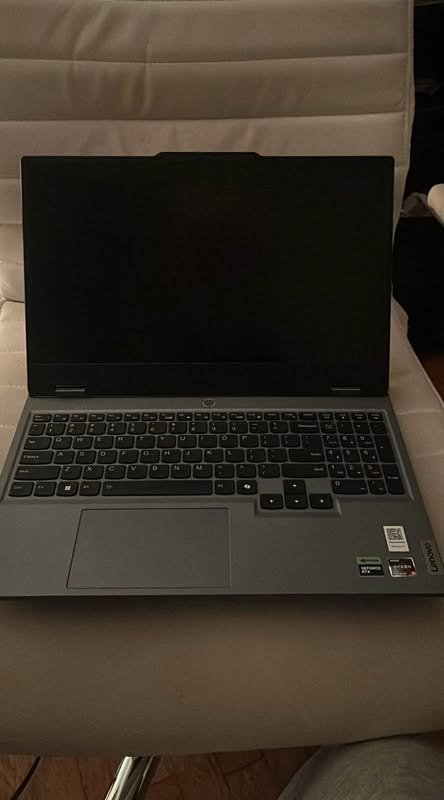
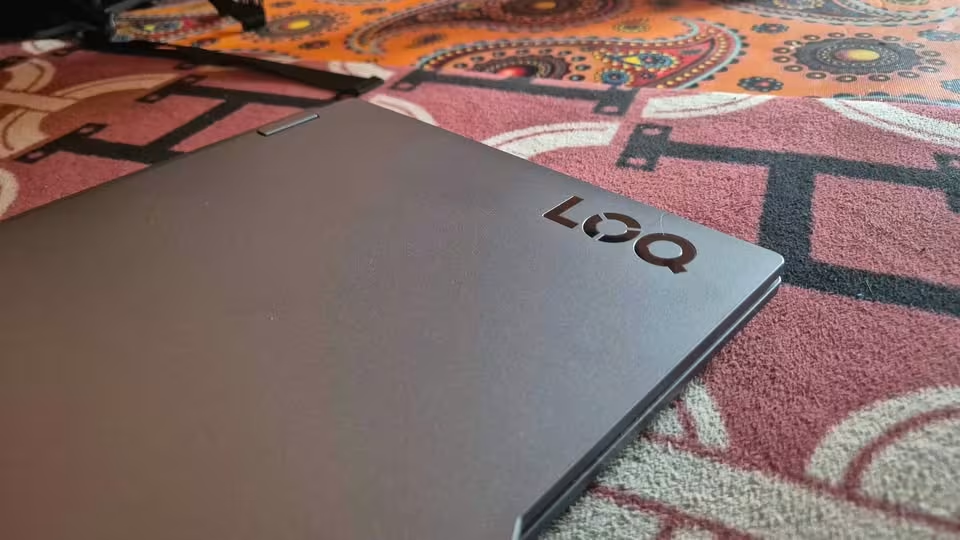
The Lenovo LOQ gaming laptop is having one clean and understated design, which we are not seeing so often inside the budget gaming laptops. It is made with the plain grey chassis, so this laptop is looking different than most of those flashy gaming laptops which we have tested till now, and it can easily pass like one work laptop also.
BUILD | The chassis is 21.9 mm in the thickness and it is weighing 2.38 kg. Lenovo is advertising the LOQ as the MIL-STD-810H tested, which is meaning that it has passed through these below durability checks:
- Low and the high temperature, from -25°C till 63°C, for the 4 hours
- Temperature shock, from -25°C till 63°C
- Vibration, from 4–33Hz, for more than 2 hours
CONTROL | When you are moving down on the laptop, there you will find one backlit QWERTY keyboard together with a touchpad. By pressing the Fn + Q, the switching between the performance modes is happening, and other than this, the Lenovo Vantage application is giving you the control for managing the power settings and also the other features of the device.
STYLE | If we are talking about the looks, the Lenovo LOQ is giving one simple but also modern type of appearance. The full grey colour scheme is coming combined with the slim bezels and the 88% of active display area, which is making the laptop stay simple but at the same time appealing also.
How the Lenovo LOQ Stays Cool
For the managing of the heat and the performance, the Lenovo LOQ is taking help of two different features, which are the Hyper Chamber cooling and the Lenovo AI Engine+. In their purpose these two features are not so much different from each other, but still each one is doing its own part of the work separately.
HYPER CHAMBER | First of all is coming the Hyper Chamber cooling system. This one is basically the hardware part which is physically doing the job of keeping the LOQ in cool condition.
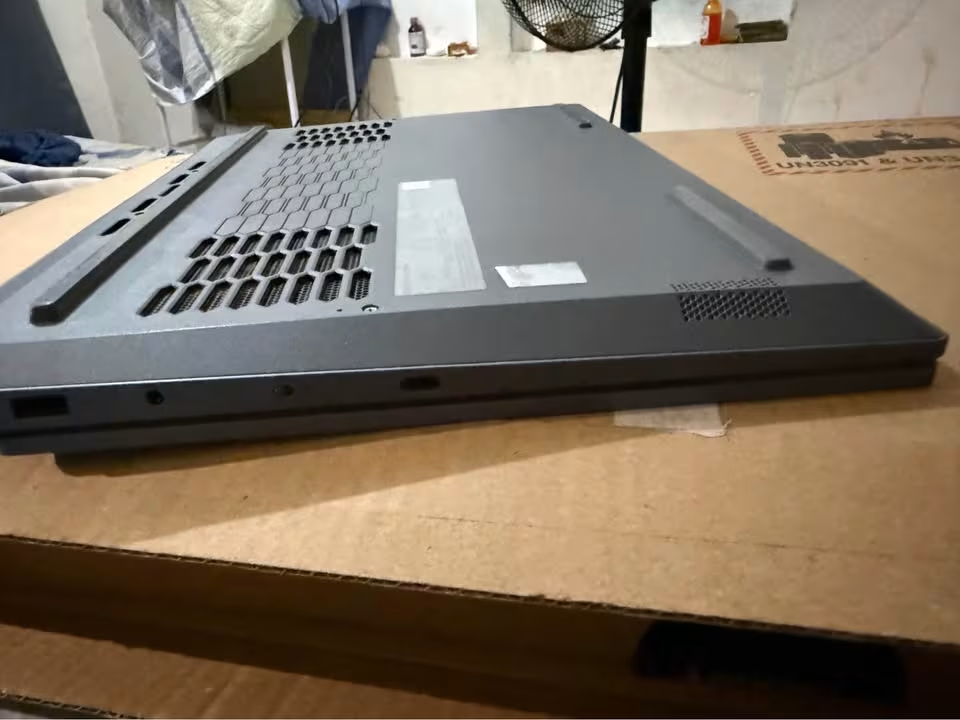
Here two fans are spinning in the opposite direction from each other, and by this they are pushing the hot air inside one sealed chamber and then throwing it out from the rear vents. As per the claim of Lenovo, this kind of design is adding up to the 10W of extra power when it is in the Extreme Mode, it is running up to 2°C more cooler, and also it is staying up to 2dB more quieter.
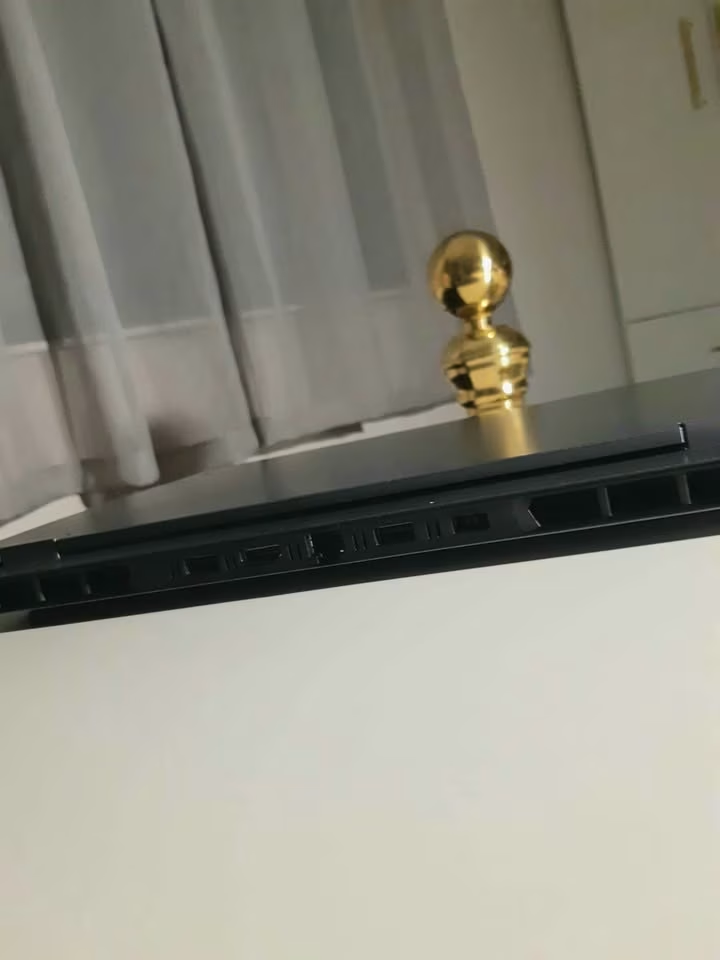
In our standard testing, the temperature was rarely going above the 85°C, and for a budget category gaming laptop this is counting as one good result.
Because the heat is getting exhausted from the rear side only, so the laptop is keeping the hot air far away from your hands, and Lenovo is also saying that by this the skin temperature and the noise both are getting reduced.
AI ENGINE+ | The Lenovo AI Engine+ is also doing its work in the background only, but the way of its helping is little bit different from the other one.
Instead of the moving of the air, this one is working together with the Lenovo LA1 AI chip, and it is adjusting the power distribution between the CPU and the GPU, which is depending on the thing that you are running at that time.
Other than this, Lenovo is also giving the AI FPS Boost, and the intention of this is for improving the frame rates inside the supported games.
How Heavy is the Lenovo LOQ?
The Lenovo LOQ is one fairly standard 15.6-inch type of gaming laptop, and it is coming at the 35.9 cm of width, 25.8 cm of depth, and the 2.2 cm of thickness. Apart from this, the weight of this gaming laptop is 2.38 kg.
- Width – 35.9 cm
- Depth – 25.8 cm
- Thickness – 2.2 cm
- Weight – 2.38 kg
Performance Tests
The below given tests are made for the purpose of showing that how the Lenovo LOQ is performing in both the ways, as one gaming laptop and also as one everyday work machine.
In the first place we have seen the LOQ like a gaming laptop, where we were running the eight popular games on the native 1080p and after that checking the average frame rate inside each one of them.
After that, we have seen the LOQ like a work machine, where we were running the synthetic CPU benchmarks first, and then doing the checking of the display, the battery life, and also the charging speed.
Performance Score
| Test | Result |
| Counter-Strike 2 (1080p Very High) | ~125 FPS |
| GTA V (1080p Ultra) | ~87 FPS |
| Red Dead Redemption 2 (1080p High) | ~59 FPS |
| 3DMark Time Spy | ~5,791 |
| Cinebench R23 Multi-Core | ~6,824 |
For the starting of our performance testing, we have arranged one mixture of different benchmarks together. Inside this test suite, the following things are included:
- CPU benchmarks
- GPU benchmarks
- Real-world 1080p games
- Battery and charging tests
Each one of these tests is putting a different type of load upon the laptop, and because of this, we are able to examine the Lenovo LOQ under the light, the heavy, and also the sustained kind of workloads. All the games, without exception, are being tested at the native 1080p resolution only.
In the whole duration of our testing, we are trying to give the real-life type examples and also remaining as consistent and as fair as it is possible for us. The procedure of the test is going in this manner:
- Running Geekbench 6, Cinebench R23, Cinebench 2024, and PassMark, so that the single-core and the multi-core CPU performance can be measured.
- Running 3DMark Time Spy for the measurement of the overall graphics performance.
- Playing eight games on 1080p and noting down the average frame rate which is coming in each one.
- Doing the video streaming over Wi-Fi, starting from the full charge until the battery is finishing completely.
- Running one looping gaming benchmark on the battery power, continuing until the laptop is shutting down by itself.
- Charging the laptop from the 0% using the included 170W adapter, and recording how much time it is taking to reach 70% and then the 100%.
Gaming Tests
The gaming tests were giving us a little bit of surprise. After we have gone through all the eight games, we have found that this Lenovo LOQ is capable to handle the esports titles and also the older AAA games in a comfortable way. But, on the other side, the newest AAA games were becoming more of a problem for this laptop.
| Game Title | Graphics Preset / Settings | Average FPS |
| Counter-Strike 2 | 1080p Very High | ~125 FPS |
| Grand Theft Auto V | 1080p Ultra | ~87 FPS |
| Red Dead Redemption 2 | 1080p High (DLSS Off) | ~59 FPS |
| Black Myth: Wukong | 1080p Medium (FSR & Frame Gen) | ~56 FPS |
| Hogwarts Legacy | 1080p High (DLSS Quality) | ~51 FPS |
| Ghost of Tsushima | 1080p Medium/High Mixed | ~47 FPS |
| The Last of Us Part II | 1080p Low (DLSS Off) | ~42 FPS |
| Cyberpunk 2077 | 1080p High (DLSS Quality) | ~40 FPS |
Gaming in the Newest AAA Titles
Because the newest AAA games are much more demanding in nature, the RTX 3050 6GB is facing difficulty to hold the 60 FPS on the higher settings. In the place of that, you will be needing to bring down the presets, or otherwise switching on the DLSS or the FSR upscaling, so that the smoothness can be maintained. Due to this reason, Cyberpunk 2077 was giving the average of near about 40 FPS on High with DLSS Quality, and Ghost of Tsushima was giving the average of around 47 FPS on the mixed settings. The frame rates were remaining playable, but still they were little bit lower than what I was wanting to see.
The Lenovo LOQ was running each and every game which we have thrown towards it; however, it was not capable to touch the 60 FPS mark in the most demanding titles.
Gaming in Esports & Older Titles
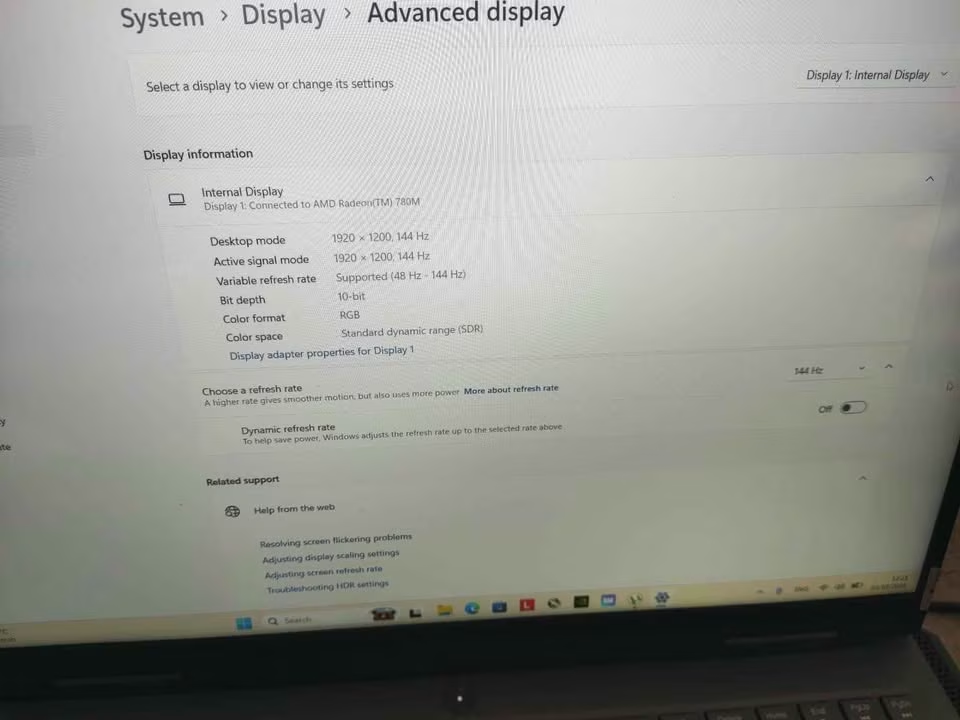
When it comes to the matter of Counter-Strike 2 and GTA V, the Lenovo LOQ was facing no kind of difficulty at all. Counter-Strike 2 was giving an average of nearly 125 FPS on the Very High preset, while GTA V was staying around 87 FPS on Ultra, which is making a very good utilisation of the 144Hz panel.
Red Dead Redemption 2 also managed to reach close to the 60 FPS mark on the High setting, and that too without taking the help of any upscaling.
Battery Life
If I have to tell my biggest disappointment, then surely it is the battery life of this Lenovo LOQ. Of course, it is a logical thing that a gaming laptop will finish its charge very fast during gaming, but still, the mere 44 minutes that it survived on a full charge was something shorter than my expectation. Video streaming through Wi-Fi was running for nearly 3.5 hours, and for heavy productivity type of work, the battery was getting empty within 1 to 1.5 hours only. One reason behind this is that the Ryzen 5 7235HS is not having any integrated graphics inside it, so the burden of every single display task, even the most simple ones, is falling on the RTX 3050 itself.
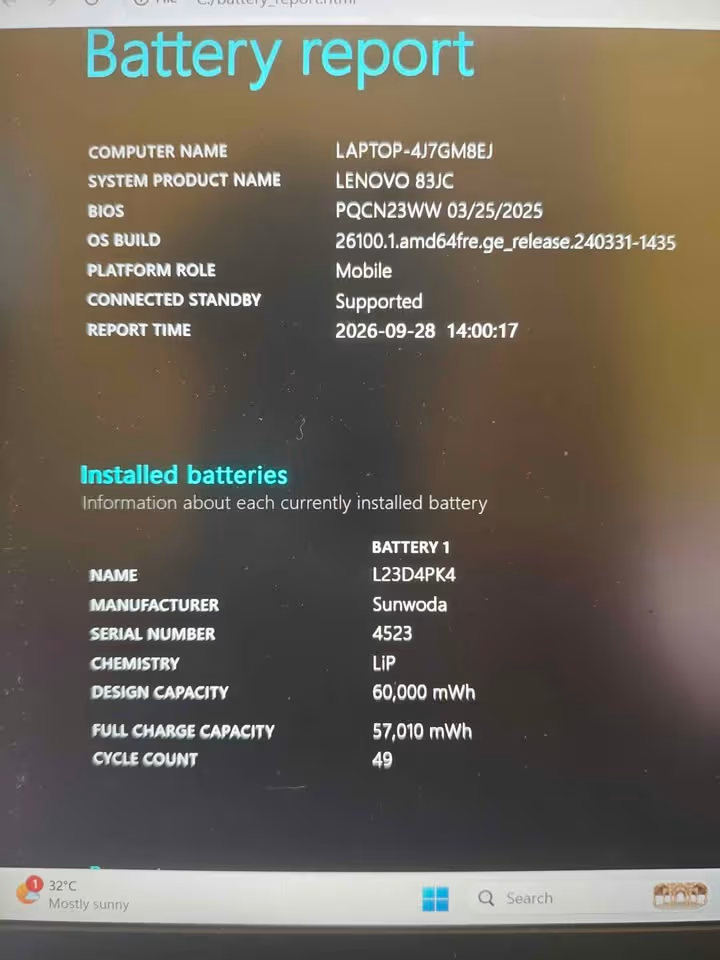
On the other side, however, the Rapid Charge Pro feature is bringing the 60Wh battery from 0% up to 70% in just 30 minutes, and reaching the full 100% in 80 minutes, so the waiting time before you can start again is not much.
CPU & Display Tests
After finishing all the gaming tests, we have given the Lenovo LOQ some CPU benchmark work also. We have run Geekbench 6, Cinebench R23, Cinebench 2024, and PassMark, just to observe how this 4-core, 8-thread processor is managing the load.
| Benchmark | Single-Core | Multi-Core |
|---|---|---|
| Geekbench 6 | ~1,608–1,749 | ~5,986–6,194 |
| Cinebench R23 | ~1,312 | ~6,824 |
| Cinebench 2024 | ~78 | ~461 |
| PassMark CPU Mark | ~2,880 (single-thread) | ~12,291 (overall) |
The Ryzen 5 7235HS handled coding, MS Word to Excell, and Chrome tab with 30 work in a very smooth manner, and the credit for this is going to its Zen 3+ cores together with the 4.2GHz boost clock.
But the multi-core side is telling us a completely different story. Because of having only 4 physical cores, it is clearly slower in the video rendering and 3D modelling department when we compare it with 6-core chips such as the Intel i5-12450HX or the Ryzen 5 7640HS.
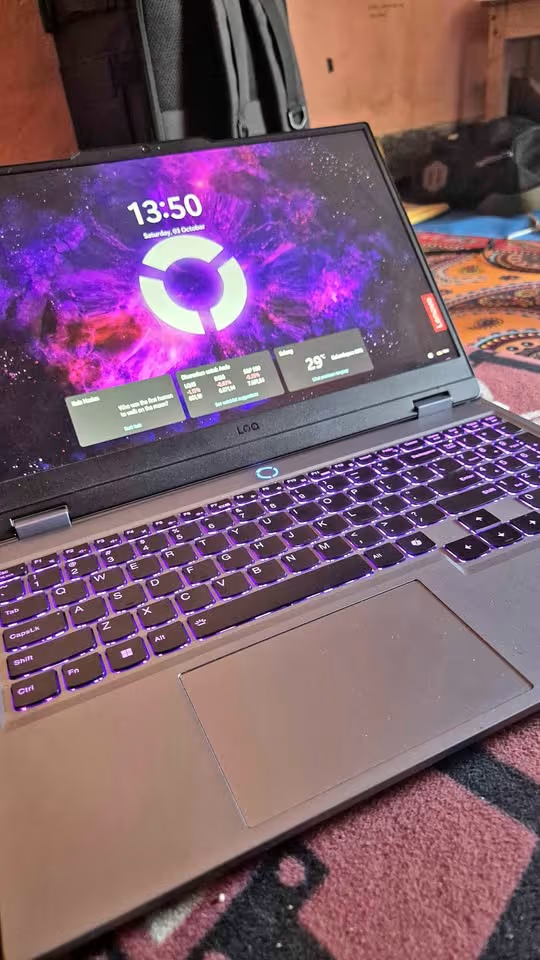
Coming to the display part, the 15.6-inch IPS panel was touching nearly 300 to 320 nits of brightness and was covering somewhere between 98.5% to 100% of the sRGB colour space.
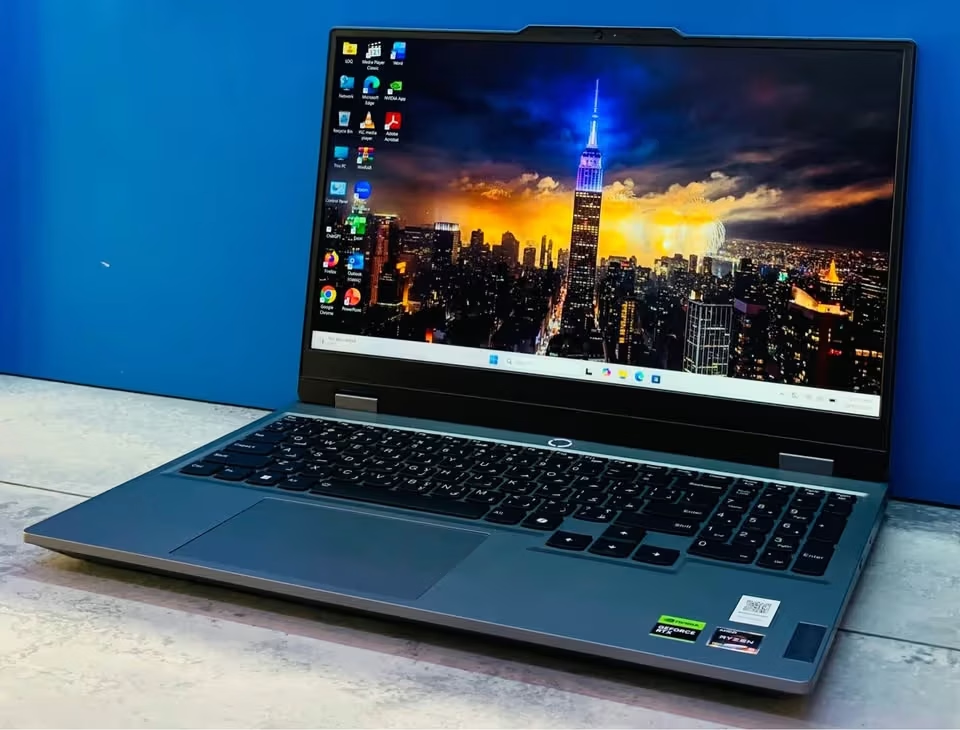
The colours are not appearing dull or washed-out in nature, which is making it a fit choice for entry-level photo editing and web designing work. Lenovo is claiming a 3ms response time, but in our own measurement the response time was coming around 9ms to 14ms, so the serious competitive esports players may notice a little bit of ghosting during fast action.
How Good is the Ryzen 5 7235HS?
The AMD Ryzen 5 7235HS is a processor that sits in the entry-level gaming segment, and it is made upon the Zen 3+ architecture together with a 6nm manufacturing process. Different from most of the Ryzen 5 chips, which normally are coming with 6 cores, this 7235HS is a more leaner silicon of only 4 cores and 8 threads, having a base clock of 3.2GHz and the boost clock going up to 4.2GHz.
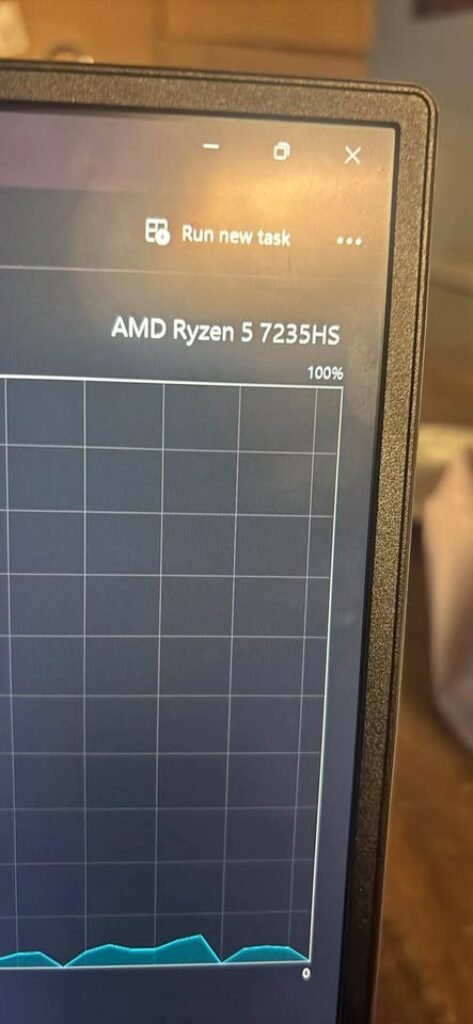
Being a budget-oriented processor, it is not designed for the purpose of fighting against the high-end chips, neither for winning the multi-core benchmarks also. What it does instead is managing the day-to-day works at a cheaper price point, and then it gives away the heavy lifting of the games into the hands of the RTX 3050.
- Cores / Threads – 4 / 8
- Clock Speed – 3.2GHz base / 4.2GHz boost
- Cache – 2MB L2 / 8MB L3
- Integrated Graphics – None
PRODUCTIVITY | In the case you are requiring a laptop meant for coding, the office applications, or the student-type work, then the 7235HS is doing the job quite smoothly. The single-core numbers of near about 1,312 inside Cinebench R23, and reaching up to 1,749 in the Geekbench 6, are keeping the everyday tasks feeling snappy and quick. Having said this, the video rendering and also the 3D modelling are taking a visibly longer duration than what they will take over a 6-core or an 8-core processor.
GAMING | The same thing applies for the gaming part, up to some certain degree. The CPU is doing its duty as a budget component, however the limitation of 4 cores is able to produce a small bottleneck inside the unoptimized or the CPU-hungry games. For this reason, the RTX 3050 6GB is the one carrying the most of the load, and the esports titles such as Counter-Strike 2 and also PUBG are still running in a good manner.
NO iGPU | The 7235HS is not having any integrated graphics inside it. Because of this, the RTX 3050 is forced to handle each and every display-related task, even the very simple ones like the web browsing, and this becomes one of the biggest reason why the battery is draining out so fast.
Also see – AMD Ryzen 7 7730U vs Intel Core i5 13420H
How Does the Keyboard Hold Up in Games?
The Lenovo LOQ is coming with a full-size, 6-row keyboard which is also having a numeric keypad on it. It is not a mechanical type keyboard, but if we are talking about a budget gaming laptop, then it manages to hold up quite nicely even in the long gaming sessions where your hands are not getting rest.
Being a gaming keyboard by itself, there is no such need for you that you have to plug one external keyboard, or to carry some extra gear also along with you. The keys are giving enough of spacing so that quick finger movement and those fast in-game shortcuts can happen without much struggle.
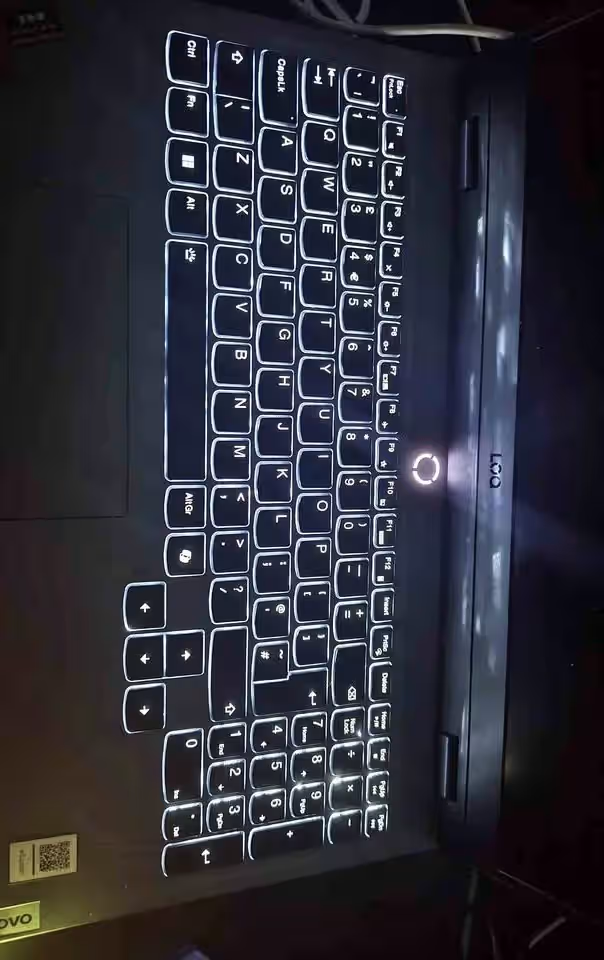
- Layout – Full-size, 6-row, numeric keypad
- Backlight – White
- Touchpad – 75 x 120 mm, Precision TouchPad
- Shortcut – Fn + Q for the performance modes
LAYOUT | So first of all, let us talk about the layout; the full-size keyboard is leaving a good amount of space all around the WASD keys, due to which your fingers are not feeling that cramped feeling during the fast-paced type of games. The numeric keypad which is sitting on the right side is also coming very handy for those games which are using the extra key bindings.
FEEL | The keys are not mushy as such, but still there is some little bit of soft kind of feel which comes the moment you bottom out each one of them. The key presses are not that much crisp like how they would be feeling on one mechanical keyboard or on some premium laptop. Having said all this, the keys are still responsive enough for the gaming purpose, and the typing also is feeling comfortable on the daily basis.
LIGHTING | The backlight is making it very easy for you to find out your keys when you are gaming inside a dark room. Most of the variants are coming with the white backlight only, whereas some of them are getting the 4-zone RGB lighting, so it is better you check the exact model first before you are going to buy it.
HEAT | Because of the reason that the Hyper Chamber cooling is pushing the hot air out from the rear vents, the heat is staying away from the keyboard deck. Lenovo is also claiming that this design is reducing the skin temperature, which is mattering a lot when your hands are resting on top of the keyboard for the hours together.
Can the Lenovo LOQ connect the everything?
The connectivity is one of most impressive thing about this Lenovo LOQ gaming laptop. This LOQ is having one HDMI 2.1 port, also one USB-C port which support Power Delivery, and one wired Ethernet port too, so because of this you can attach the monitors, the accessories, and also one stable internet connection without much problem.
- USB-C: 10Gbps, 140W PD, DisplayPort 1.4
- USB-A: 3 × 5Gbps
- HDMI: 2.1
- Ethernet: Gigabit RJ-45
- Audio: 3.5mm combo jack
The 140W USB-C Power Delivery is giving one huge plus point to the Lenovo LOQ. By the help of it, you are able to charge this laptop using one compatible USB-C charger, and you don’t need to carry that heavy 170W adapter everywhere.
Normally, if you do the gaming on full 95W TGP then still the original adapter will be required, but for the travelling and some light work only, the USB-C charging is more than sufficient.
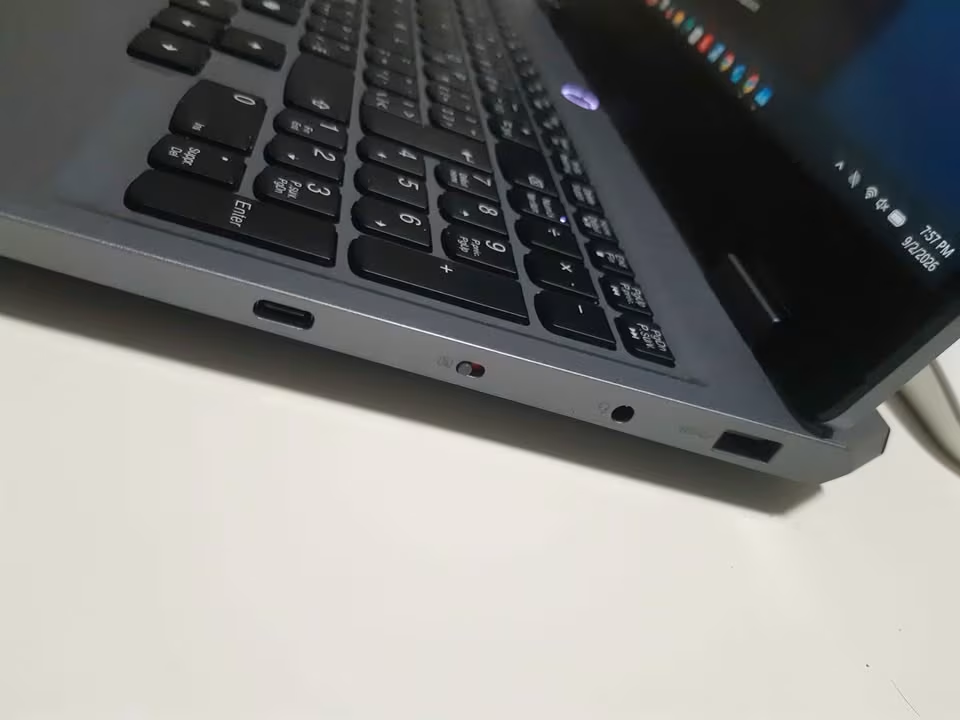
The direct GPU output is also another very good feature which is coming with this gaming laptop. Both the HDMI 2.1 and the USB-C port, they are routing directly from the RTX 3050 itself, because of this the LOQ can push the external monitors upto 4K at 120Hz, or even 8K at 60Hz also.
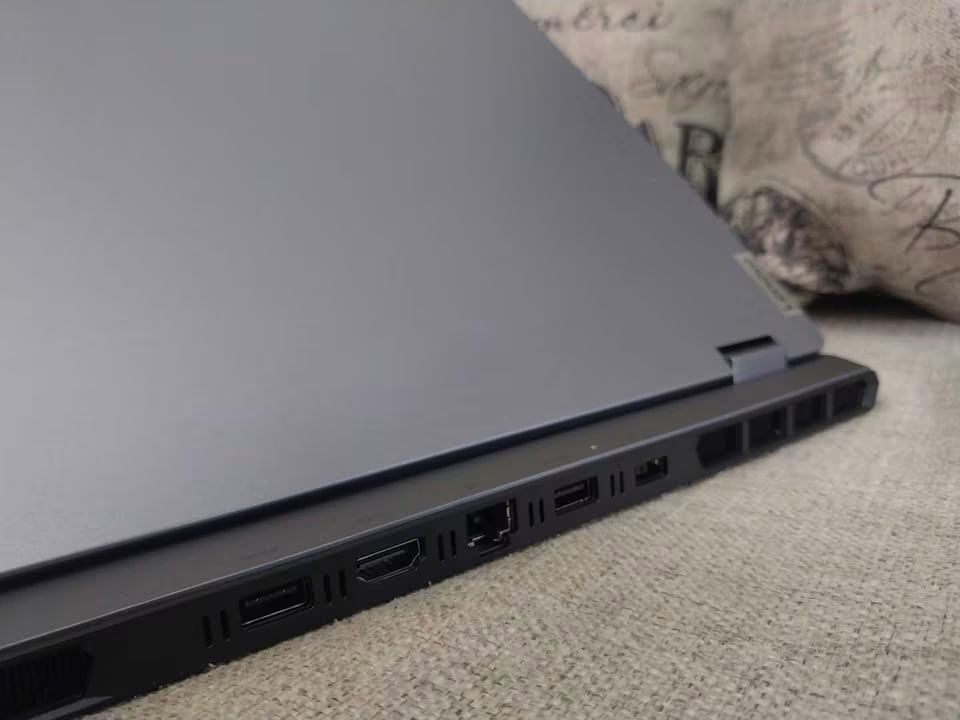
Here there is no Thunderbolt 4 and also no USB4, so due to this the external SSD speed is only reaching around 1,050 MB/s maximum. This is one small trade-off only, but still it is worth to know, specially if you are moving the large files very frequently.
Is the Lenovo LOQ a Good Value?
The Lenovo LOQ gaming laptop is giving one good value for sure. Even though the ₹97,100 is looking somewhat high for one entry-level gaming laptop, but its features and also the gaming performance both are strong enough that they are balancing out this price.
After I tested this LOQ on the eight different games, it became clear that this gaming laptop is having enough graphics power for running the esports titles and also most of the AAA games on 1080p resolution.
The processor was not that much strong when it comes to the heavy multi-core work, but honestly this was already expected, because at the end it is only one 4-core chip.
The upgradeability is one more major plus point for this gaming laptop. The 16GB DDR5-4800 memory you can upgrade later till 32GB, and also the Office Home 2024 plus one 3-month Game Pass is coming included in the box.
Related – 32GB DDR4 vs 16GB DDR5 Laptop RAM
Regarding the warranty part, Lenovo is providing the on-site warranty, and the return period it will vary depending on which retailer you are buying from.
Lenovo LOQ Specifications
Here below we are putting the full list of all the important specifications and the features which are coming inside the Lenovo LOQ, so that you can understand each part properly before buying:
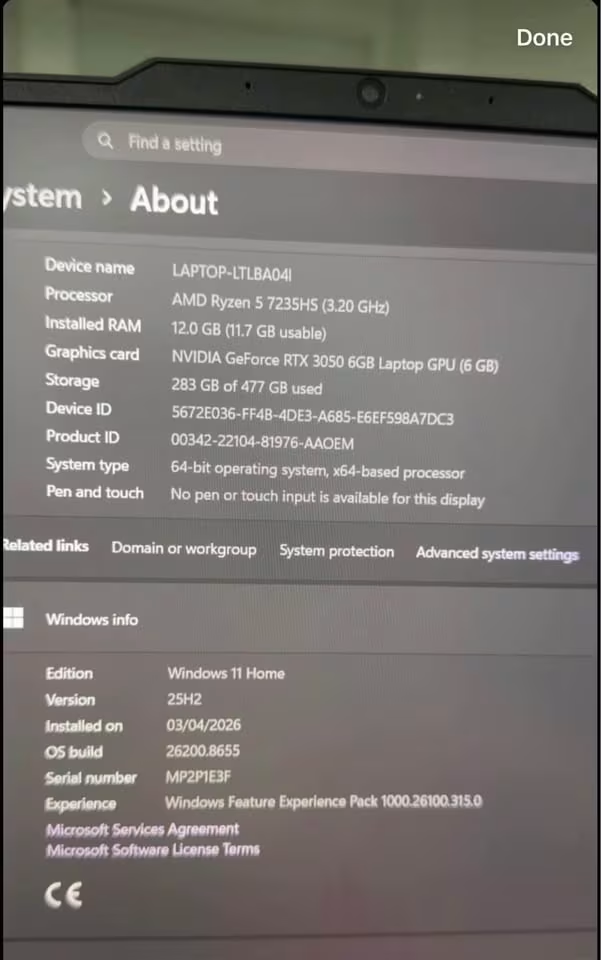
Specifications
| Type | Gaming Laptop |
|---|---|
| Processor | AMD Ryzen 5 7235HS (4C / 8T, up to 4.2GHz) |
| Graphics | NVIDIA GeForce RTX 3050 6GB GDDR6, 95W TGP |
| Memory | 16GB DDR5-4800 (up to 32GB) |
| Storage | 512GB PCIe 4.0 NVMe SSD |
| Display | 15.6″ FHD IPS, 144Hz, 100% sRGB, 300 nits |
| Battery | 60Wh |
| Charger | 170W adapter / 140W USB-C PD |
| Weight | 2.38 kg |
| Operating System | Windows 11 Home |
| Warranty | On-site |
Who Should Buy the Lenovo LOQ Gaming Laptop?
The Lenovo LOQ is one such laptop which is nicely balanced, and it is removing most of the confusion that normally comes when a person is purchasing a gaming machine in budget segment. The 95W RTX 3050 together with the Hyper Chamber cooling, both are working as a combination, and because of this it becomes a strong performer which can give advantage to many different type of users.
From my side, I will suggest the Lenovo LOQ to the peoples who are searching these below mentioned points in their gaming laptop:
- Want smooth esports gaming – If mostly you are playing the titles such as Counter-Strike 2 or the PUBG, then the Lenovo LOQ can become a very good option for you. The 144Hz panel along with the RTX 3050 is keeping the frame rate in high side and the gameplay also stays smooth without stutter. But still, for the maxing out of latest AAA games, you will most probably feel the need of one more powerful GPU.
- Like the idea of a gaming and work laptop in one – The Lenovo LOQ is not only a gaming laptop by nature, but up to some level it is also behaving like a working machine. The Office Home 2024 is coming already included inside it, and the 100% sRGB display is able to manage the entry-level photo editing works. After that, it is doing the job for coding, assignments and also the daily normal tasks.
- Want to game on a budget – At the end it is a gaming laptop which is staying under ₹1 lakh! I mean, come on… I am always the person who likes to save the money so that more games can be purchased later.